SVAN 948 USER MANUAL
4 - 23
Selection of measurement parameters - MEASURE SETUP
All settings made in MEASURE SETUP are common for sound and vibration level meters. The
MEASURE SETUP sub-list is opened after the selection of the MEASURE SETUP text from the
INPUT list by means of the <
>, <
> (or <
>, <
>) push-buttons and pressing the <ENTER> one.
The MEASURE SETUP sub-list consists of the parameters, which can be set, switched on or off, namely:
the delay of the start of measurements (START DELAY), the integration time (INT. TIME), the repetition
of the measurement cycles (REP. CYCLE) and the buffer’s step (BUF. STEP). In order to change the
displayed inversely parameter the user has to press the <
>, <
> push-buttons. The confirmation of any
change made in the sub-list requires pressing the <ENTER> push-button, which simultaneously closes
the sub-list. The MEASURE SETUP sub-list is closed ignoring any changes made, after pressing in any
time the <ESC> push-button.
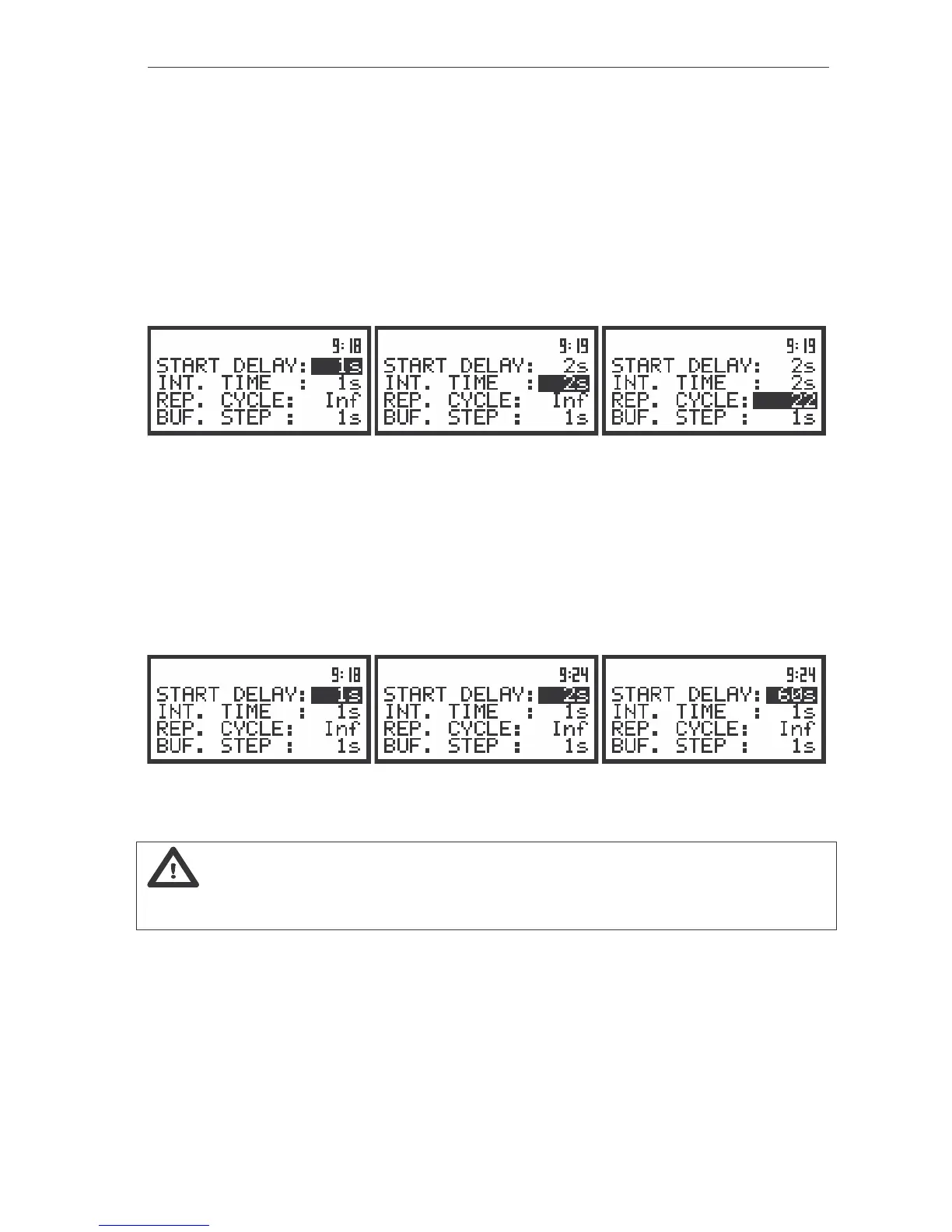
The view of the displays with the MEASURE SETUP sub-list opened (path: MENU / INPUT / MEASURE SETUP)
Setting time delay before the start of measurements - START DELAY
The START DELAY position defines the delay from the pressing the <START / STOP> push-button
to the start of the measurements (the digital filters of the instrument analyse constantly the input signal
even when the measurements are stopped). This delay can be set from 1 second to 60 seconds (with
1 second step by means of the <
>, <
> push-buttons and with 10 seconds step with the <
>, <
>
push-buttons pressed together with the <SHIFT> one). The <ENTER> push-button must be pressed for
the confirmation of the selection, which closes simultaneously the MEASURE SETUP sub-list.
The view of the displays with the MEASURE SETUP sub-list opened (path: MENU / INPUT / MEASURE SETUP);
the setting of the START DELAY
Notice: The minimum delay time is equal to 1 second. It protects from the registration
by the instrument the effects of the push-button pressing. In the CALIBRATION mode the delay time
is equal to 5 seconds.
Setting the integration time - INT. TIME
The INT. TIME position defines the time period in which the signal is being averaged during the
sound level measurements. The required parameter can be set by means of the <
>, <
> and
confirmed by the <ENTER> push-button.
The integration time (INT.TIME) can be set (by pressing the <
> or <
> with <SHIFT> push-
buttons):



 To Next Page