SVAN 948 USER MANUAL .
4 - 66
Selection of the weighting filter in 1/3 OCTAVE analysis of acoustic signal - FILTER position
The following weighting filters are available in 1/3 OCTAVE analysis:
• A type 1 according to the IEC 651 and IEC 61672-1 standards,
• C type 1 according to the IEC 651 and IEC 61672-1 standards,
• LIN conforms to the requirements for the Z filter of type 1 according to the IEC 61672-1 standard,
• HP high-pass filter for 1/3 OCTAVE analysis.
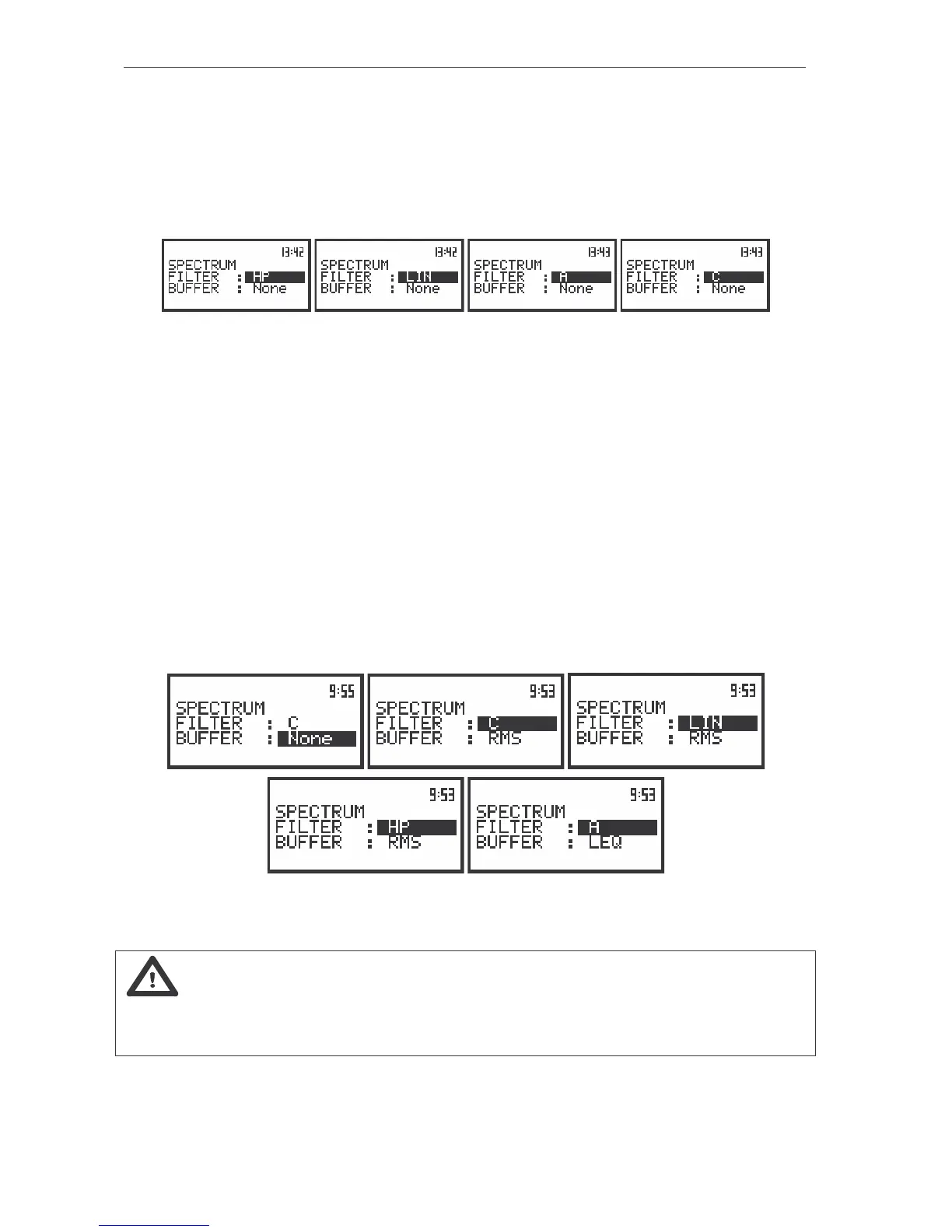
The view of the displays with the SPECTRUM sub-list (path: MENU / INPUT / 1/3 OCTAVE SETUP / CHANNEL x /
SPECTRUM) opened, the selection of the weighting filter
The characteristics of the filters are given in Appendix D. The selection of the required filter is made
with the <
>, <
> push-buttons. After pressing the <ENTER> push-button the user can confirm the
selection and close the sub-list. The return to the 1/3 OCTAVE SETUP sub-list is made also after pressing
the <ESC> push-button but in this case the selection is ignored.
Selection of 1/3 OCTAVE analysis result to be saved in the buffer’s file - BUFFER position
The RMS or LEQ (when the user select A filter in FILTER position in SPECTRUM sub-list) result
from 1/3 OCTAVE analysis can be saved in the buffer’s file of the instrument. The selection of the
required result is made with the <
>, <
> push-buttons. The selection of the None text means that the
RMS or LEQ results are not saved in the buffer’s file. The user causes the return to the 1/3 OCTAVE
SETUP/ CHANNEL x sub-list pressing the <ENTER> push-button with the confirmation of the selections
made in the sub-list. The return to the 1/3 OCTAVE SETUP/ CHANNEL x sub-list is also possible after
pressing the <ESC> push-button but all changes are in this case ignored.
The view of the displays in the SPECTRUM sub-list (path: MENU / INPUT/PROFILES SETUP/ 1/3 OCTAVE SETUP/
CHANNEL x/ SPECTRUM), the selection of the BUFFER position
Notice: It is not possible to change the values of the parameters during the execution of
the measurements. It is possible to open different lists and sub-lists but the positions in these lists are not
displayed inversely and so - not accessible. The “Loudspeaker” icon indicates that the instrument is in
the measurement process. In order to change the range the measurement must be finished!



 To Next Page