SVAN 948 USER MANUAL _
5 - 38
Saving files in the instrument’s memory - SAVE and SAVE NEXT
The SAVE (path: MENU / FILE / SAVE) position is used for storing data in the internal non-volatile
(FLASH DISC) memory as a file (see Appendix B for the file formats). In order to enter this position the
user has to select the SAVE text in the FILE list, using the <
> (or <
>) push-button. After the selection
the <ENTER> push-button must be pressed. The additional function for results saving (the SAVE NEXT –
save a file with the name increased by one) is available after pressing the <
>, <
> push-buttons.
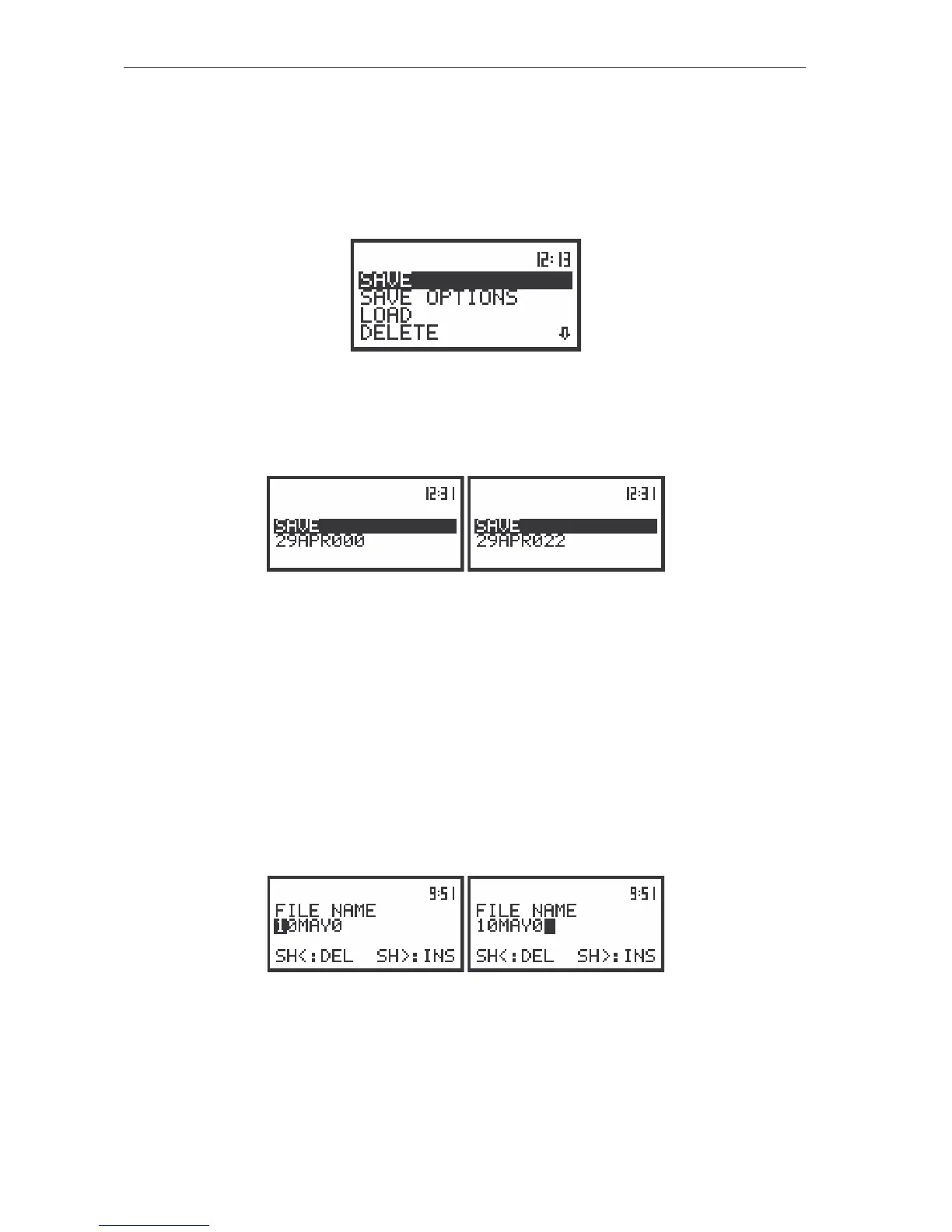
The view of the displays in the FILE sub-list with the SAVE text highlighted (displayed inversely)
The additional function for results saving (the SAVE NEXT – save a file with the name increased by
one) is available after pressing the <
>, <
> push-buttons. The return to the FILE sub-list is possible
after pressing the <ESC> push-button.
The view of the displays with the SAVE position opened
The name of the file, in which the measurements or the analysis results are to be saved, is
displayed under the SAVE or SAVE NEXT text. The default name for a file is displayed in the case of the
first entering to this position (after power on) and the last saved file’s name – in the case of the next
entering. It is possible to edit this name in two ways: full and simplified.
The window of the full edition of the file’s name (the FILE NAME) is opened after pressing the
<ENTER> push-button in the case when the SAVE function was selected for saving the results of the
measurements.
The user can skip the full edition of the file’s name pressing once more the <ENTER> push-button.
It will result in the passing to the phase of the file’s saving described just after the FILE NAME window.
The FILE NAME window is presented on the Figure below. The displayed inversely character is
currently edited. The <
>, <
>, <
>, <
> and <SHIFT> push-buttons are used for editing the name
which can not exceed 8 characters.
The view of the displays during the process of setting the character in the edited name
One can select the proper position of the character in the edited text using the <
>, <
> push-
buttons. The available ASCII characters can be changed using the <
>, <
> push-buttons. The
subsequent big letters, digits, space and underline appear on the display in the inversely displayed
position after each pressing of the mentioned above push-buttons.



 To Next Page