SVAN 948 USER MANUAL
4 - 19
The change of the channel is achieved by pressing the <SHIFT> with <
> or <SHIFT> with <
>
push-buttons.
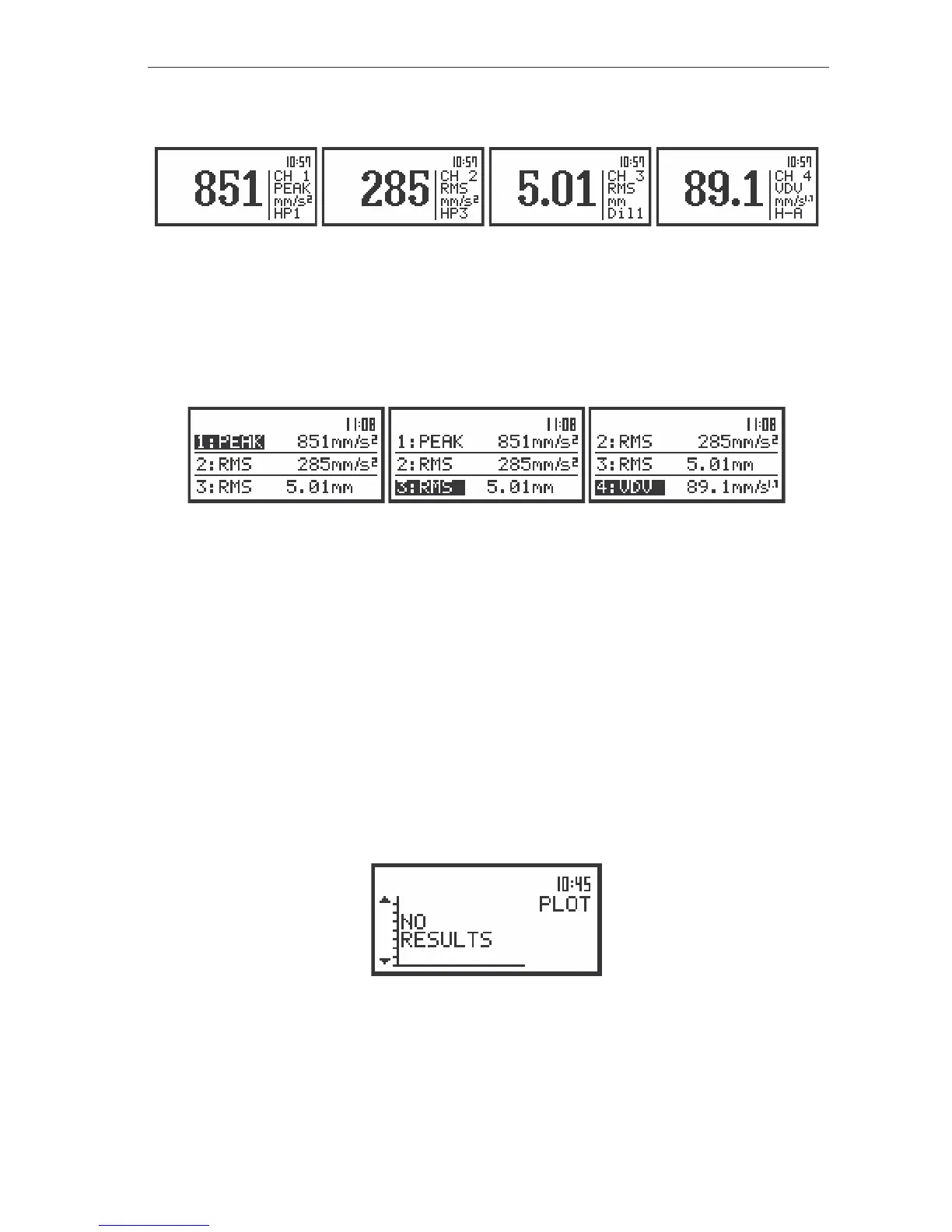
The view of the displays in one profile presentation – the changing of the channels
3 PROFILES mode of the measurement results presentation
In 3 PROFILES mode of result’s presentation the selected results from each channel are displayed
in three consecutive lines. In each line the name of the measurement result, its value and the units are
presented. The channels are separated by two straight horizontal lines. These lines are doted in other
modes than vibration level meter.
The view of the displays in 3 PROFILES presentation – the changing of the channels
On the display there are show three lines. User is able to rewind view by pressing the <SHIFT> with
<
> or <SHIFT> with <
> push-buttons. The change of the active channel (this in which the name is
displayed inversely) is performed by means of the <SHIFT> with <
> or <SHIFT> with <
> push-
buttons. The switching between the simultaneously calculated results is performed by means of the <
>,
<
> push-buttons.
Presentation of time history - PLOT
The PLOT mode of results presentation is available if data from at least one channel are logged in
the buffer’s file. If the BUFFERS position in BUFFERS SETUP sub-list is switched ON but in the selected
channel there was nothing switched on ([√
√√
√]), the NO RESULTS text is displayed after the first input to this
mode (see Figure below). When the BUFFERS is selected as non-active BUFFER:OFF and it is set for all
channels, the PLOT mode of results presentation is skipped.
There are PLOT display, when the BUFFERS position is switched ON and user selected position to
display in BUFFERS SETUP/ CHANNEL x ([√
√√
√])
The view of the display in the PLOT mode when there is nothing in the buffer to be displayed (after setting
PLOT as active)
In the PLOT presentation the results logged in the file of the buffer of the instrument are also given
on the display in the time history form. Each line corresponds to one measurement result (the results are
registered with the step set in the BUF. STEP position of the MEASURE SETUP sub-list (path: MENU /



 To Next Page