SVAN 948 USER MANUAL _
5 - 34
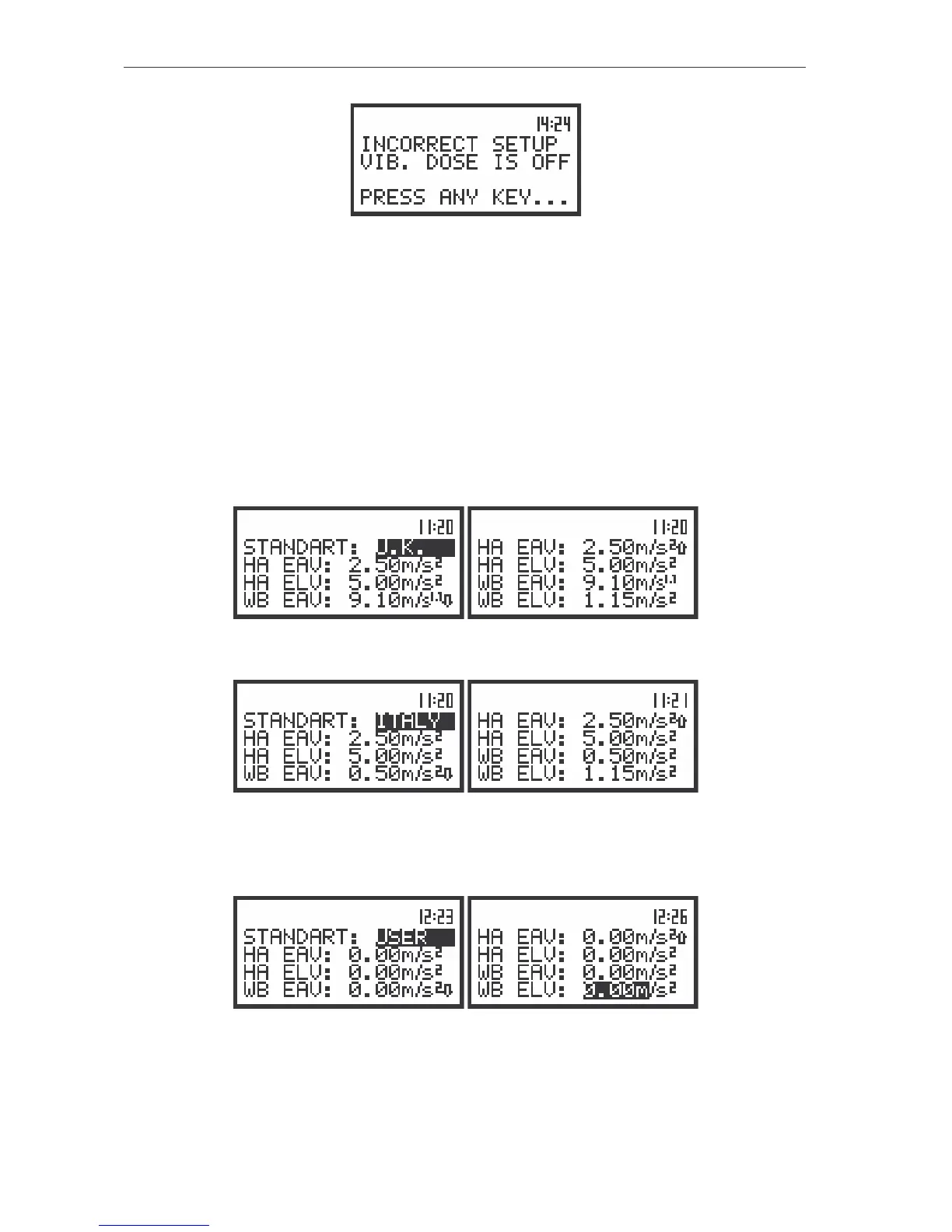
The view of the displays informed about wrong selected setting
Selection of the standards of vibration dose - STANDARDS
The STANDARDS (path: MENU / SETUP / HAV/WBV DOSE / STANDARDS) position enables the user
to select standard of the measurement of vibration dose. Selected standard determines the limits of
measured vibration. Up to the internal software version named as 2.11 the UNITED KINGDOM (U.K.) and
ITALY standards are available (there position can not be accessed and changed). Those positions inform
about the limits of vibration dose in defined standard. It is possible to set the standard using the <
>,
<
> push-buttons. In order to confirm the setting the <ENTER> push-button has to be pressed. Such
pressing closes the sub-list. After pressing the <ESC> push-button the sub-list is also closed but all
changes which were made are ignored. The user can rewind the limit list using the <
>, <
> (or <
>,
<
>) push-buttons.
The view of the displays in the STANDARDS window for U.K. standard
The view of the displays in the STANDARDS window for U.K. standard
The user can define the standards by him. In order to set own limits, the user has to select the
position USER.
The view of the displays in the STANDARDS window for USER standard
The user can select the following limits in HA mode - EAV and ELV, in WB mode – EAV and ELV,
The selection of the position in the set is performed by means of the <
>, <
> push-buttons. The value



 To Next Page