SVAN 948 USER MANUAL
4 - 7
4.1.2. The calibration by the measurement
Calibration BY MEASUREMENT in the case of vibration signal
The calibration by measurements can be conducted in the following way:
1. Select the calibration by measurement (highlight the text BY MEASUREMENT) from the
CALIBRATION sub-list and press the <ENTER> push-button.
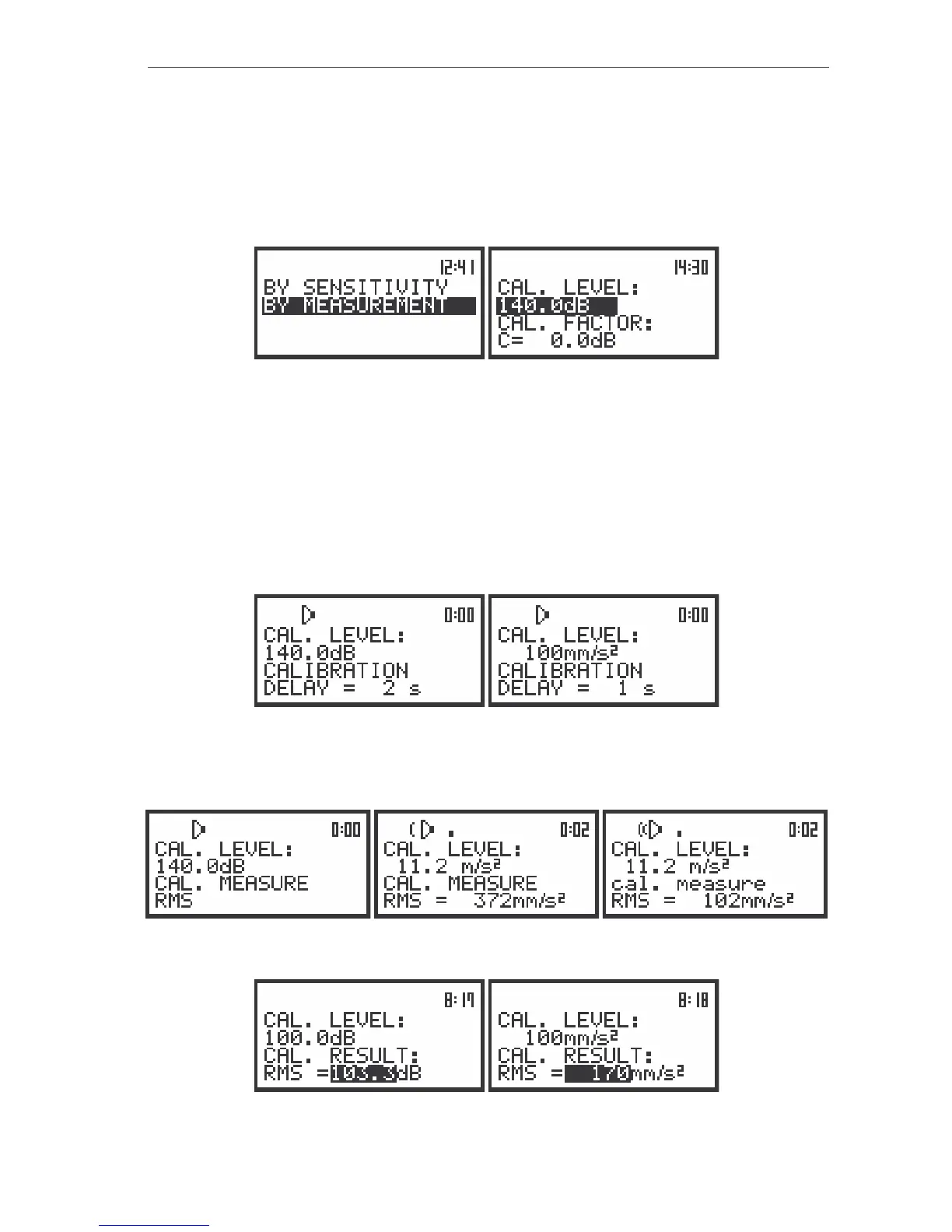
The view of the displays with the selected calibration mode and after entering this mode
2. Attach the vibration calibrator to the instrument’s accelerometer.
3. Switch on the calibrator and wait approximately 30 seconds before starting the calibration
measurement.
4. Start the calibration measurement by pressing the <START / STOP> push-button.
The measurement starts after 5 seconds delay. The measurement time is also predefined to
5 seconds. During the calibration period, the <ESC> and <PAUSE> push-buttons do not operate but it is
possible to stop the measurement using the <START / STOP> push-button. Waiting for the calibration
measurement to begin, a DELAY is counted down and the text “CALIBRATION” changes.
The view of the displays while the instrument is waiting for the calibration measurement to commence
During the calibration measurement, the text changes to cal. measure / CAL. MEASURE. At the
end of the measurement, the result is displayed on the display in the bottom line.
The displays during the calibration measurements
The displays after the calibration measurements



 To Next Page