SVAN 948 USER MANUAL
5 - 27
are taken into account during the calculations of the measurement results expressed in the logarithmic
scale (with the dB as the units). In order to enter this position the user has to select the
REFERENCE LEVEL text in the SETUP list, using the <
>, <
> (or <
>, <
>) push-buttons and
press the <ENTER>. The selection of a parameter which level has to be set is done by means of the
<
>, <
> push-buttons.
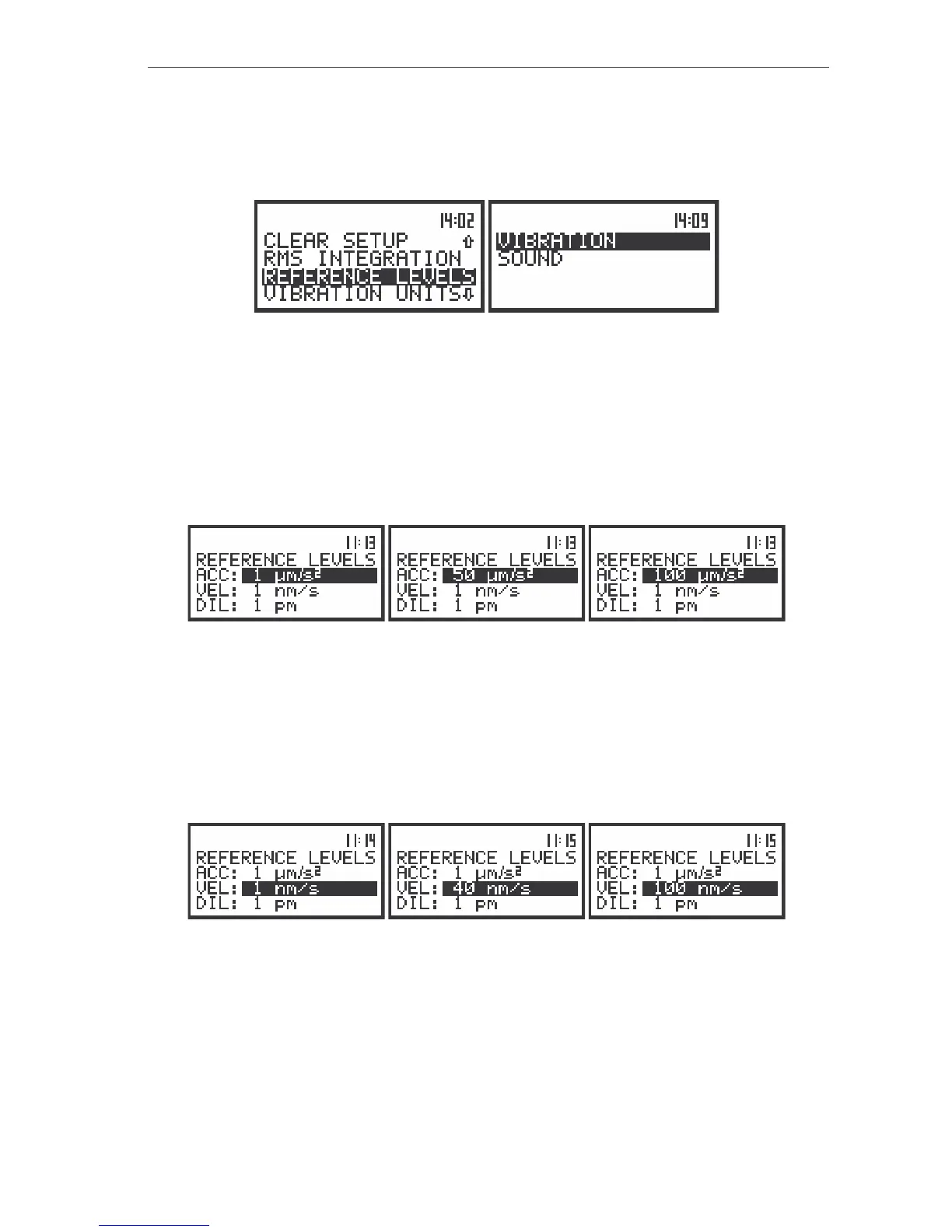
The view of the display in the SETUP list, the REFERENCE LEVEL text highlighted (displayed inversely)
Setting the reference level of the acceleration signal - ACC
In the ACC position the user can set the reference level of the acceleration signal. It is possible to
set this level from 1 µms
-2
to 100 µms
-2
with 1 µms
-2
step pressing the <
>, <
> push-buttons. The step
can be increased to 10 µms
-2
pressing the <SHIFT> with the <
>, <
> push-buttons. In order to confirm
the setting the <ENTER> push-button has to be pressed. Such pressing closes the sub-list. After pressing
the <ESC> push-button the sub-list is also closed but all changes which were made are ignored.
The display’s view in the REFERENCE LEVEL sub-list; the reference level setting of acceleration signal
Setting the reference level of the velocity signal - VEL
In the VEL position the user can set the reference level of the velocity signal. It is possible to set
this level from 1 nms
-1
to 100 nms
-1
with 1 nms
-1
step pressing the <
>, <
> push-buttons. The step can
be increased to 10 nms
-1
pressing the <SHIFT> with the <
>, <
> push-buttons. In order to confirm the
setting the <ENTER> push-button has to be pressed. Such pressing closes the sub-list. After pressing the
<ESC> push-button the sub-list is also closed but all changes which were made are ignored.
The display’s view in the REFERENCE LEVEL sub-list; the reference level setting of velocity signal
Setting the reference level of the displacement signal - DIL
In the DIL position the user can set the reference level of the displacement signal. It is possible to
set this level from 1 pm to 100 pm with 1 pm step pressing the <
>, <
> push-buttons. The step can be
increased to 10 pm pressing the <SHIFT> with the <
>, <
> push-buttons. In order to confirm the
setting the <ENTER> push-button has to be pressed. Such pressing closes the sub-list. After pressing the
<ESC> push-button the sub-list is also closed but all changes which were made are ignored.



 To Next Page