SVAN 948 USER MANUAL .
4 - 26
a) b)
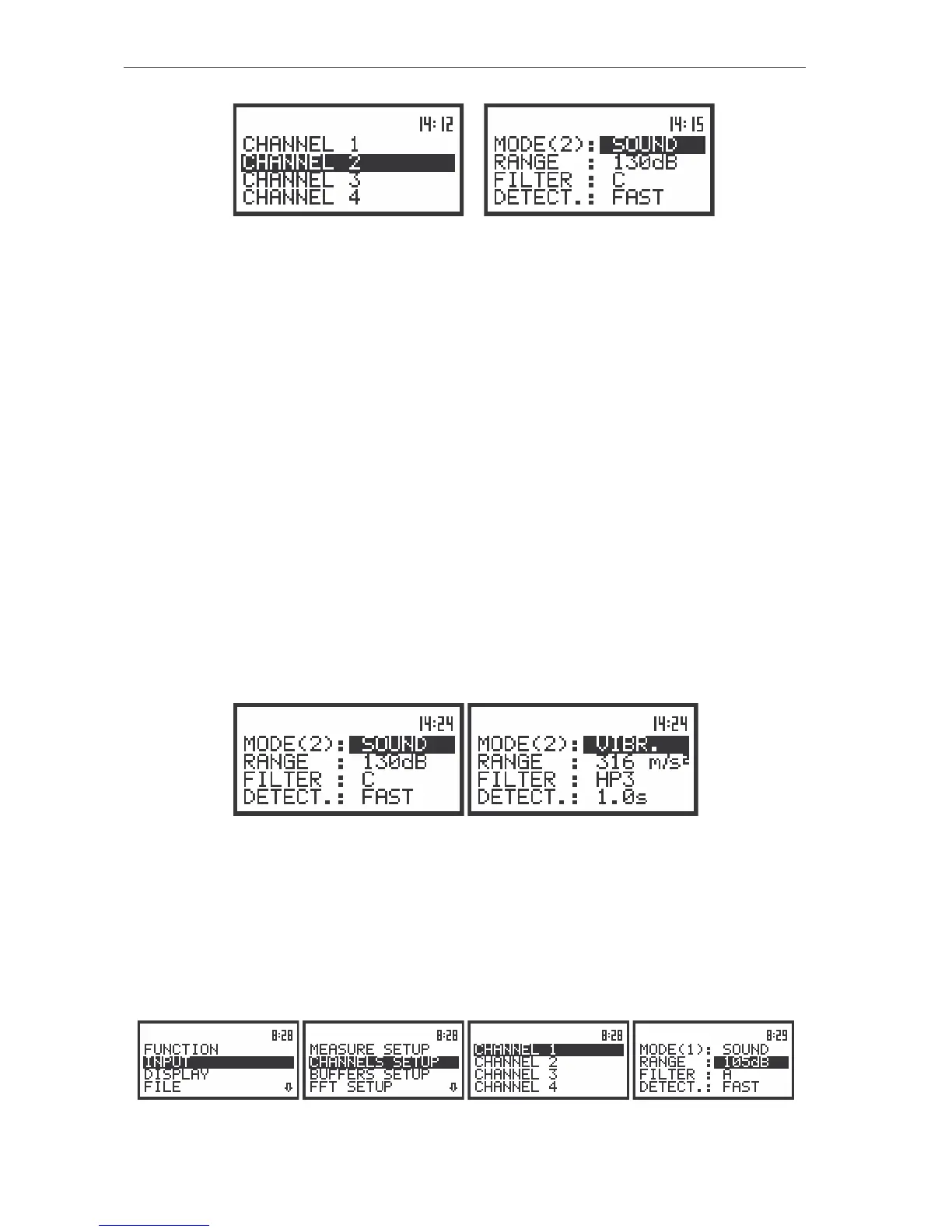
The view of the sub-lists: CHANNELS SETUP (a) and CHANNEL 2 (b)
Setting parameters in a channel - CHANNEL x
In the CHANNEL x sub-list the following parameters can be programmed independently for each
channel:
- mode,
- range,
- weighting filter,
- RMS detector type.
Passing throughout the sub-list is possible by pressing the <
>, <
> push-buttons. The settings
made in CHANNEL x sub-list are different for the measurement of sound and the measurement of
vibration. Below, the settings in the SLM mode are presented.
Selection of the instruments mode - MODE
The instrument work in parallel four independent sound / vibration level meters channels,
which perform the measurement of the signal with the selectable combination – user can configure each
channel separately.
In the case of vibration measurements, the user has to select in CHANNEL x (path: MENU / INPUT /
CHANNELS SETUP / CHANNEL x) sub-list the VIBR. mode in the MODE position. In the case of sound
measurements, the user has to select in CHANNEL x sub-list the SOUND mode in the MODE position.
The view of the displays in the CHANNEL 1 sub-list; the selection of the instruments mode
Selection of the measurement range - RANGE
The selection of the input range is possible after entering the RANGE position (path: MENU / INPUT/
CHANNEL x/ RANGE) (from the INPUT/ CHANNEL x list by means of the <
>, <
> (or <
>, <
>) push-
buttons and pressing the <ENTER> one. The input ranges specified in Appendix C. The return to the
CHANNEL x list is made after pressing the <ESC> push-button (ignoring the changes) or <ENTER>
push-button (confirming the selection).
The view of the displays with the RANGE (path: MENU / INPUT / CHANNEL x /RANGE) position selected



 To Next Page