SVAN 948 USER MANUAL .
4 - 8
The calibration procedure should be repeated a few times to ensure the integrity of the calibration.
The obtained results should be almost identical (with ±0.1 dB difference). The reasons for unstable results
are as follows:
• the calibrator is not properly attached to the instrument,
• there are external disturbances,
• the calibrator or the measurement channel (the accelerometer or the instrument itself) are damaged.
Note: During the calibration period, external disturbances (vibrations or acoustic noise)
should not exceed 100 dB.
5. Press the <ENTER> push-button in order to accept the measurement result.
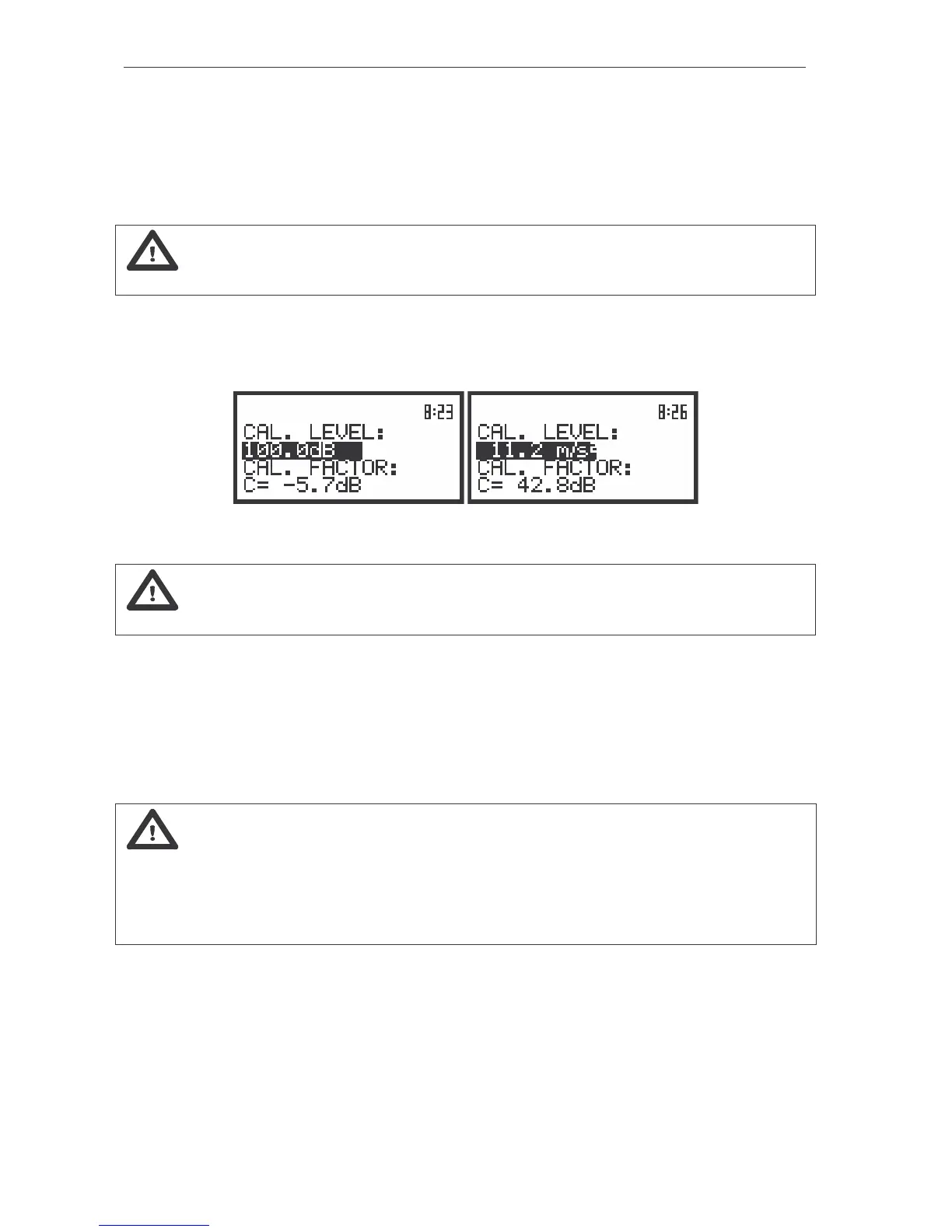
After pressing the <ENTER> push-button the calibration factor is calculated, stored and displayed
(cf. Fig. below).
The displays after pressing the <ENTER> push-button (after calculation of the calibration factor value)
Note: The calibration factor is always added to the measurement results in the level meter
mode and coming from the frequency analysis (1/1 OCTAVE, 1/3 OCTAVE and FFT).
Calibration BY MEASUREMENT in the case of acoustic signal
The calibration for the sound measurements can be done in the following way:
1. Attach the acoustic calibrator SV 30A (or equivalent 94 dB / 1000 Hz) to the microphone of the
instrument.
Notice: It is also possible to use the pistonphone, which generates the signal ca 124 dB or
different type of acoustic calibrator dedicated for ½” microphones. In any case, before starting the
calibration measurement, the user has to set (by means of the <
>, <
> push-buttons) the level of
the signal generated by the given calibrator (CAL. LEVEL position of BY MEASUREMENT sub-list),
which is usually stated in the calibration certificate of the unit (the value of the CAL. LEVEL set by
the producer of the SVAN 948 is equal to 94.0 dB).
2. Switch on the calibrator and wait ca 30 seconds before starting the calibration measurement.
3. Start the calibration measurement by pressing the <START / STOP> push-button.
The measurement time is set to 5 seconds with 5 seconds delay. During the calibration
measurement the <ESC> and <PAUSE> push-buttons do not operate but it is possible to stop the
measurement using the <START / STOP> one. It is not recommended to stop the calibration
measurement before programmed 5 seconds period!



 To Next Page