SVAN 948 USER MANUAL
4 - 9
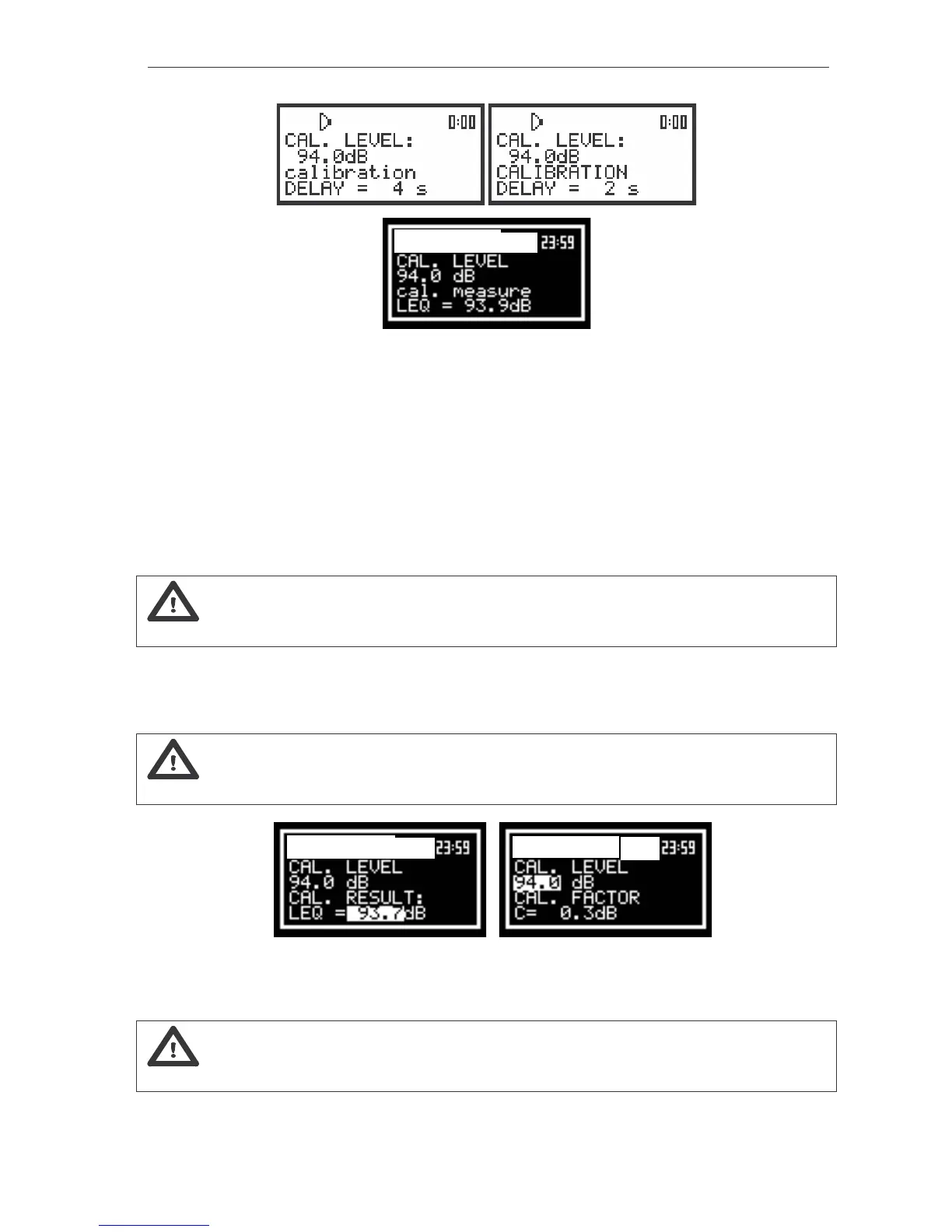
The view of the displays during the calibration measurement
Waiting for the start of the measurements the DELAY is counted down on the display and the
CALIBRATION text is changing (from big letters to small and vice versa). During the measurements the
cal. measure text is changing. After the end of the measurement its result is displayed on the display in
the bottom line.
It is recommended to repeat the calibration measurement few times. The obtained results
should be almost the same (with ±0.1 dB difference). The reasons for the unstable results are as follows:
• the calibrator is not properly attached to the instrument,
• there are external disturbances,
• the calibrator or the measurement channel (the microphone, the preamplifier or the instrument
itself) are damaged.
Notice: During the calibration measurement the external disturbances (acoustic noise or
vibrations) should not exceed the value of 100 dB.
4. Press the <ENTER> push-button in order to accept the measurement result.
After pressing the <ENTER> push-button the calibration factor is calculated, stored and displayed
(cf. next Figure).
Notice: The user has to press the <ESC> push-button in order to quit the calibration
procedure without saving the calibration factor.
a) b)
The view of the displays after the measurements (a) and after the acceptance of the value of the calibration
factor (b)
Notice: The calibration factor is always added to the measurement results of level meter and
the frequency analysis results of the acoustic signal (1/1 OCTAVE, 1/3 OCTAVE and FFT).



 To Next Page