SVAN 948 USER MANUAL
5 - 29
Selection of the warnings - WARNINGS
The WARNINGS (path: MENU / SETUP / WARNINGS) sub-list enables the user to select the
messages which could be displayed during the operation of the instrument. In order to enter this sub-list
the user has to select the WARNINGS text in the SETUP list, using the <
>, <
> (or <
>, <
>) push-
buttons and press the <ENTER>. In the internal software version 4.05 this sub-list contains only one
position.
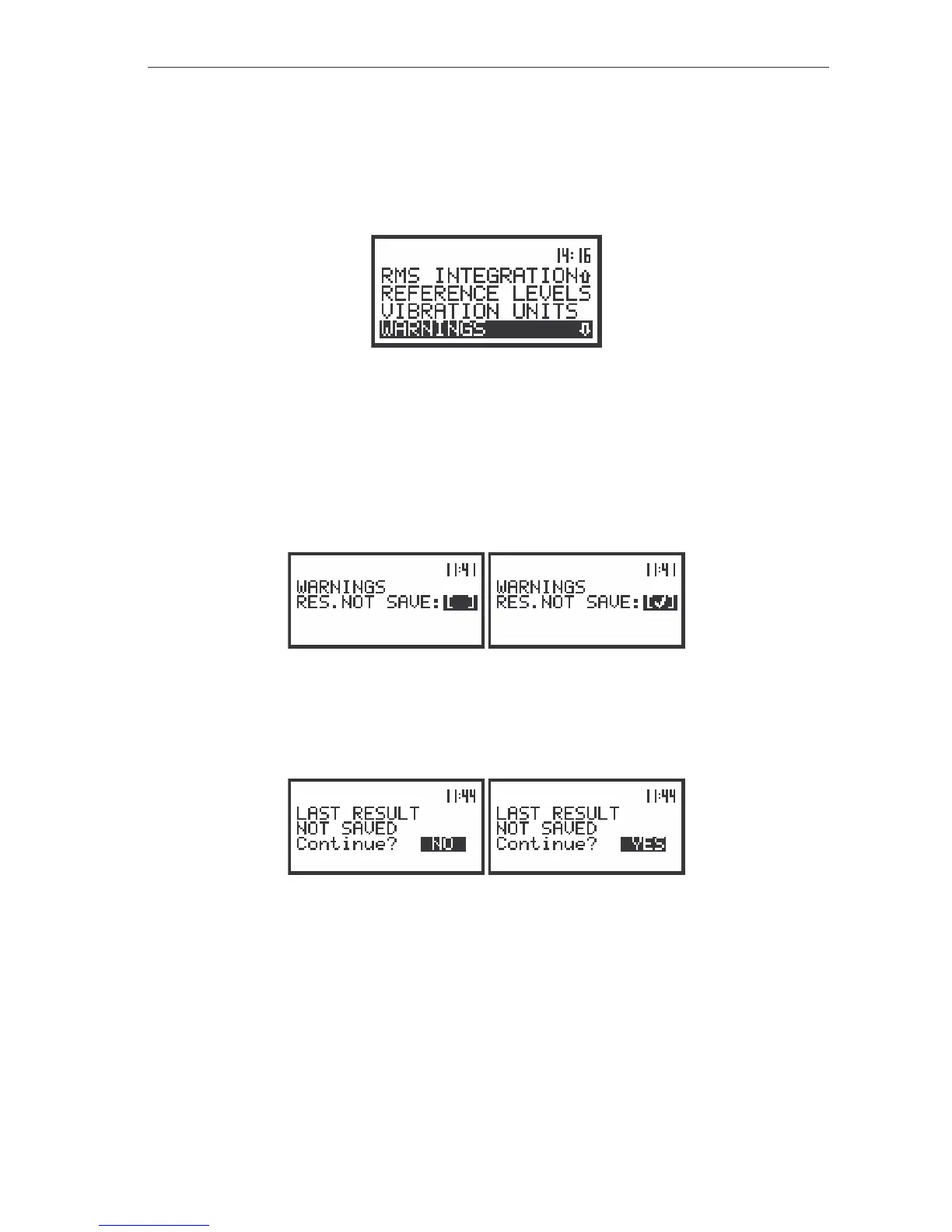
The view of the display in the SETUP list, the WARNINGS text highlighted (displayed inversely)
Saving the measurement results in a file - RES.NOT SAVE
In order to switch on the displaying of this message the user has to place, by means of the <
>,
<
> push-buttons, the special character in the warning’s position. The position is closed and the
instrument returns to the SETUP list after pressing the <ENTER> (with the confirmation of a change
made in the position) or <ESC> push-button (ignoring a change made in the position).
The view of the displays in the WARNINGS sub-list; the selection of the RES.NOT SAVE position
When the position is set to be active the special warning can be displayed on the display after
pressing the <START / STOP> push-button. It will be happened in a case when the result of the previous
measurement was not saved in a file of the instrument. The warning which will appear on the display is
presented below.
The view of the displays with the warning that the previous results were not saved and the
confirmation
The default value of the CONTINUE position is NO. After pressing the <ESC> or <ENTER> push-
button the instrument returns to the active mode of measurement result’s presentation without starting the
new measurement process. Using the <
>, <
> push-buttons one can change the value of the
CONTINUE position to YES. To confirm the change the <ENTER> should be pressed, after which the
instrument returns to the active mode of measurement result’s presentation starting the new
measurement process.



 To Next Page