SVAN 948 USER MANUAL .
4 - 56
The view of the displays in the 1/1 OCTAVE SETUP window with the SPECTRUM text
selected in CHANNEL x position
User can switch OFF or ON SPECTRUM position in selected channels by pressing the <
> or
<
> push-buttons. After pressing the <ENTER> push-button any changes made in the sub-list are
confirmed and the sub-list is closed. The return to the INPUT sub-list ignoring any changes made in the
sub-list is made after pressing the <ESC> push-button.
Selection of 1/1 OCTAVE analysis result of vibration signal to be saved in the buffer’s file -
BUFFER
The RMS result from 1/1 OCTAVE analysis can be saved in the buffer’s file of the instrument. The
selection of the required result is made with the <
>, <
> push-buttons. The selection of the None text
means that the RMS results are not saved in the buffer’s file. The user causes the return to the
1/1 OCTAVE SETUP/ CHANNEL x sub-list pressing the <ENTER> push-button with the confirmation of
the selections made in the sub-list. The return to the 1/1 OCTAVE SETUP/ CHANNEL x sub-list is also
possible after pressing the <ESC> push-button but all changes are in this case ignored.
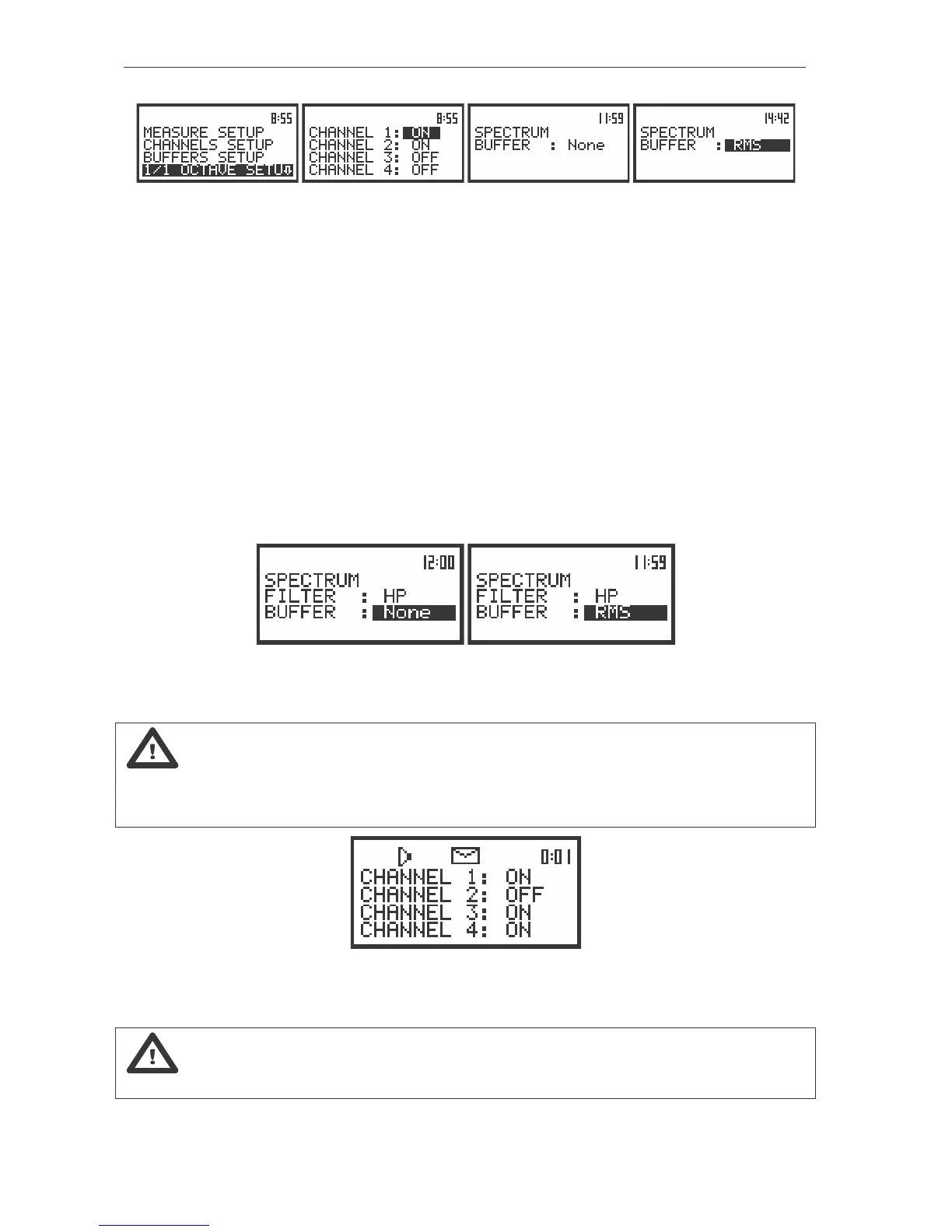
The view of the displays in the SPECTRUM sub-list (path: MENU / INPUT / PROFILES SETUP /
1/1 OCTAVE SETUP / CHANNEL x / SPECTRUM), the selection of the BUFFER position
Notice: It is not possible to change the values of the parameters during the execution of
the measurements. It is possible to open different lists and sub-lists but the positions in these lists are not
displayed inversely and so - not accessible. The “Loudspeaker” icon indicates that the instrument is in
the measurement process. In order to change the range the measurement must be finished!
The view of the displays with not accessible parameters of the 1/1 OCTAVE SETUP lists
(path: MENU / INPUT/ 1/1 OCTAVE SETUP),
Notice: All other settings of the instrument are common for 1/1 OCTAVE analyser and the
VLM.



 To Next Page