SVAN 948 USER MANUAL
5 - 17
Pressing the <SHIFT> and <
> (or <SHIFT> and <
>) push-buttons results in a movement to the
first position of the opened list and pressing the <SHIFT> and <
> (or <SHIFT> and <
>) results in a
movement to the last position of the opened list.
In each available position any change is performed by means of the <
>, <
> push-buttons. In
order to confirm the selection the <ENTER> push-button has to be pressed. After this confirmation the
opened window or list is closed. In order to ignore any changes made in the opened window or list the
user has to press the <ESC> push-button.
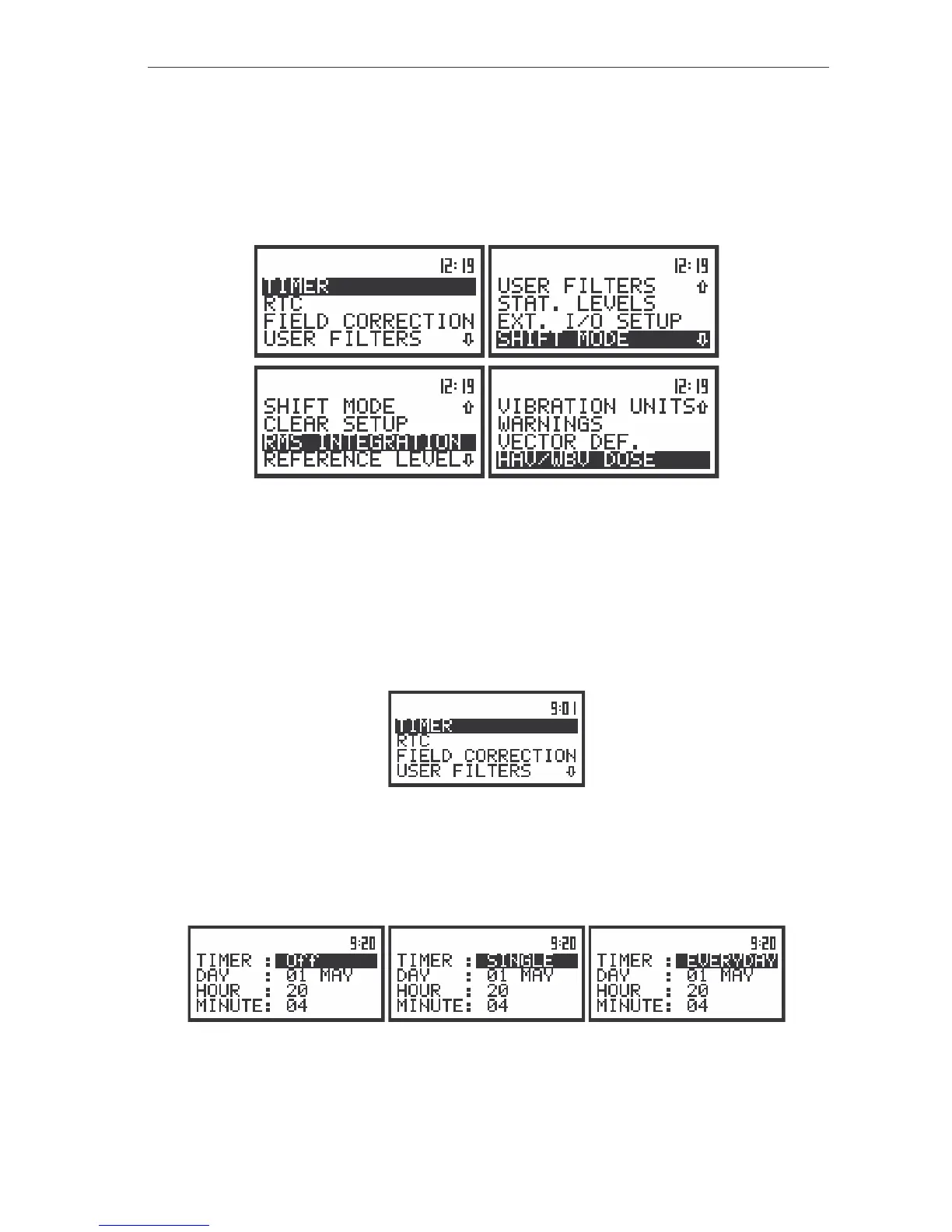
The view of the displays with the SETUP list
Programming of the instrument’s internal timer - TIMER
The TIMER (path: MENU / SETUP / TIMER) position enables one to programme the internal timer.
The instrument can be switched on by itself in the programmed time and can perform the measurements
using the set up which was used before its switching off. In order to enter this position the user has to
select the TIMER text in the SETUP list (using the <
> or <
> push-buttons) and press the <ENTER>.
The view of the display in the SETUP list in the TIMER text highlighted (displayed inversely)
The operation of the TIMER (path: MENU / SETUP / TIMER) setting is performed in the same way as
it was described in the case of the FILE NAME window. The selection of the setting parameter is
performed using the <
>, <
> push-buttons and the change of its value – using the <
>, <
> push-
buttons pressed together with the <SHIFT>. The parameter, which value has to be changed, is flashing.
The view of the TIMER position



 To Next Page