SVAN 948 USER MANUAL
4 - 25
Setting number of repetition of measurement cycles - REP. CYCLE
The REP. CYCLE position defines the number of cycles (with the measurement time defined in the
INT. TIME) which should be performed by the instrument. The required parameter can be set by means of
the <
>, <
> push-buttons (with the step equal to 1) or by means of the <
>, <
> push-buttons
pressed together with the <SHIFT> one (with the step equal to 20). The selected value is accepted by
pressing the <ENTER> push-button, which closes the MEASURE SETUP sub-list. The Inf value denotes
the infinite repetition of the measurements (till the pressing of the <START / STOP> push-button or by
remote control code). The REP. CYCLE values are within the limits [1, 1000].
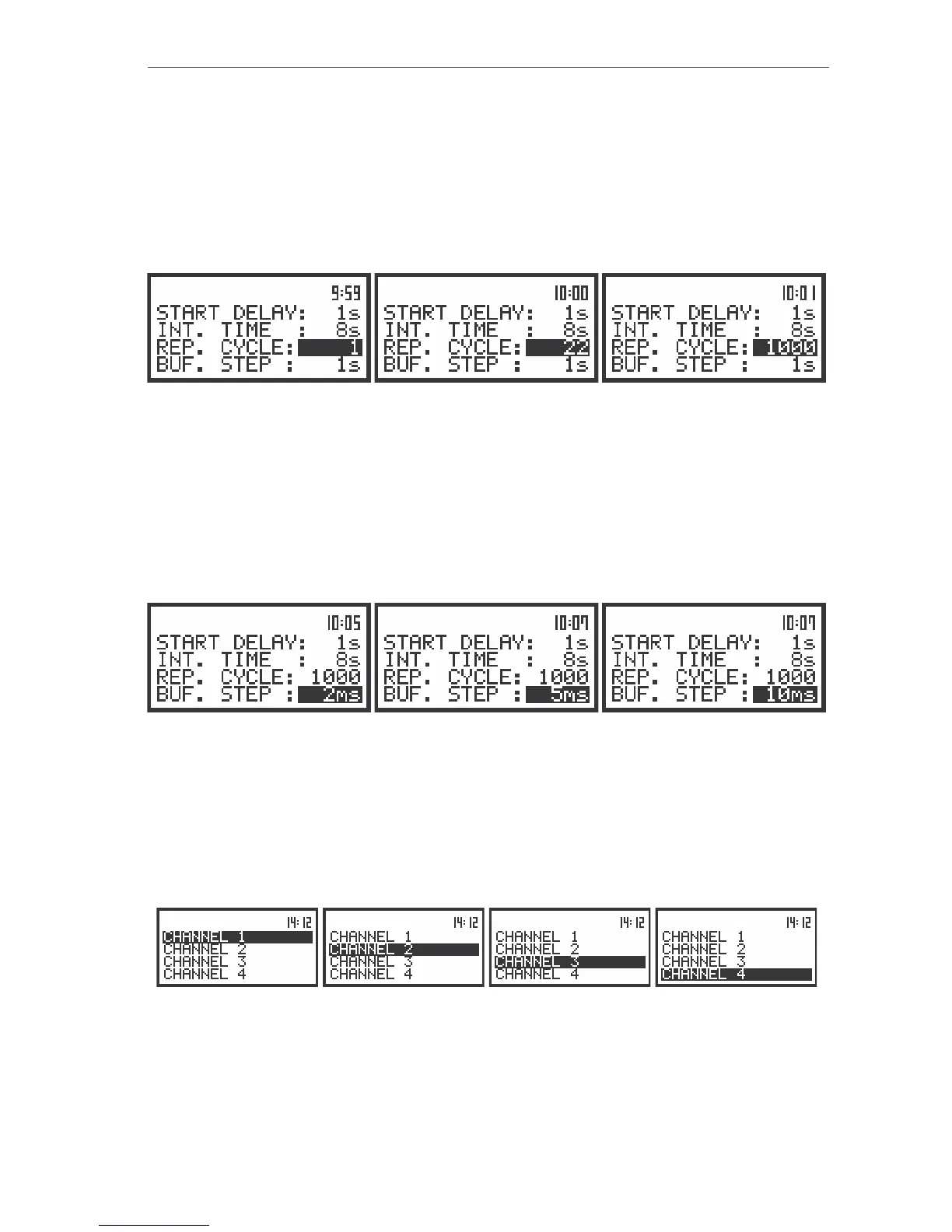
The view of the displays during the setting of the REP. CYCLE (path: MENU / INPUT / MEASURE SETUP);
available number of cycles: 1..1000, Inf
Setting time between two writings to the buffer’s file - BUF. STEP
The BUF. STEP position defines the time period of the data logging in the buffer’s file. It can be set
from 2 ms to 1 s in 1, 2, 5 sequence and the values from 1 second to 59 seconds, from 1 minute to
59 minute and 1 hour. The required parameter can be set by means of the <
>, <
> push-buttons and
accepted by the <ENTER> one, which closes simultaneously the MEASURE SETUP sub-list. Any
changes are ignored after pressing the <ESC> push-button.
The view of the displays during the setting of the BUF. STEP (path: MENU / INPUT / MEASURE SETUP);
available values in a sequence 1, 2, 5
Setting parameters in channels and for octave analysis – CHANNELS SETUP
The user enters the CHANNELS SETUP sub-list after pressing the <ENTER> push-button on the
displayed inversely CHANNELS SETUP text. This sub-list in the case of sound or vibration level meter
mode consists of four CHANNEL x sub-lists (each for one channel).
The view of the displays with the CHANNELS SETUP (path: MENU / INPUT / CHANNELS SETUP) sub-list
opened; the selection of a channel
The next pressing of the <ENTER> push-button opens the sub-list for a channel which number is
displayed inversely.



 To Next Page