SVAN 948 USER MANUAL .
4 - 68
4.5.2. 1/3 OCTAVE analyser of vibration signal
In order to select the instrument’s vibration mode the user has to enter the CHANNELS SETUP
sub-list by pressing the <MENU> push-button, selecting by means of the <
>, <
> (or <
>, <
>)
push-buttons the INPUT text and pressing the <ENTER>, and then enter the CHANNELS SETUP the
same way like in previous and chose number of CHANNEL to configuration. In the MODE sub-list the
user can select the kind of input signal which has to be measured or analysed by the instrument. In the
case of vibration signals the VIBRATION METER option should be selected Then by pressing <
>, <
>
push-buttons user has to change VIBR. mode and press the <ENTER> push-button, which closes the
MODE sub-list. The MODE sub-list is closed ignoring any changes made in it, after pressing in any time
the <ESC> push-button.
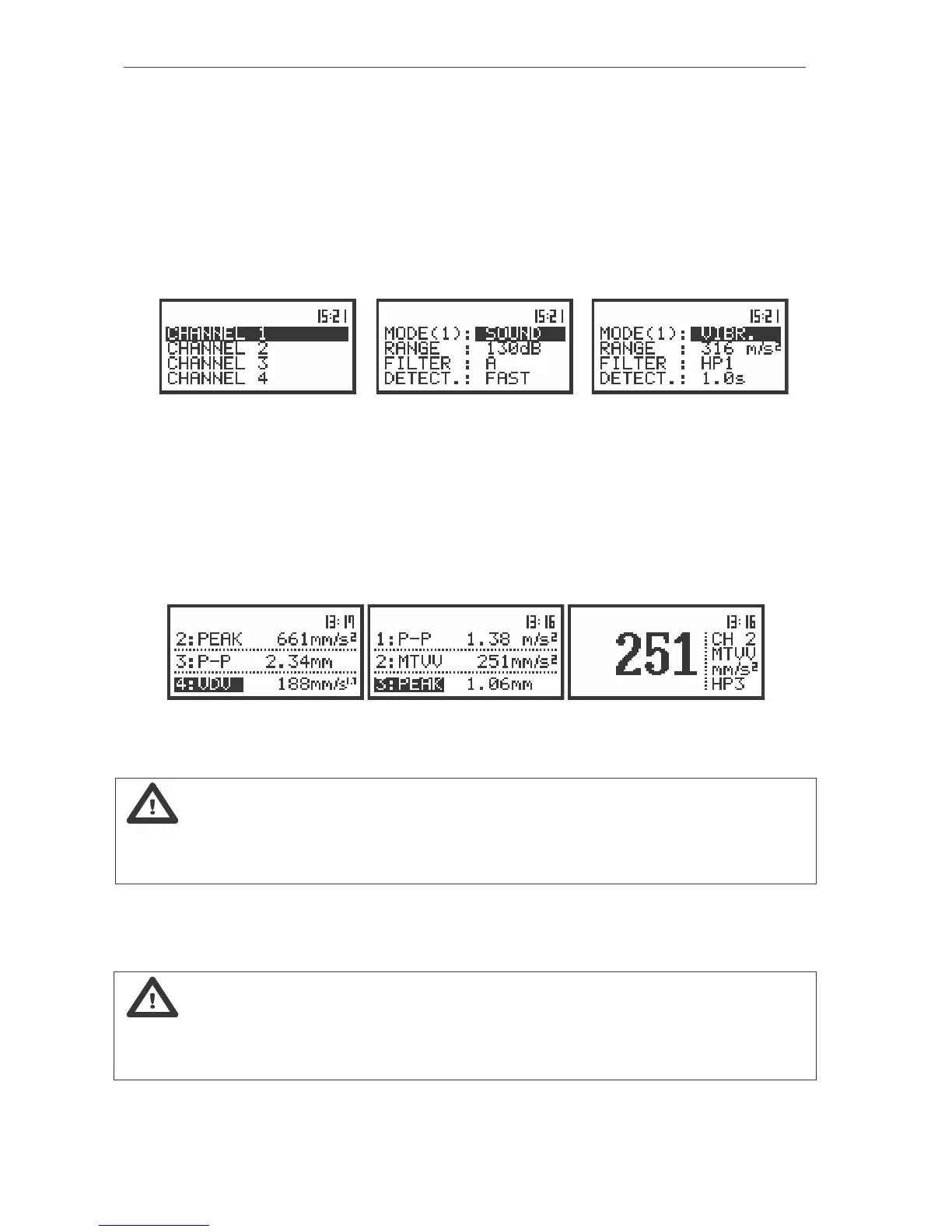
a)
b) c)
The view of the displays in the CHANNEL x (path: MENU / INPUT) list with the CHANNEL x text selected (a);
the SOUND METER mode selected (b) and the VIBR. METER mode selected (c)
In 1/3 OCTAVE analysis the spectrum is available in parallel to the VLM operation. All 45 digital
pass-band filters (with the centre frequencies from 20 kHz down to 1 Hz; in base-two system) are working
in the real time with the HP weighting filter displayed in the SPECTRUM sub-list of the
CHANNELS SETUP sub-list and the linear RMS detector. In order to inform the user about the working
mode of the instrument, in one profile and 3 PROFILES modes of result’s presentation the doted line are
used for the indication that the instrument do not work in the VLM mode. In the VLM mode the
continuous lines are used.
The view of the displays in one profile and 3 PROFILES result’s presentation mode with the doted lines
indicating that the instrument do not work in the VLM mode
Note: The TOTAL RMS result is measured with the HP weighting filter and takes no account of
the VLM profile settings. The spectra are always linearly averaged. Thus, the TOTAL value from
1/3 OCTAVE analysis can differ from those obtained in the VLM profiles (if the RMS INTEGRATION is set
to EXPONENTIAL).
In order to change the mode of the measurement results presentation the user has to press the
<
> or <
> push-buttons. The following modes are available:
One profile, 3 PROFILES, SPECTRUM and PLOT.
Notice: The user can select the number of the currently active modes of the
measurement results presentation switching on ([
√
√√
√
]) or off ([ ]) the given mode in the DISPLAY MODES
sub-list of the DISPLAY list. Only one profile mode cannot be switched off. See Chapter 5 for the
details about the display modes control.



 To Next Page