SVAN 948 USER MANUAL
4 - 3
4.1. CALIBRATION
The instrument is factory calibrated with the supplied accelerometer and microphone for standard
environmental conditions. Each of four channels should be calibrated separately. For situations where the
absolute vibration or sound level value is important, a calibration of the measurement channel should be
conducted. This is due to the fact that the accelerometer or microphone sensitivity is a function of
temperature, ambient pressure and humidity.
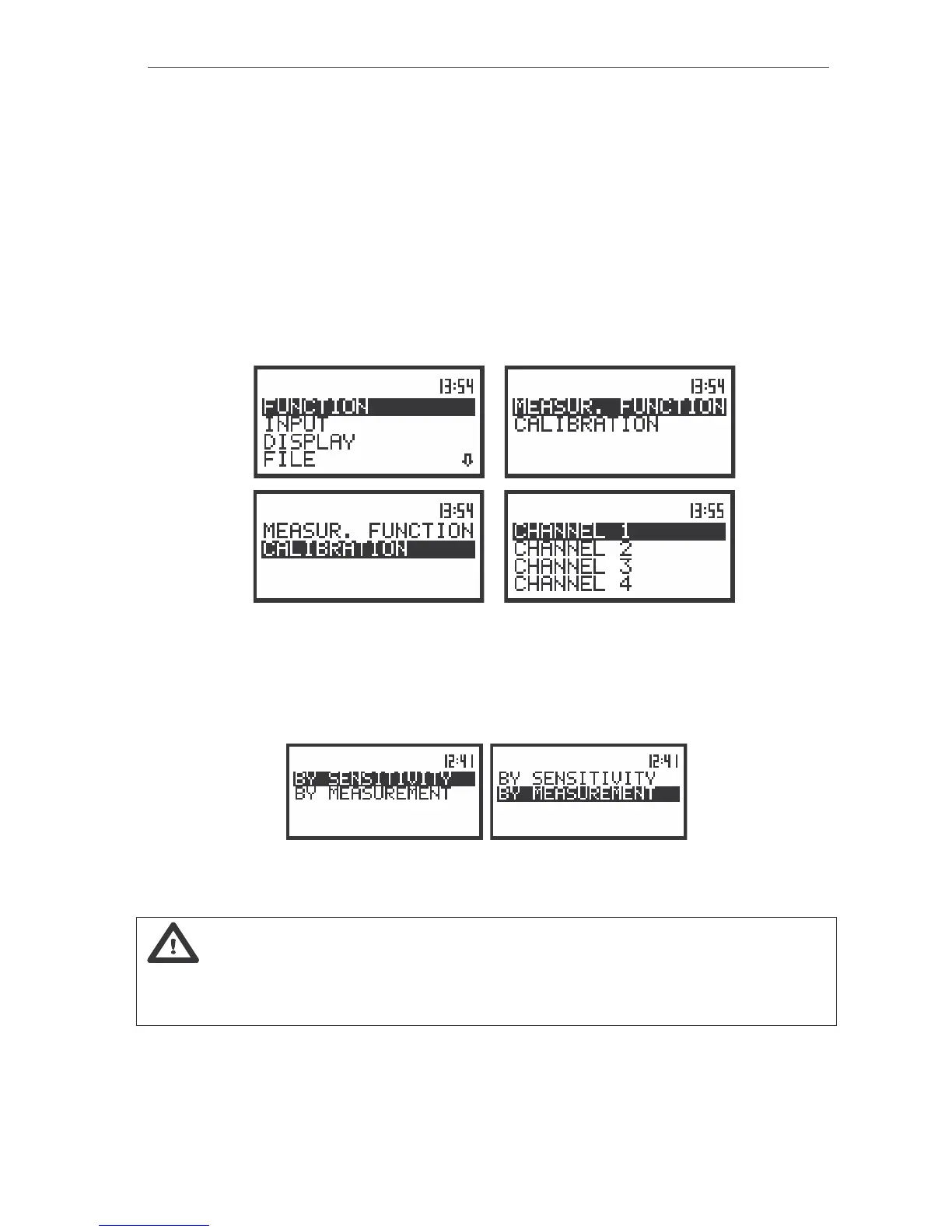
In order to select a calibration function the user has to enter the FUNCTION list by pressing the
<MENU> push-button, selecting the FUNCTION text by means of the <
>, <
> (or <
>, <
>) push-
buttons and pressing the <ENTER>. The FUNCTION list contains two sub-lists: MEASUR. FUNCTION
and CALIBRATION. The user has to open the CALIBRATION sub-list (to select the CALIBRATION text
using the <
>, <
> or <
>, <
> push-buttons and press the <ENTER> one, when this text is displayed
inversely). Then the user has to choose channel to calibration.
a)
b)
c) d)
The view of the displays with the main list, the FUNCTION text selected (a), the FUNCTION list opened (b),
the CALIBRATION text selected (c) and CHANNEL selected (d)
In this sub-list two options are available: the calibration of the measurement channel by the
introduction of the accelerometer’s or microphone’s sensitivity from theirs calibration cards
(BY SENSITIVITY) or by performing the calibration measurement (BY MEASUREMENT).
The view of the displays in the CALIBRATION (path: MENU / FUNCTION / CALIBRATION / CHANNEL X) sub-list
with the existing possibilities selected
Note: The calibration level and the calibration result is expressed in different units depending
on the settings of the instrument. The metric or non-metric vibration units are set in the
VIBRATION UNITS window of the SETUP list. Additionally, the linear or logarithmic units are set in the
DISPLAY SCALE sub-list of the DISPLAY list.



 To Next Page