SVAN 948 USER MANUAL .
4 - 22
4.2.3. Measurement parameters setting
The important parameters for the measurement are programmed by means of the INPUT and
SETUP lists.
Measurement parameters setting - INPUT
Setting of the channels parameters can be done by means of the INPUT list after pressing the
<MENU> push-button, selecting by means of the <
>, <
> (or <
>, <
>) push-buttons the INPUT text
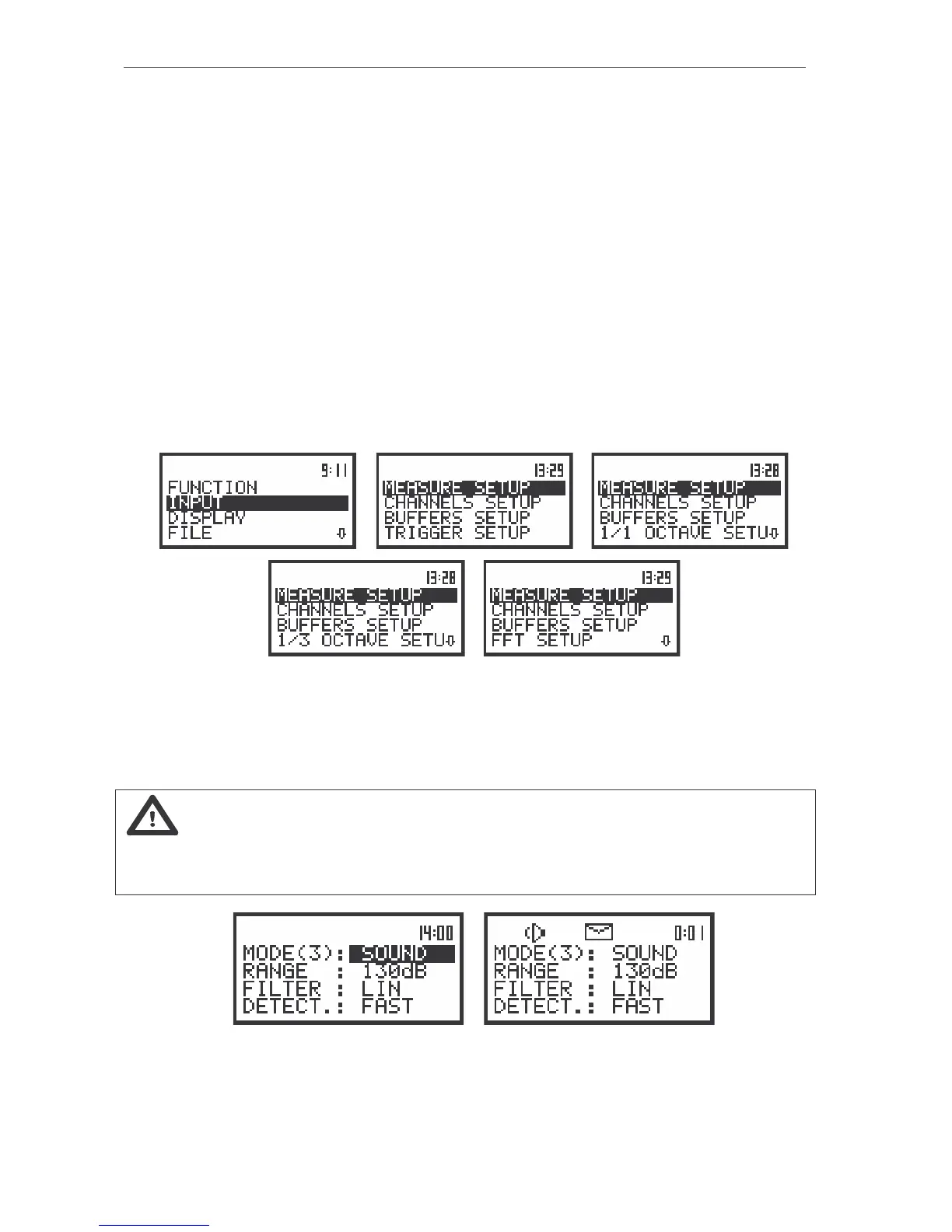
and pressing the <ENTER>. The INPUT list contains four elements which enable one the independent
programming of:
• the measurement parameters (MEASURE SETUP);
• the parameters of four channels (CHANNELS SETUP);
• the setting of the buffers (BUFFERS SETUP);
• the trigger function (TRIGGER SETUP);
• the 1/1 OCTAVE SETUP, 1/3 OCTAVE SETUP or FFT SETUP function for 1/1 OCTAVE,
1/3 OCTAVE and FFT analysis respectively.
a) b) c)
d)
e)
The view of the displays in the main list with the INPUT text selected (a) and the INPUT list opened
in LM (b), 1/1 OCTAVE (c), 1/3 OCTAVE (d) and FFT (e) mode
The majority of the settings made in the INPUT list are common for the measurements of acoustic
and vibration signals.
Notice: Any parameter in the INPUT list can be changed only when the instrument does not
execute a measurement. The possibility of a change is signalled by displaying inversely a parameter’s
field. And in opposite, normally displayed field means that the parameter cannot be changed. The
“Loudspeaker” icon indicates that the instrument is performing the measurements.
a) b)
The view of the displays with the active (a) and not active (b) the CHANNEL x sub-list (path: MENU / INPUT /
CHANNELS SETUP / CHANNEL 3)



 To Next Page