SVAN 948 USER MANUAL .
4 - 46
Selection of 1/1 OCTAVE analysis parameters for acoustic signal – SPECTRUM
The SPECTRUM sub-list (path: MENU / INPUT / 1/1 OCTAVE SETUP / CHANNEL x / SPECTRUM) is a
context element, which appears on the INPUT sub-list in 1/1 OCTAVE or 1/3 OCTAVE mode. Using the
SPECTRUM sub-list one can select in 1/1 OCTAVE analysis the weighting filter and the result which has
to be saved in the buffer’s file of the instrument. The user can select it for each CHANNEL separately.
User can switch OFF or ON SPECTRUM position in selected channels by pressing the <
> or
<
> push-buttons. After pressing the <ENTER> push-button any changes made in the sub-list are
confirmed and the sub-list is closed. The return to the INPUT sub-list ignoring any changes made in the
sub-list is made after pressing the <ESC> push-button.
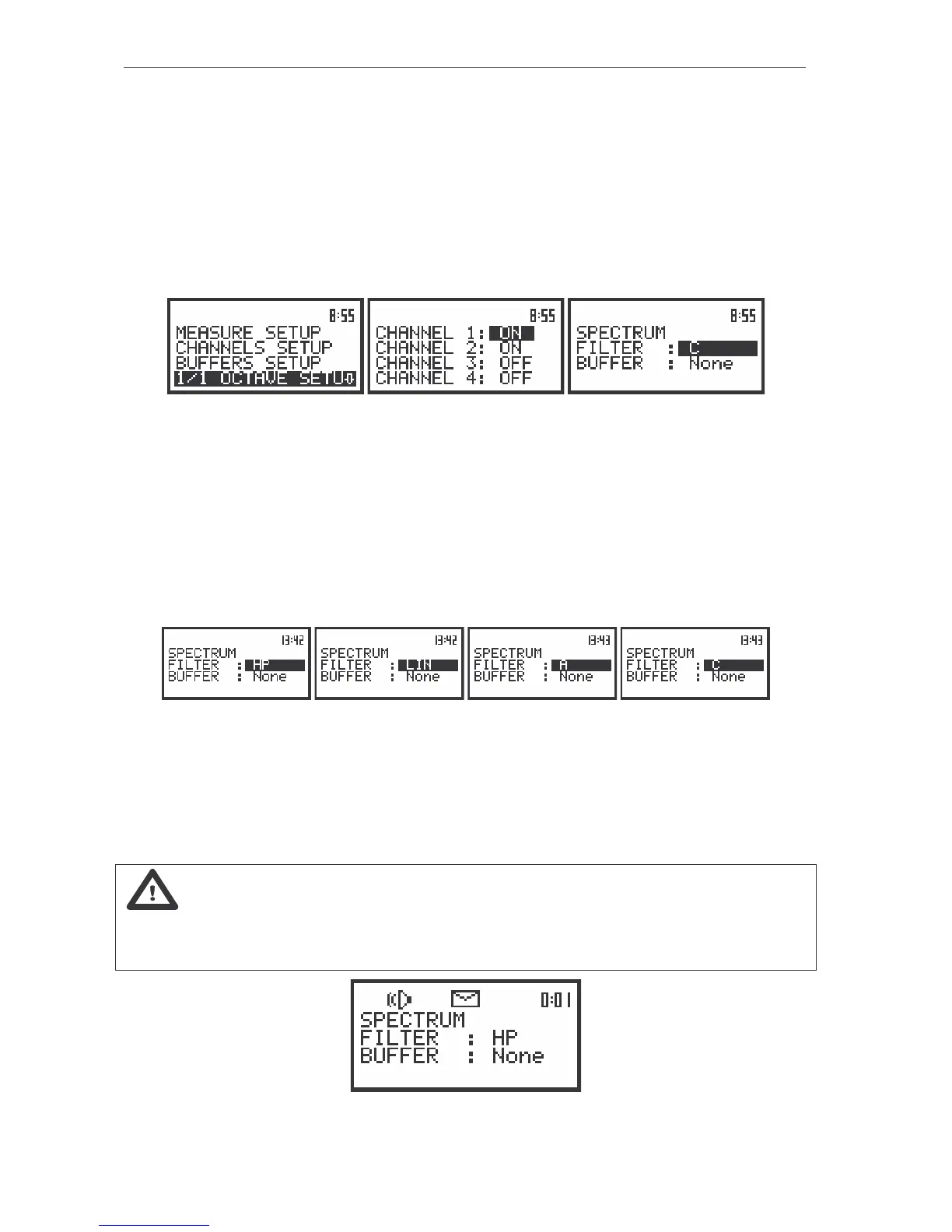
The view of the displays in the INPUT sub-list (path: MENU / INPUT / 1/1 OCTAVE SETUP / CHANNEL x /
SPECTRUM) with the SPECTRUM sub-list in 1/1 OCTAVE analyser
Selection of the weighting filter in 1/1 OCTAVE analysis of acoustic signal - FILTER
The following weighting filters are available in 1/1 OCTAVE analysis:
• A type 1 according to the IEC 651 and IEC 61672-1 standards,
• C type 1 according to the IEC 651 and IEC 61672-1 standards,
• LIN conforms to the requirements for the Z filter of type 1 according to the IEC 61672-1 standard,
• HP high-pass filter for 1/1 OCTAVE analysis.
The view of the displays with the SPECTRUM sub-list (path: MENU/ INPUT/ 1/1 OCTAVE SETUP/ CHANNEL x/
SPECTRUM) opened, the selection of the weighting filter
The characteristics of the filters are given in Appendix D. The selection of the required filter is made
with the <
>, <
> push-buttons. After pressing the <ENTER> push-button the user can confirm the
selection and close the sub-list. The return to the 1/1 OCTAVE SETUP sub-list is made also after pressing
the <ESC> push-button but in this case the selection is ignored.
Notice: It is not possible to change the values of the parameters during the execution of the
measurements. It is possible to open different lists and sub-lists but the positions in these lists are not
displayed inversely and so - not accessible. The “Loudspeaker” icon indicates that the instrument is in
the measurement process. In order to change the range the measurement must be finished!
The view of the displays with not accessible parameters of the PROFILES SETUP lists



 To Next Page