SVAN 948 USER MANUAL
3 - 1
3. SETTING OF THE INSTRUMENT
In order to perform the measurements using the instrument the user has only to plug in the
preamplifier with the microphone and switch the power on.
Notice: The user has to press the <PAUSE> and <START / STOP> push-buttons in
parallel in order to switch the power On/Off.
3.1. BASIS OF THE INSTRUMENT’S CONTROL
The instrument is controlled by means of nine push-buttons of the keyboard. Using these push-
buttons one can access all available functions. The functions are placed in the system of lists and sub-
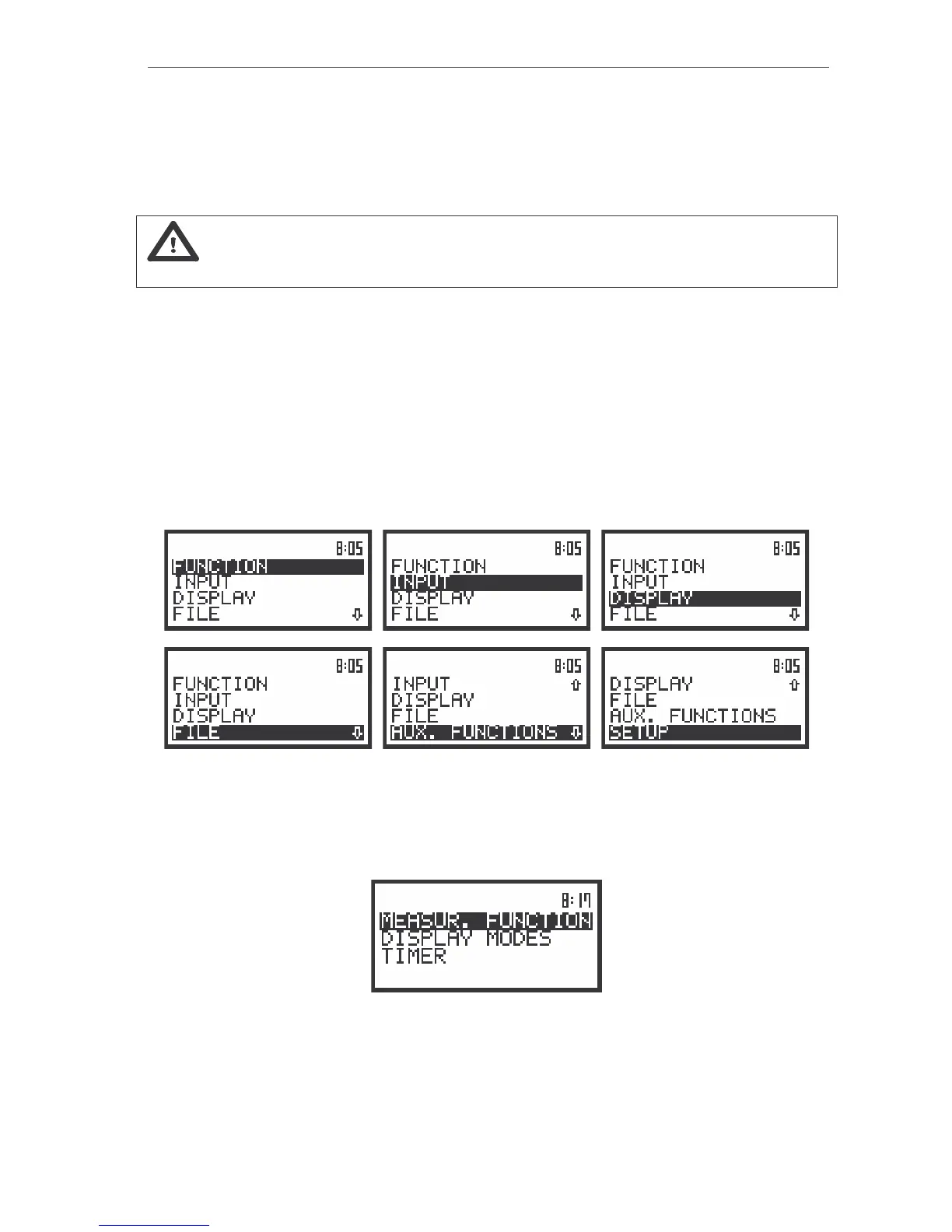
lists. The main list contains the headers of six lists which also contain sub-lists or positions (elements).
The main list is opened after pressing the <MENU> push-button. This list contains the following lists:
FUNCTION, INPUT, DISPLAY, FILE, AUX. FUNCTIONS and SETUP. The elements of each list are
described in details in Chapter 4 and 5. Only one list can be accessed in a time, this one which name is
highlighted (displayed inversely). The change of the highlighted line is done after pressing the <
>, <
>
(or <
>, <
>) push-buttons.
The view of the displays with the highlighted elements of the main list
After double pressing of the <MENU> push-button the list, containing four sub-lists lately accessed
by the user, appears on the display. The example of this list is presented below. Such solution enables
one to access very fast four, the most frequently used, lists without the necessity of passing the whole
path.
The view of the display with the sub-lists which were lately accessed by the user (after double pressing of the
<MENU> push-button)
After the selection of the desired list (the <
> or <
> push-buttons), the user has to press the
<ENTER> push-button in order to enter it. After this new sub-lists, positions (elements) or various data
specification appear on the display.



 To Next Page