SVAN 948 USER MANUAL
4 - 17
4.2.2. Vibration level meter
When the SVAN 948 instrument is working as vibration level meter, the main results of the
channels are presented on the display in the form described below. For each channel the selected result
is displayed on the left side followed by its value and the units. The units depend on the setting in the
VIBRATION UNITS sub-lists of the SETUP list (METRIC (path: MENU / SETUP / VIBRATION UNITS /
METRIC) or NON-METRIC (path: MENU / SETUP / VIBRATION UNITS / NON METRIC)) and the setting in
the SCALE position of the DISPLAY SCALE sub-list of the DISPLAY list (LINear (path: MENU / DISPLAY
/ DISPLAY SETUP / DISPLAY SCALE / LIN) or LOGarithmic (path: MENU / DISPLAY / DISPLAY SETUP /
DISPLAY SCALE / LOG)).
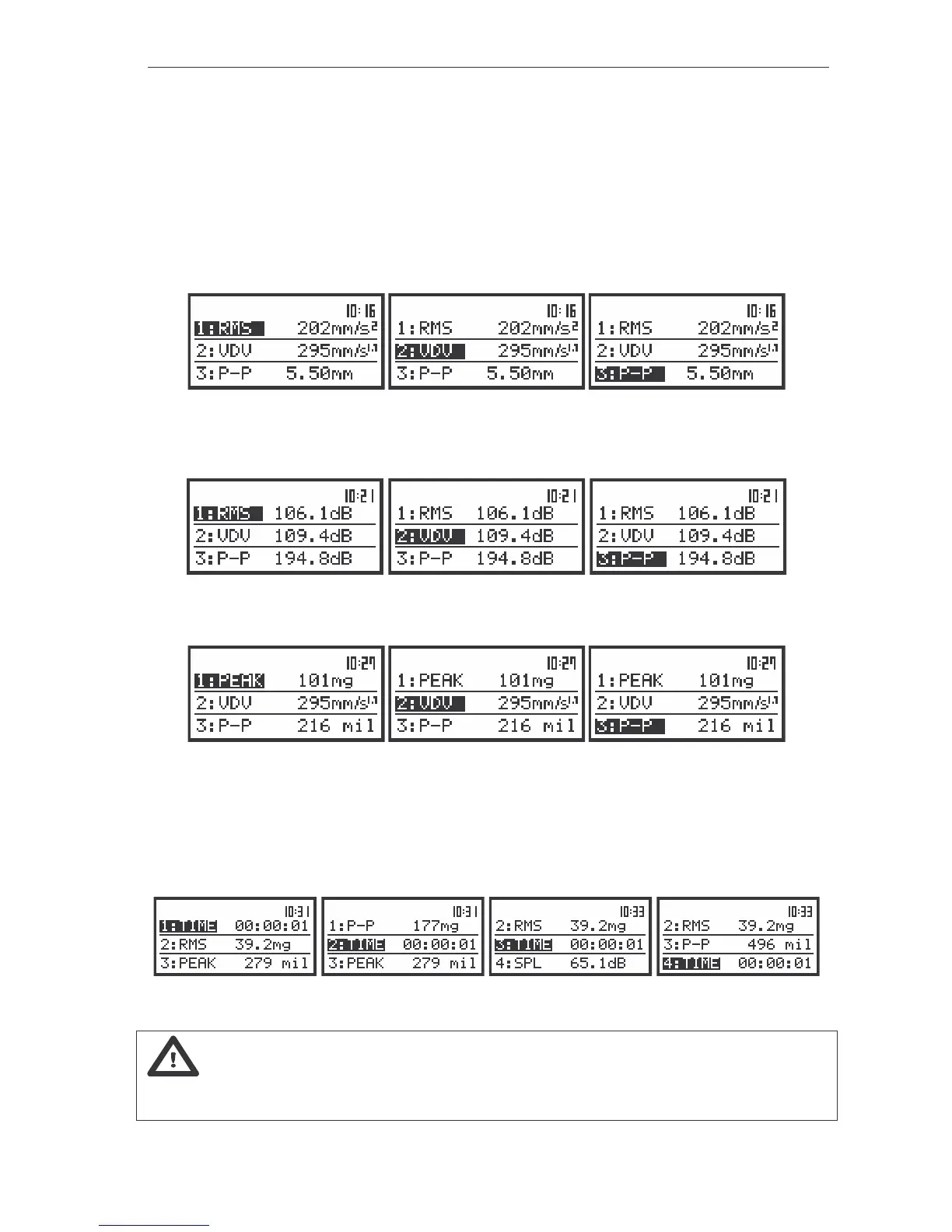
The view of the instrument’s displays in 3 PROFILES display mode in VLM mode in CHANNELS 1, 2 and 3
with METRIC (path: MENU / SETUP / VIBRATION UNITS / METRIC) and LINear (path: MENU / DISPLAY /
DISPLAY SETUP / CHANNEL x / DISPLAY SCALE / SCALE / LIN) settings
The view of the instrument’s displays in 3 PROFILES display mode in VLM mode in CHANNELS 1, 2 and 3
with LOGarithmic (path: MENU / DISPLAY / DISPLAY SETUP / CHANNEL x / DISPLAY SCALE / LOG) setting
The view of the instrument’s displays in 3 PROFILES display mode in VLM mode in CHANNELS 1, 2 and 3
with NON-METRIC (path: MENU / SETUP / VIBRATION UNITS / NON METRIC) and LINear (path: MENU / DISPLAY
/ DISPLAY SETUP / CHANNEL x / DISPLAY SCALE / LIN) settings
For each of the channels (four independent measurement modules) the following results are
measured in parallel (see Appendix D for the definitions): PEAK, P–P, MTVV (or MAX), RMS, VDV,
Current measurement time (time is available in the result’s field only in 3 PROFILES display mode).
The view of the instrument’s display in 4 CHANNELS display mode with the current measurement time
Notice: Switching between the channels is possible by pressing the <SHIFT> with <
> or
the <SHIFT> with <
> push-buttons. Switching between the results for the selected channels is made by
pressing only the <
>, <
> push-buttons.).



 To Next Page