SVAN 948 USER MANUAL .
4 - 10
4.2. LEVEL METER
The LEVEL METER mode provides the user with the functions of the SLM meeting the IEC 651,
IEC 804 and IEC 61672-1 standards for Type 1 accuracy and the functions of VLM meeting the ISO 8041
standard. The instrument can also be used for the long-term acoustic and vibration monitoring using for
this purpose the huge buffer, in which the measurement results are logged in.
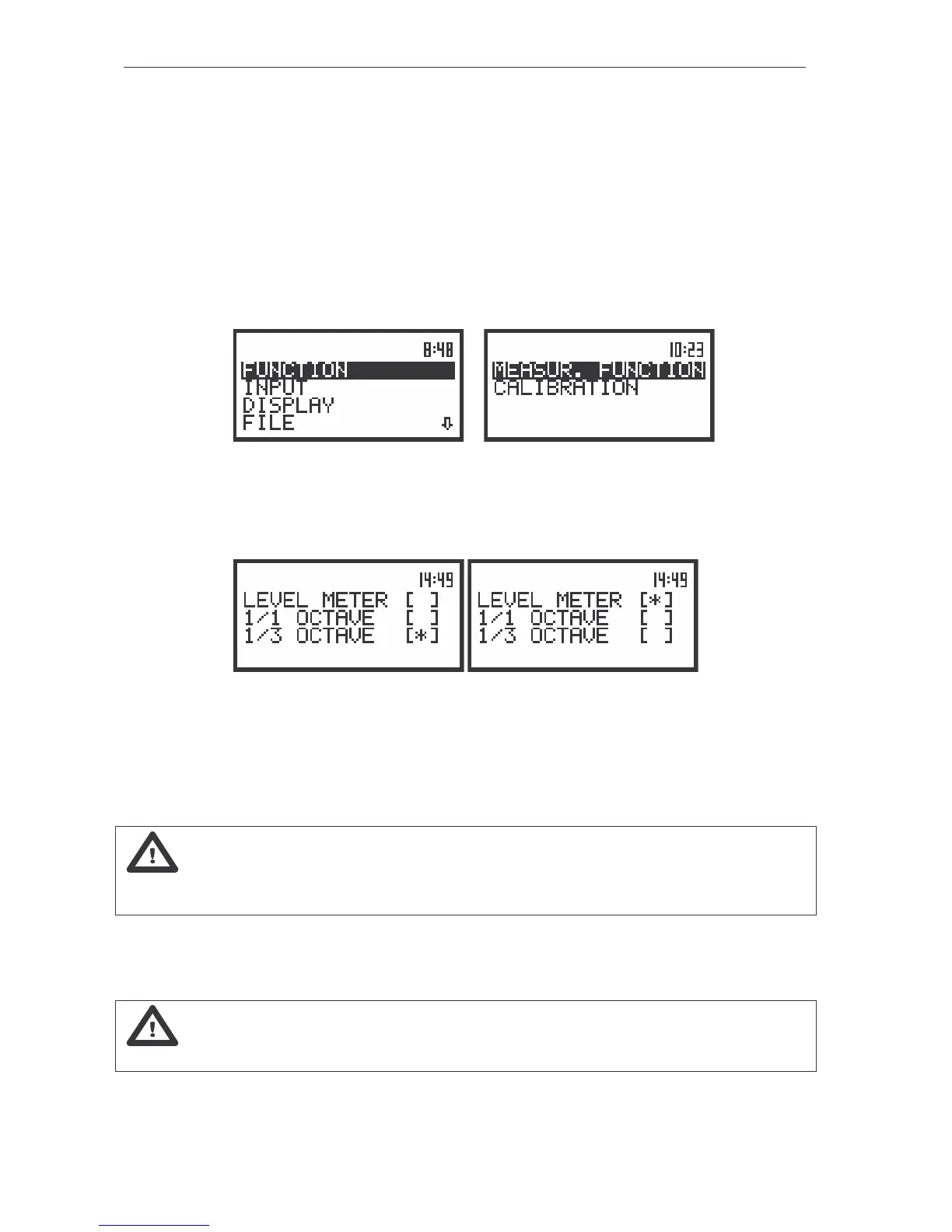
In order to select the LM mode (path: MENU / FUNCTION / MEASUR. FUNCTION / LEVEL METER)
the user has to enter the FUNCTION list by pressing the <MENU> push-button, selecting by means of
the <
>, <
> (or <
>, <
>) push-buttons the FUNCTION text and pressing the <ENTER>. The
FUNCTION list contains three sub-lists: METEO, MEASUR. FUNCTION and CALIBRATION. Next, the
user has to open the MEASUR. FUNCTION sub-list (to select the MEASUR. FUNCTION text using the
<
>, <
> or <
>, <
> push-buttons and press the <ENTER> one when the text is displayed inversely).
a) b)
The view of the displays with the main list, the FUNCTION text selected (a) and the FUNCTION list opened;
the MEASUR. FUNCTION selected (b)
After entering the MEASUR. FUNCTION sub-list, the set of the available functions appears on the
display. Currently active function is marked by the special character.
The view of the displays in the MEASUR. FUNCTION (path: MENU/ FUNCTION / MEASUR. FUNCTION)
sub-list; the selection of the measurement mode
The LM mode is selected by placing the special character in the line with the LEVEL METER text.
The position of the character can be changed using the <
>, <
> (or <
>, <
>) push-buttons. After
placing the character in the line with the LEVEL METER text the user has to press the <ENTER> push-
button, which closes the MEASUR. FUNCTION sub-list.
Notice: It is not possible to change the mode during the measurements. The instrument
displays in this case for about 3 seconds the text: “measurement in progress / MEASUREMENT IN
PROGRESS”. In order to change the mode of the instrument the measurement must be finished!
The distinguishing feature of the instrument is that sound / vibration is always measured in four
parallel “channels” which are in fact four separate sound / vibration level meters channel working
independently.
Notice: The LEVEL METER is the main mode of the instrument. In the LM mode there is
no access to 1/1 OCTAVE or 1/3 OCTAVE analysis.
For each of the channels the RMS detector type and the weighting filter can be defined
independently (see the INPUT list).



 To Next Page