SVAN 948 USER MANUAL .
4 - 34
Setting the level of triggering - LEVEL
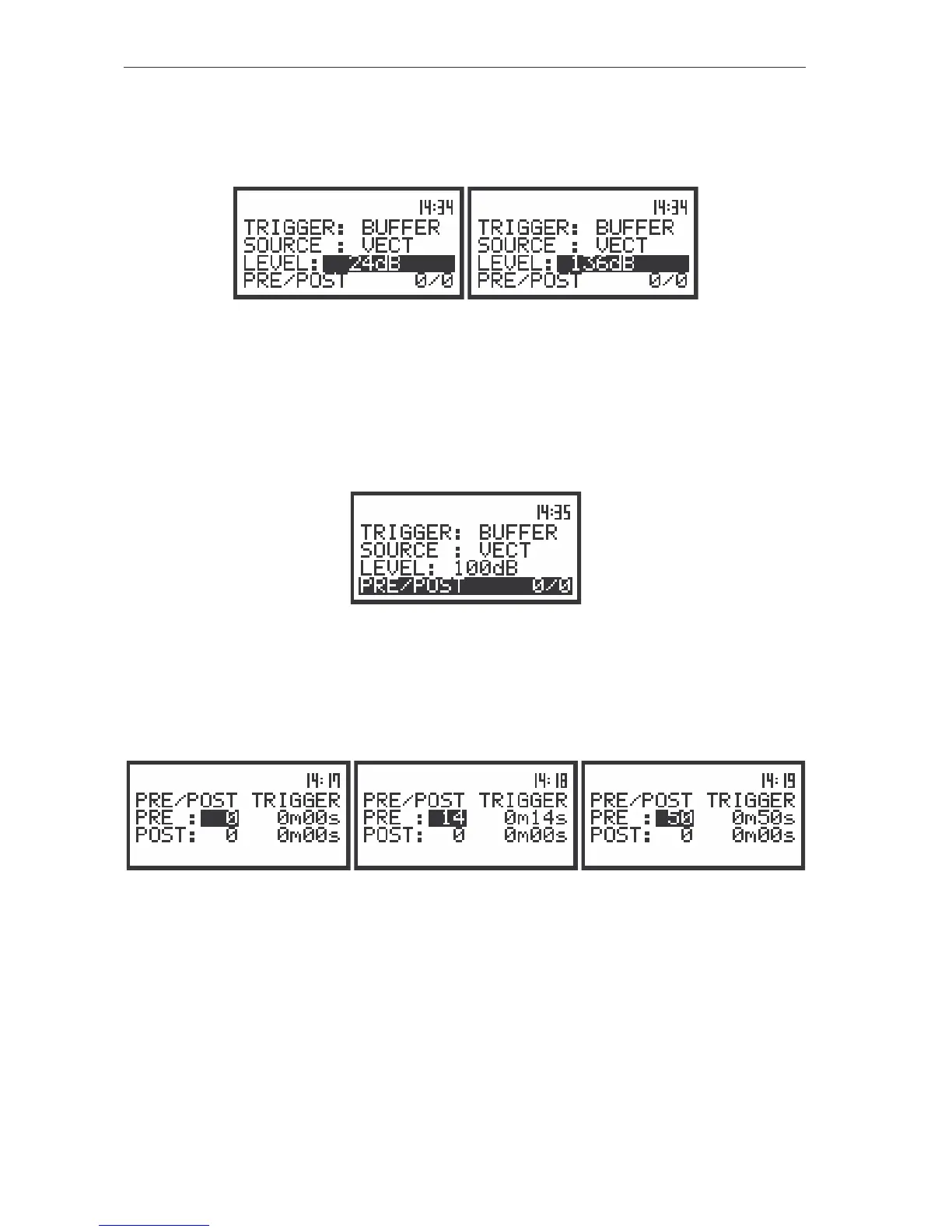
The level of the triggering ( LEVEL) can be set in 1 dB step (or 10 dB steps) from 24 dB to 136 dB
range using the <
>, <
> push-buttons (or <
>, <
> with <SHIFT>).
The view of the displays in the TRIGGER SETUP sub-list (path: MENU / INPUT / TRIGGER SETUP); the LEVEL
setting
Setting the parameter related with the buffer triggering - PRE/POST TRIGGER
In the case when the BUFFER mode is selected the text PRE/POST appears on the display. After
the activation of this text (the displaying inversely) and pressing the <ENTER> push-button the settings
made in the TRIGGER SETUP sub-list are confirmed and the new sub-list is opened.
The view of the displays in the TRIGGER SETUP sub-list (path: MENU / INPUT / TRIGGER SETUP); the
PRE/POST selected
In the PRE line the number of the results registered in the buffer before the fulfilment of the
triggering condition can be set. This number is within the limits 0..50. Time period of the measurements
which are saved in the buffer can be calculated multiplying the value set in the PRE by the value set in the
BUFFER STEP. The result of the calculation is presented in the same line, at the right side of the display.
The view of the displays in the TRIGGER SETUP sub-list (path: MENU / INPUT / TRIGGER SETUP); the setting
of the PRE TRIGGER
In the POST line the number of the results registered in the buffer after the fulfilment of the
triggering condition can be set. This number is within the limits 0..200. Time period of the measurements
which are saved in the buffer can be calculated multiplying the value set in the POST by the value set in
the BUFFER STEP. The result of the calculation is presented in the same line, at the right side of the
display.



 To Next Page