SVAN 948 USER MANUAL
5 - 7
v FILTER: (position); available values of the weighted filters:
o in the case of sound measurements: LIN, SUSR1, SUSR2, SUSR3 or any other sent to the
unit by means of the interface,
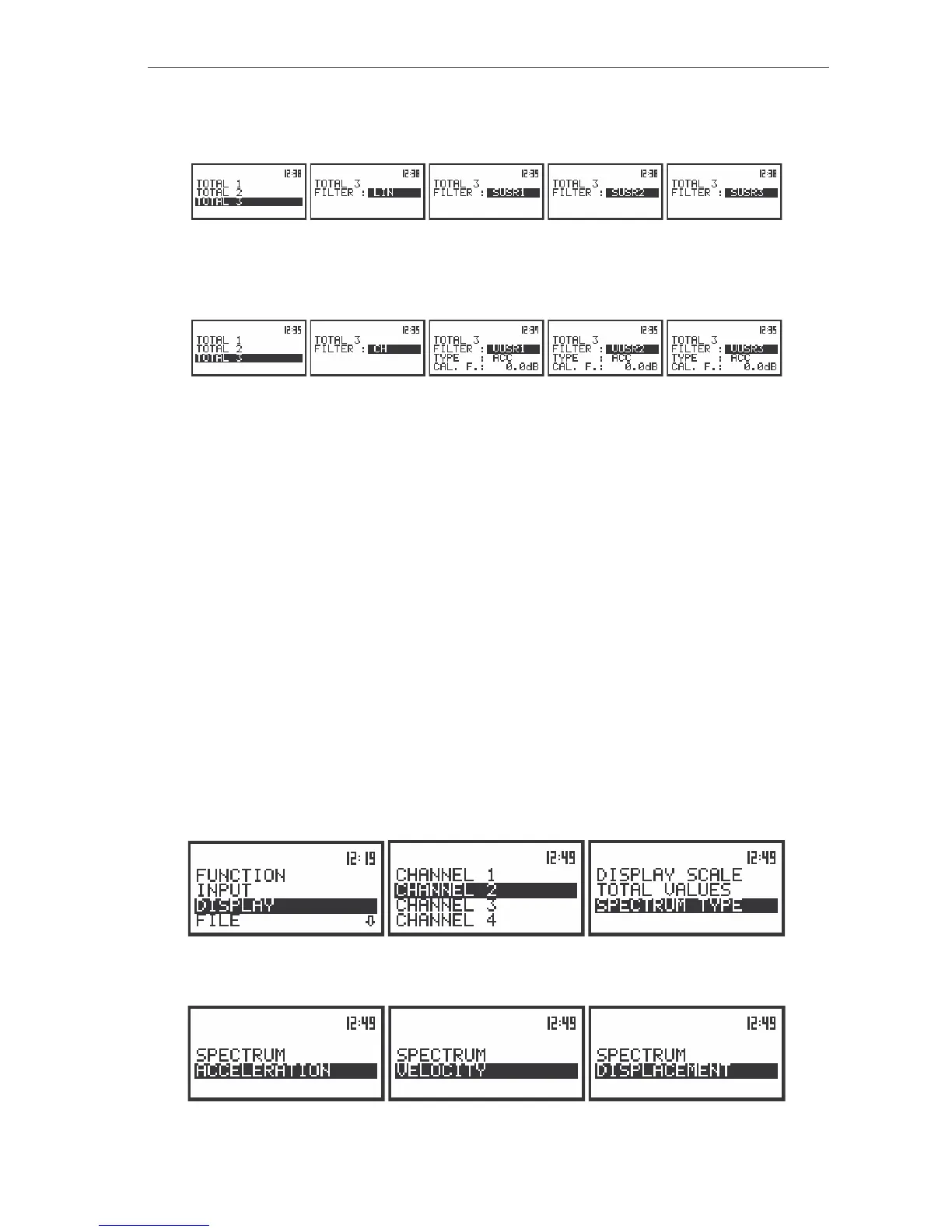
The view of the displays with the TOTAL 3 list opened in the case of sound measurements
o in the case of vibration measurements: CH, VUSR1, VUSR2, VUSR3 or any other sent to the
unit by means of the interface.
The view of the displays with the TOTAL 3 list opened in the case of vibration measurements
v TYPE: (position available only for vibration measurements); available values if VUSR1, VUSR2 or
VUSR3 was selected in the previous position: ACC, VEL and DIL; if the CH filter was selected (the
filter which was set in the 3
rd
channel) this position is not displayed.
v CAL. F.: (position available only for vibration measurements); accessible if VUSR1, VUSR2 or
VUSR3 was selected in the FILTER position; if the CH filter was selected (the filter which was set
in the 3
rd
channel) this position is not displayed; available values (from -60.0dB to 60.0dB with
0.1dB step by pressing the <
>, <
> push-buttons or with 1 dB step by pressing <SHIFT> with
<
>, <
> push-buttons).
Selection of the Spectrum Type - SPECTRUM TYPE
The SPECTRUM TYPE (path: MENU / DISPLAY / DISPLAY SETUP / CHANNEL x / SPECTRUM TYPE)
(position) enables the user to change the spectrum type; available values of this position:
ACCELERATION, VELOCITY and DISPLACEMENT. This sub-list is available only for the vibration
measurements. In the case of sound measurements there are two other values of this position: RMS – for
filter LIN and C, LEQ – for filter A. The user can select filter in FILTER position (path: MENU / INPUT /
CHANNELS SETUP / CHANNEL x / FILTER). In order to enter this list one has to press the <ENTER> push-
button on the inversely displayed SPECTRUM TYPE text of the DISPLAY SETUP/ CHANNEL x list. The
SPECTRUM TYPE sub-list is closed and the instrument returns to the CHANNEL x list after pressing the
<ESC> push-button, which ignores any changes in the positions of the sub-list or the <ENTER> push-
button, which confirms the changes.
The view of the display with the DISPLAY list, the SPECTRUM TYPE text highlighted
(path: MENU / DISPLAY / CHANNEL x / SPECTRUM TYPE)
The view of the display with the SPECTRUM TYPE with the available values for VIBRATION measurements



 To Next Page