SVAN 948 USER MANUAL
4 - 5
a) b)
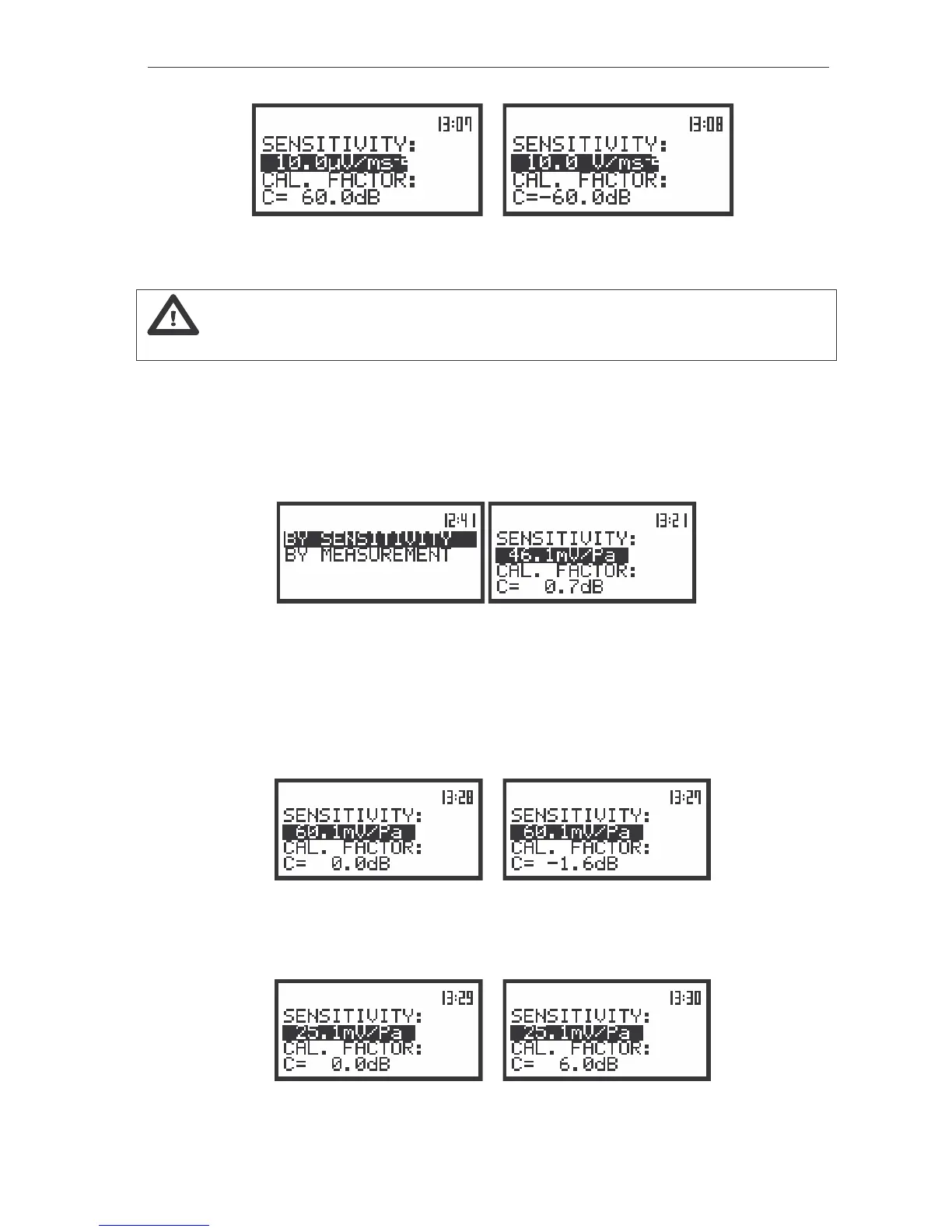
The view of the displays with the lowest possible sensitivity and the greatest calibration factor (a)
and the greatest sensitivity and the lowest calibration factor (b)
Note: The calibration factor is always added to the results in the VIBRATION
LEVEL METER mode (VLM), 1/1 OCTAVE, 1/3 OCTAVE and the FFT analysis modes.
Calibration BY SENSITIVITY in the case of acoustic signal
The calibration by the microphone’s sensitivity introduction can be conducted in the following way:
1. Select this type of the calibration (highlight the text BY SENSITIVITY) from the CALIBRATION
sub-list and press the <ENTER> push-button.
The view of the displays with the selected calibration mode and after entering this mode
2. Set the sensitivity of the microphone taken from its calibration card using the <
>, <
> push-
buttons and then press the <ENTER> one.
The calibration factor is calculated, after pressing the <ENTER> push-button, in the relation to
50.0 mV / Pa. In order to avoid the calculation the user has to leave the CALIBRATION without
pressing <ENTER>. For the sensitivity of the microphone greater then 50.0 mV / Pa the calibration
factor is negative.
a)
b)
The view of the displays during setting the sensitivity greater then 50.0 mV / Pa (a) and after pressing the
<ENTER> push-button with the calibration factor calculated (b)
For the sensitivity of the microphone smaller then 50.0 mV / Pa the calibration factor is positive.
a)
b)
The view of the displays during setting the sensitivity smaller then 50.0 mV / Pa (a) and after pressing the
<ENTER> push-button with the calibration factor calculated (b)



 To Next Page