SVAN 948 USER MANUAL _
5 - 8
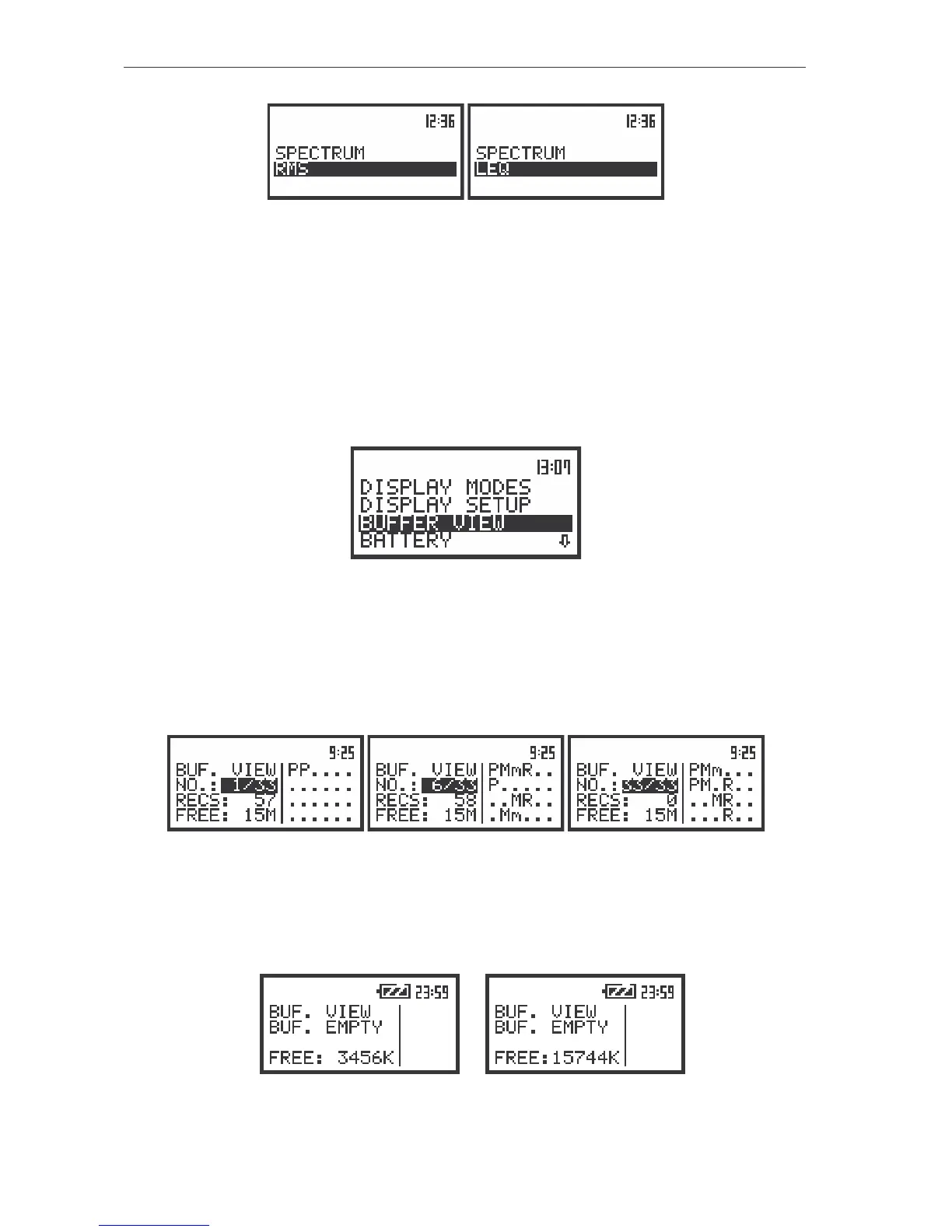
The view of the display with the SPECTRUM TYPE with the available values for SOUND measurements
Selection of the buffer’s file to the display presentation - BUFFER VIEW
The BUFFER VIEW sub-list enables the user to examine the contents of the buffer. In order to
open this sub-list the user has to press the <ENTER> push-button when the BUFFER VIEW text is
displayed inversely. The following parameters of the buffer are presented on the instrument’s display:
• The selected number of the file in the buffer and the number of all saved files (NO:).
• The number of the records in the file, which number is displayed in the previous line (RECS:).
• The size of the empty, still available memory (FREE:).
The view of the display with the DISPLAY list, the BUFFER VIEW text highlighted
(path: MENU / DISPLAY / BUFFER VIEW)
The type of the measurement results stored in the buffer in channel 1, 2, 3, 4 (chosen in the
CHANNEL x sub-list of the CHANNELS SETUP sub-list) as well as the results selected for the
registration in the case of 1/1 OCTAVE or 1/3 OCTAVE analysis (chosen in the BUFFERS SETUP sub-
list of the INPUT sub-list) are given on the right side of the display. The change of the number of the file in
the buffer is done after pressing the <
>, <
> push-buttons.
The view of the displays with the BUFFER VIEW sub-list opened: the selection of the file to be seen
The display of the instrument after entering the BUFFER VIEW sub-list looks as on the figure below
in the case when the buffer is empty (there was no measurement or the measurements were performed
but with the settings for all channels and the spectrum BUFFER: ON on the 1/1 OCTAVE SETUP,
1/3 OCTAVE SETUP sub-list).
a)
b)
The view of the display with BUFFER VIEW sub-list in the case when there are no files in the buffer in the
unit with 8 MB of internal memory (a) and with 32 MB of internal memory (b)



 To Next Page