SVAN 948 USER MANUAL
5 - 23
This position enables the user to set the proper external device. In order to enter this position the
user has to select the EXT. I/O SETUP text in the SETUP list, using the <
>, <
> (or <
>, <
>) push-
buttons, and press the <ENTER>.
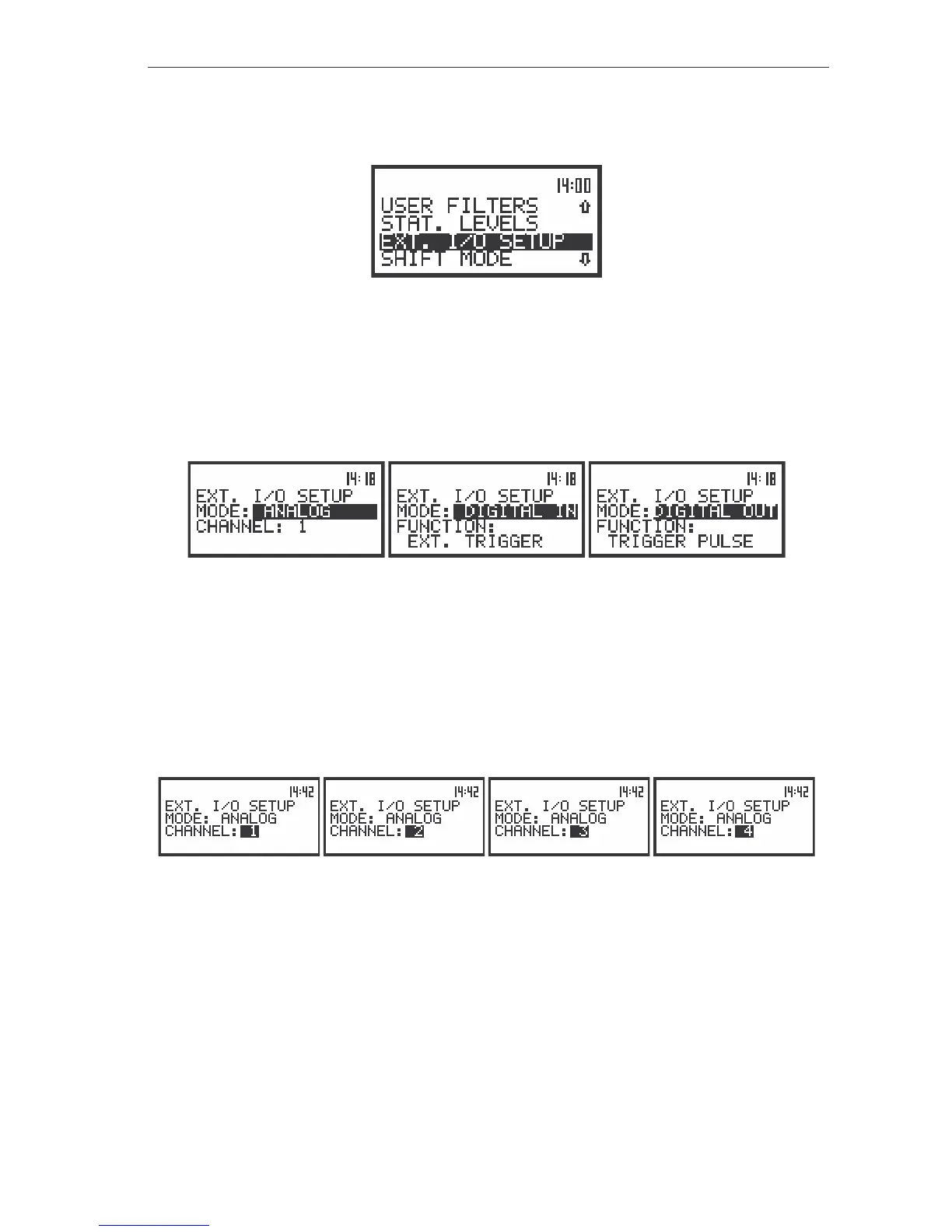
The view of the display in the SETUP list in sound measurements, the EXT. I/O SETUP text highlighted
(displayed inversely)
In the MODE position of EXT. I/O SETUP sub-list three options are available: ANALOG,
DIGITAL IN and DIGITAL OUT. In order to select the external device user has to press the <
>, <
>
push-buttons. The position is closed and the instrument returns to the SETUP list after pressing the
<ENTER> (with the confirmation of a change made in the position) or <ESC> push-button (ignoring a
change made in the position).
The displays in the EXT. I/O SETUP position, the selection different I/O devices
• ANALOG – in this mode the meter can give signals to the output device. For example the signal
can be observed on the oscilloscope from the selected CHANNEL. The user has
possibility to choose between CHANNEL 1, 2, 3 and 4.
The channel position enables the user to set the external channel. In order to enter this position the
user has to select the CHANNEL text in the EXT. I/O SETUP list, using the <
>, <
> push-buttons.
After selection of the CHANNEL the user has to press the <
>, <
> push-buttons. The position is closed
and the instrument returns to the SETUP list after pressing the <ENTER> (with the confirmation of a
change made in the position) or <ESC> push-button (ignoring a change made in the position).
The displays in the EXT. I/O SETUP position, the channel selection for output signal
• DIGITAL IN – in this mode the meter is connected to the output device which triggers it to
undertake measurements. It starts to measure, when on its input there is a triggering
impulse. In this mode the instrument works in EXT.TRIGGER function.
• DIGITAL OUT – in this mode the meter is connected to output device which is triggers by meter to
measure. It sends digital trigger pulse to another device. In this mode the instrument
works in TRIGGER PULSE function.
It is especially important, when the user wants to measure the noise or vibration in more
then 4 channels simultaneously. In this connection both instruments works synchronized.



 To Next Page