SVAN 948 USER MANUAL
5 - 65
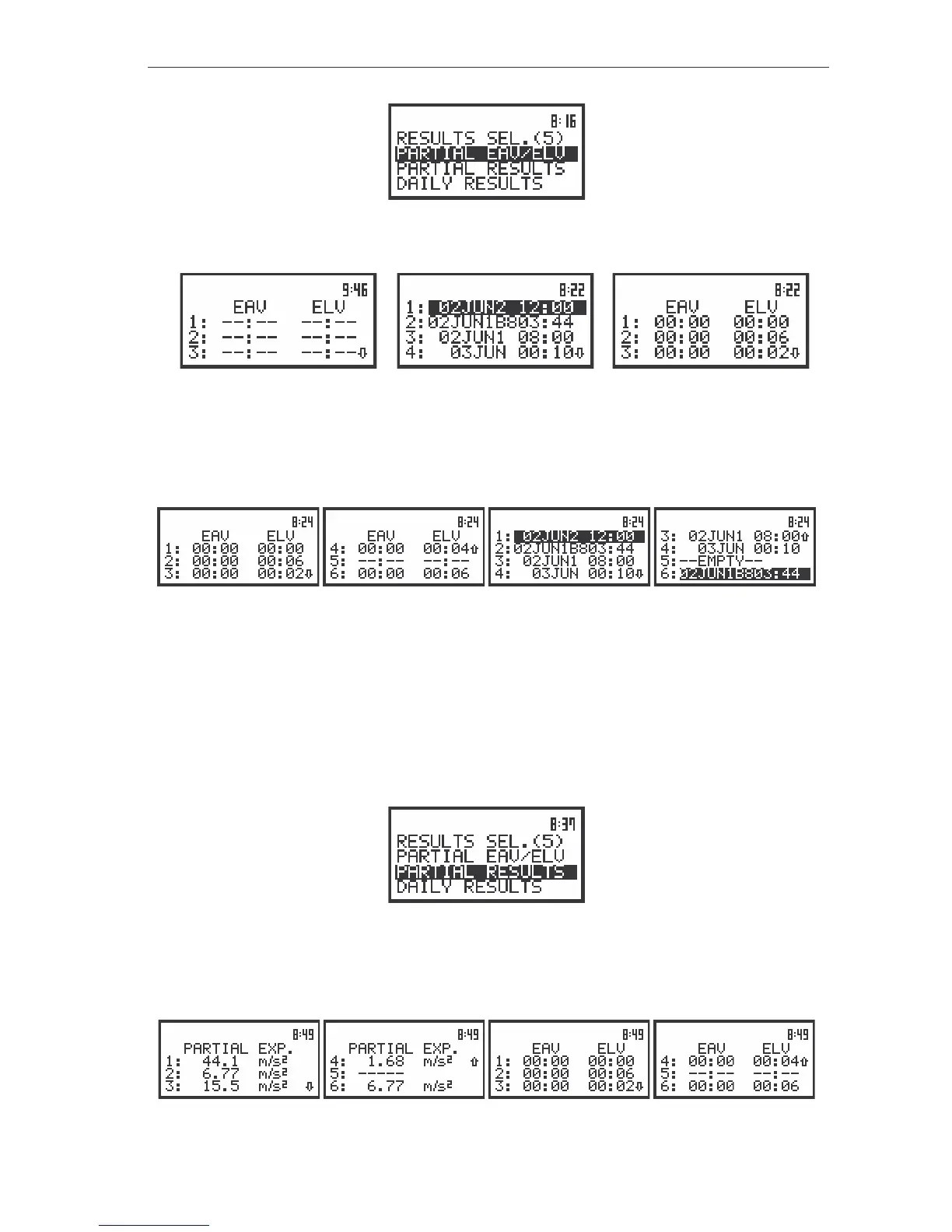
The view of the display in the WBV CALCULATOR sub-list the PARTIAL EAV/ELV text highlighted
(displayed inversely)
a)
b) c)
The view of the display with the empty partial result list (a), the selecting file in RESULT SEL. sub-list (b)
and the PARTIAL EAV/ELV results for selecting file (b), (c)
The user can rewind the RESULTS SEL. sub-list and PARTIAL EAV/ELV list using the <
>, <
>
push-buttons. The return to the WBV CALCULATOR sub-list is possible after pressing the <ESC> push-
button.
The view of the display with the selecting file in RESULT SEL. sub-list and the PARTIAL EAV/ELV results
for selecting file
Selection of the partial results - PARTIAL RESULTS
The PARTIAL RESULTS position (path: MENU / AUX. FUNCTIONS / HAV/WBV CALC. /
HAV CALCULATOR / PARTIAL RESULTS) is used to display PARTIAL EXPOSURE results. The results are
displayed in one column and represented by six positions for each file separately. The position is opened
after pressing the <ENTER> push-button when the PARTIAL EXP. text in the WBV CALCULATOR sub-
list is displayed inversely (selected using the <
>, <
> (or <
>, <
>) push-buttons). The return to the
WBV CALCULATOR sub-list is possible after pressing the <ESC> push-button.
The view of the display in the WBV CALCULATOR sub-list the PARTIAL RESULTS. text highlighted
(displayed inversely)
The user can rewind the PARTIAL EXP. sub-list and EAV/ELV list using the <
>, <
>. The return
to the WBV CALCULATOR sub-list is possible after pressing the <ESC> push-button.
The view of the display with the PARTIAL EXPOSURE and EAV/ELV results for selected file



 To Next Page