SVAN 948 USER MANUAL .
4 - 52
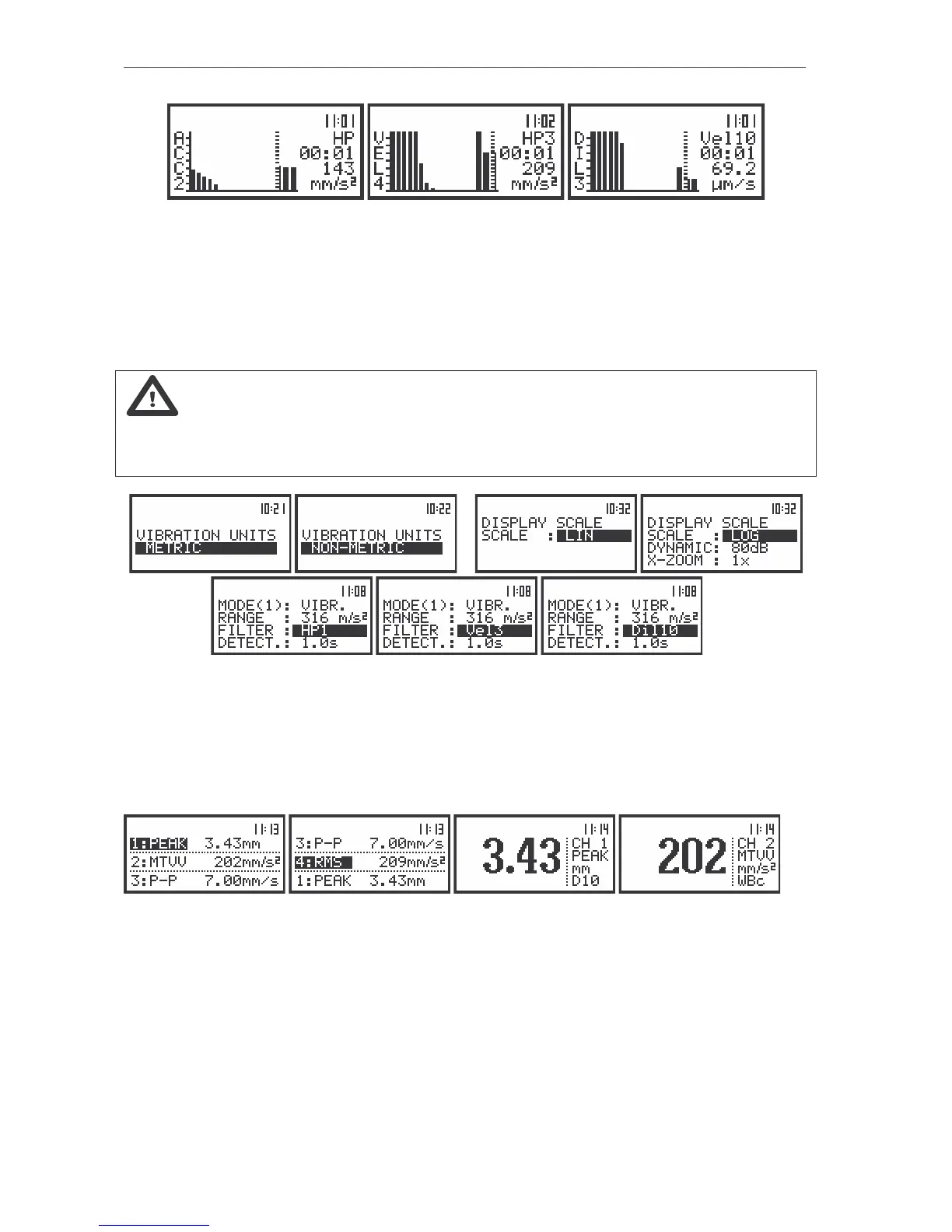
The view of the displays in 1/1 OCTAVE analysis in the SPECTRUM display mode, LINear (path: MENU /
DISPLAY / DISPLAY SETUP / CHANNEL x / DISPLAY SCALE / LIN) vibration scale, METRIC (path: MENU / SETUP /
VIBRATION UNITS / METRIC) units settings selected
The read-out of the interested spectrum value can be done by means of the cursor controlled by the
<
>, <
> push-buttons. On the right side of the display the selected 1/1 octave filter centre frequency (or
the selected TOTAL) is given, the current time of registered spectrum, the numerical value corresponding
to the position of the cursor and the units are displayed in the consecutive lines.
Note: The displayed units during the measurement or analysis of vibration signal depends on
the different settings made in the VIBRATION UNITS (METRIC or NON-METRIC), the SCALE position of
DISPLAY SCALE (LINear or LOGarithmic) and the weighting FILTER set in CHANNELS x (for
acceleration, velocity or displacement measurements).
…
…
The view of the displays with different settings influencing the units of vibration results
In one profile and 3 PROFILES modes the results are presented in the same way as in the case of
the VLM mode with only one difference that instead of the continuous line the doted one is used. The
active channel is changed after each pressing of the <SHIFT> and <
> or <SHIFT> and <
> push-
buttons. The change of the result from the same channel is done by pressing the <
>, <
> push-
buttons.
The view of the displays in 1/1 OCTAVE analysis in one profile and 3 PROFILES
modes of result’s presentation
In the PLOT mode the results are presented which are saved in the buffer from the BUFFERS (in
case when text ON in the BUFFERS positions is selected. The selection of the OFF text means that the
results are not saved in the buffer’s file) with the step set for all channels in the BUF. STEP position. The
active channel is changed after pressing the <
> and <
> push-buttons. The position of the cursor can
be done after pressing the <
>, <
> push-buttons. It is also possible to shift the horizontal axis in
relation to the vertical one of the presented results using the <SHIFT> and <
> or <SHIFT> and <
>
push-buttons (similarly as it has to be done in the SPECTRUM mode).



 To Next Page