5
98-05273-EN R7
MATRIX
®
Pro 570GS
•
MATRIX
®
Pro840GS
HOMESETUPGUIDANCE FULL SCREENIMPLEMENT GNSSRATE CONTROLAPPENDIX INTRODUCTION
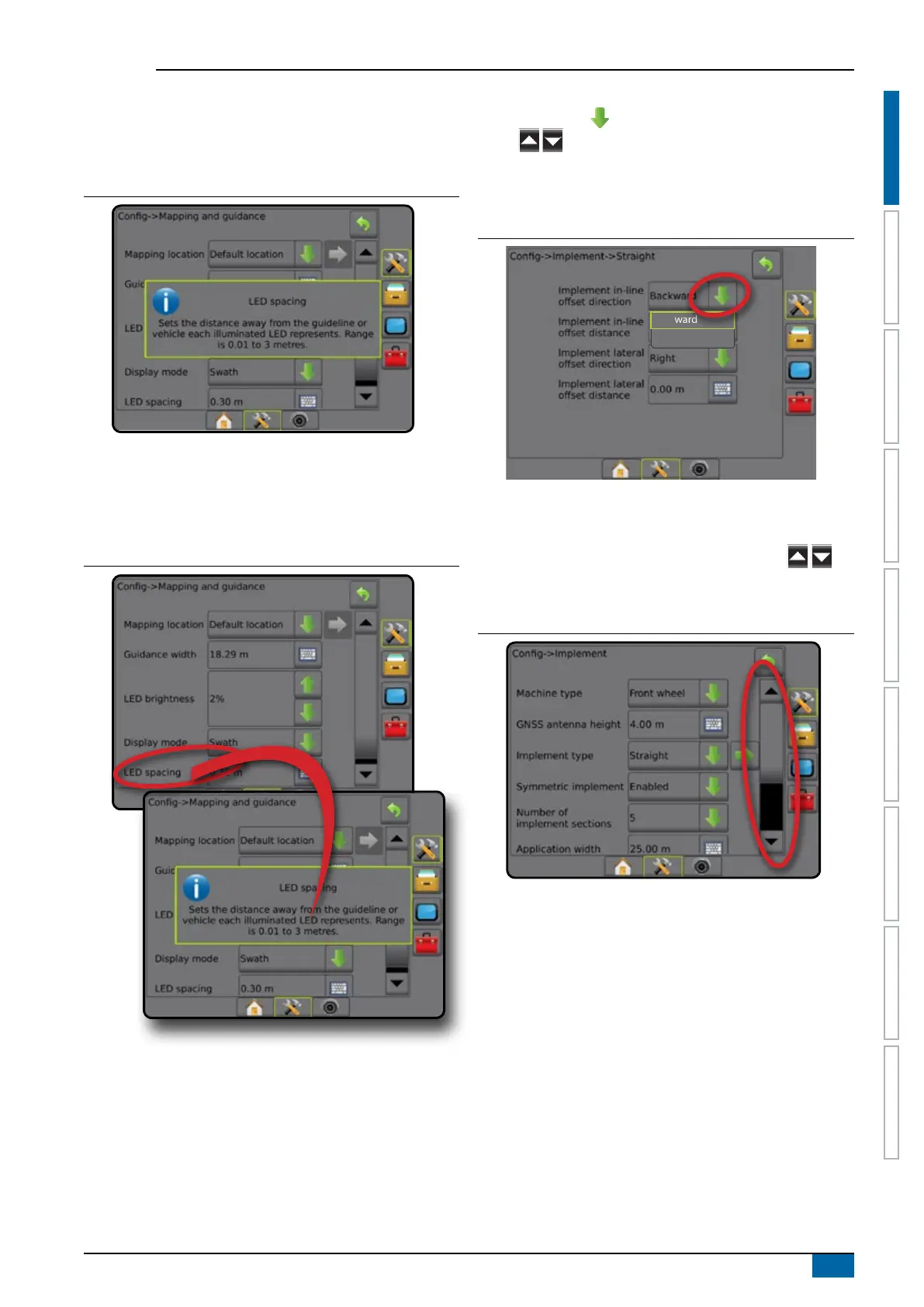
Warnings and information pop-ups
A pop-up warning or information box will be displayed for
approximately ve (5) seconds. To remove the information box, tap
anywhere on the screen.
Figure 1-8: Example of Information Text Box
Setup option information
Press the option’s icon or option’s name of any menu item to
display a denition and range values of that item. To remove the
information box, press anywhere on the screen.
Figure 1-9: Example of Information Text Box
Drop-down menu selections
Press DOWN arrow to access the options. Use the UP/DOWN
arrows or slide bar if necessary to scroll through the
extended list. Select the appropriate option. To close the list without
selecting an option, tap anywhere on the screen outside the drop-
down menu.
Figure 1-10: Example of drop-down menu
Backward
Forward
Scrolling screens
Some screens have more information or options that are visible
beyond the current screen. Use the UP/DOWN arrows or
slide bar to access additional options or information not currently
visible on the screen.
Figure 1-11: Example of scrolling screen



 To Next Page