34
www.teejet.com
MATRIX
®
Pro 570GS
•
MATRIX
®
Pro 840GS
HOME GUIDANCEFULL SCREEN IMPLEMENTINTRODUCTION GNSS RATE CONTROL APPENDIXSETUP
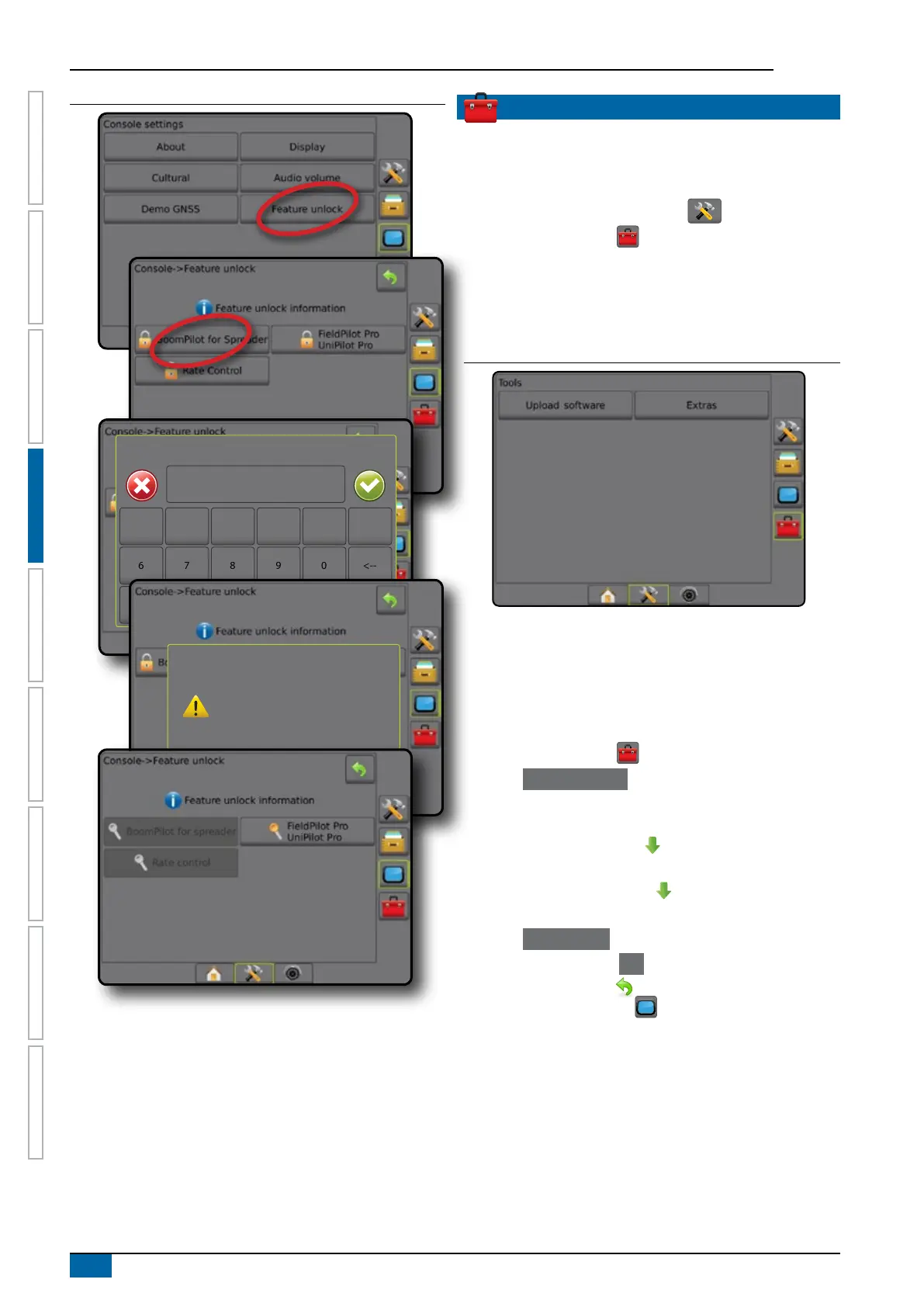
Figure 4-48: Feature Unlocked
Enter unlock code
1
6
A
2
7
B
3
8
C
4
9
D
5
0
E
Clear
<--
F
The BoomPilot for Spreader feature
is now unlocked. Please reboot
console to begin using BoomPilot for
Spreader.
Unlock successful!
TOOLS
Tools is used to upload software updates for system devices,
and to do various calculations on a regular calculator or a unit
converter.
1. Press SYSTEM SETUP bottom tab .
2. Press TOOLS side tab .
3. Select from:
►Upload software – used to upload software updates from a
USB drive for system devices.
►Extras – accesses Calculator and Units converter
Figure 4-49: Tools options
Upload software
The Upload software screen is used to upload software updates
from a USB drive for system devices.
NOTE: Availability of this feature will vary depending on software
version.
1. Press TOOLS side tab .
2. Press Upload Software .
3. Insert the USB drive containing software updates into the
console.
4. Press Device DOWN arrow and select the device for which
software will be updated:
5. Press Software DOWN arrow and select the software
update to be uploaded to the device.
6. Press Begin Upload .
7. When prompted, press OK .
8. Press RETURN arrow to return to the Tools screen, or
press CONSOLE side tab to return to the main console
Settings screen.



 To Next Page