6
www.teejet.com
MATRIX
®
Pro 570GS
•
MATRIX
®
Pro 840GS
HOME SETUP GUIDANCEFULL SCREEN IMPLEMENTGNSS RATE CONTROL APPENDIXINTRODUCTION
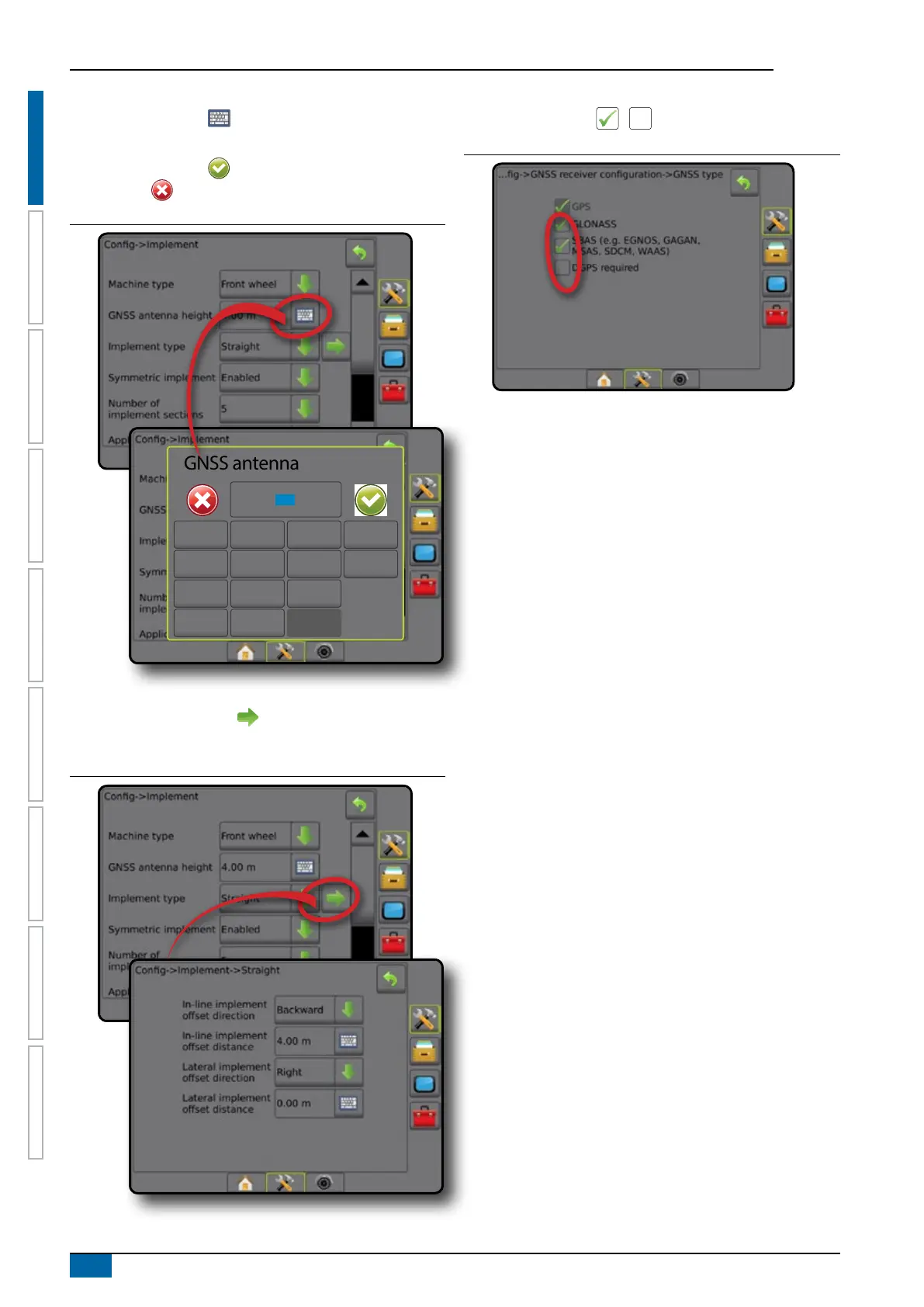
Keyboard entry screen
Press the KEYPAD icon . Use the numeric keypad to
enter a value.
Press the ACCEPT icon to save the settings or the
CANCEL icon to leave the keypad without saving.
Figure 1-12: Example of keyboard
GNSS antenna height (m)
1 2 3
12.5
Clear
4 5 6 <--
7 8 9
0 . +/-
Next page
Press the NEXT PAGE arrow to set up additional options for
the selected item.
Figure 1-13: Example of next page
Checkboxes
Press the CHECKBOX / to select or deselect.
Figure 1-14: Examples of Checkboxes



 To Next Page