19
98-05273-EN R7
MATRIX
®
Pro 570GS
•
MATRIX
®
Pro840GS
HOMEGUIDANCE FULL SCREENIMPLEMENT INTRODUCTIONGNSSRATE CONTROLAPPENDIX SETUP
GNSS receiver conguration
GNSS receiver conguration is used to congure GNSS type,
GNSS port, and PRN, as well as to view GNSS status information.
NOTE: For more information, see the GNSS receiver configuration
chapter of this manual.
These settings are required for assisted/auto steering, tilt
sensor operation, and rate control functionality, as well as
proper implement operation.
1. Press CONFIGURATION side tab .
2. Press
GNSS Receiver Conguration .
3. Select from:
►GNSS type – sets to accept GNSS source transmissions:
GPS, GLONASS, SBAS (with or without DGPS Required)
►GNSS Port – sets GNSS communication port to either
Internal or External
►GNSS status information – displays current GNSS status
information
►Programme – only TeeJet support technicians should use
this feature
►PRN – selects the first of two possible SBAS PRN's to
provide SBAS correction data. Set to
Automatic for
automatic PRN selection.
►Alternate PRN – when PRN is not automatic, allows
possible selection of a second SBAS PRN to provide
correction data
►Show refresh GNSS position button – establishes if the
refresh GNSS position button is available on the guidance
screens.
4. Press NEXT PAGE arrow to set up the selected specic
GNSS options.
5. Press RETURN arrow or CONFIGURATION side tab
to return to the main Conguration screen.
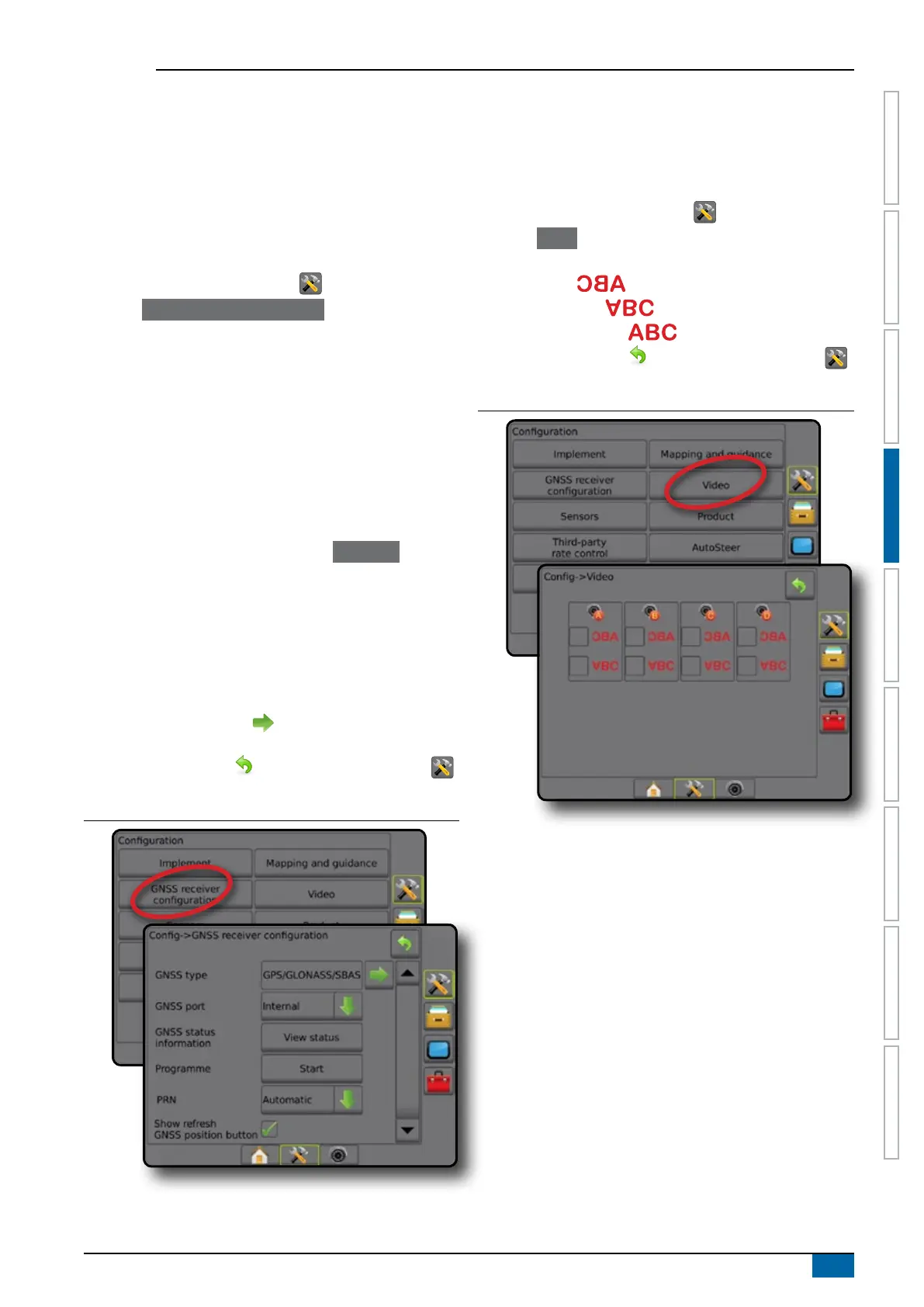
Figure 4-15: GNSS receiver configuration options
PRN not shown
PRN options are only available with SBAS GNSS type selected.
Video
Video Setup is used to set up a single directly connected camera
or individual cameras while using an Eight (8) Channel or Four (4)
Channel Video Selector Module (VSM). Up to 8 cameras can be
congured if a VSM is installed.
1. Press CONFIGURATION side tab .
2. Press
Video .
3. Select the appropriate check box(es):
►Reverse –
►Upside Down –
For normal video view un-check all check boxes.
4. Press RETURN arrow
or CONFIGURATION side tab
to return to the main Conguration screen.
Figure 4-16: Video with 4 channel VSM options
Video setup unavailable
If a camera or VSM is not connected, setup options will not be
available.



 To Next Page