42
www.teejet.com
MATRIX
®
Pro 570GS
•
MATRIX
®
Pro 840GS
HOME SETUP GUIDANCEFULL SCREENINTRODUCTION GNSS RATE CONTROL APPENDIXIMPLEMENT
CHAPTER 6 IMPLEMENT SETUP
Implement Setup is used to establish the various settings associated with straight mode, spreader mode, and staggered mode.
Settings will vary depending on if there is section control available: SmartCable, Section Driver Module (SDM), or Switch Function
Module (SFM).
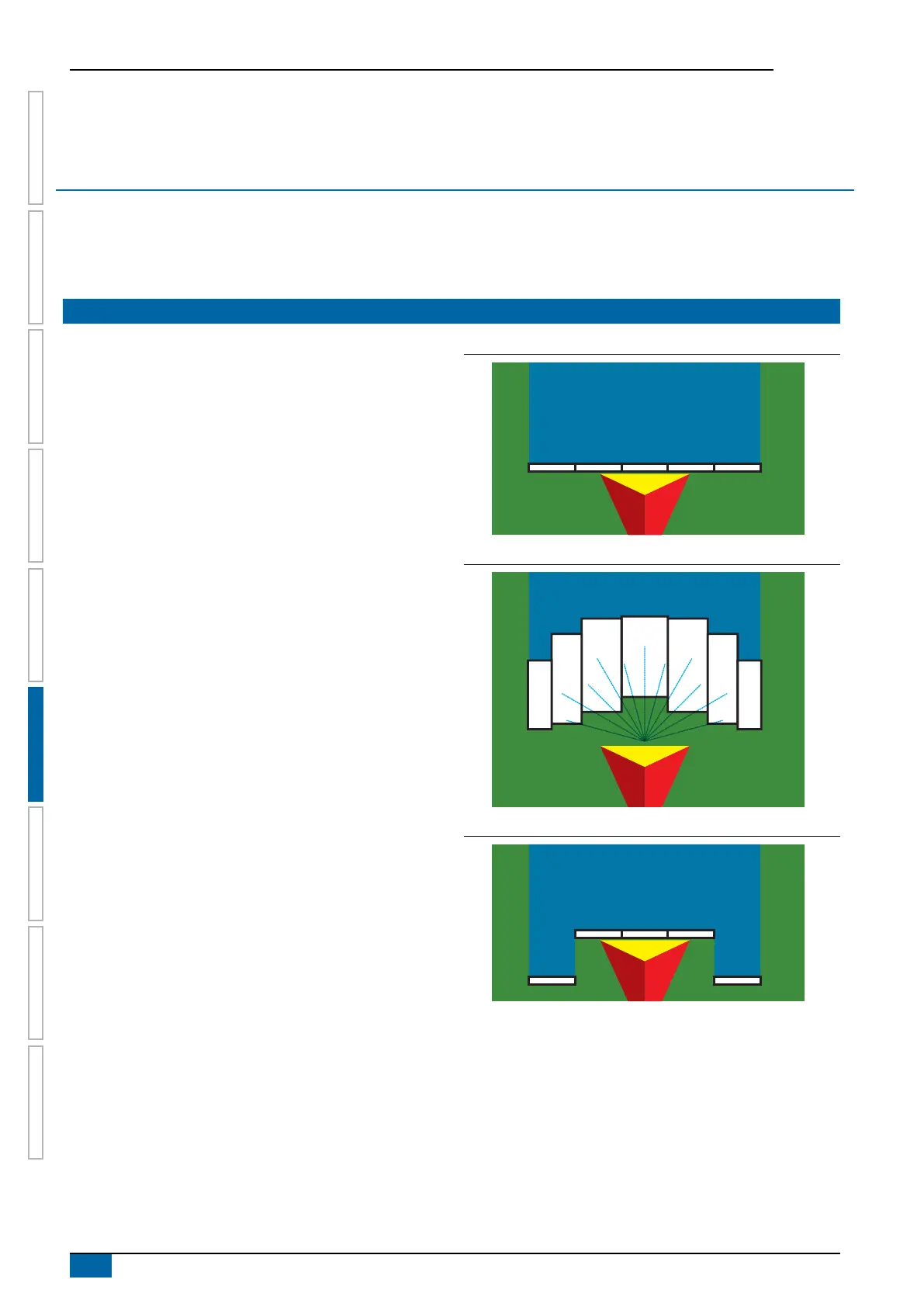
IMPLEMENT TYPE
Implement Type selects the type of application pattern that most
closely represents your system.
● In straight mode – the boom sections have no length and
are on a line a xed distance from the antenna
● In spreader mode – a virtual line is created in line with the
delivery disks from which the application section or sections
can vary in length and can be at different distances from the
line (availability depends on the specic equipment in the
system)
● In staggered mode – a virtual line is created in line with
Section 1 from which the application section or sections
have no length and can be at different distances from the
line (availability depends on the specic equipment in the
system)
Section numbers
Sections are numbered from left to right while facing in the
machine's forward direction.
Figure 6-1: Implement type – straight
5 4 3 2 1
Figure 6-2: Implement type – spreader
5
6
7
4
3
2
1
Figure 6-3: Implement type – staggered
5
4 3 2
1



 To Next Page