74
www.teejet.com
MATRIX
®
Pro 570GS
•
MATRIX
®
Pro 840GS
HOME SETUPFULL SCREEN IMPLEMENTINTRODUCTION GNSS RATE CONTROL APPENDIXGUIDANCE
RETURN TO POINT
Return to point provides guidance back to an established point in
Vehicle view and Field view. In Vehicle view an arrow directs the
vehicle back to the established point. In Field view only the point is
displayed.
A return point is job-specic, and will remain active in the active
job until canceled.
NOTE: Return to point guidance may not be available depending
on assisted/automatic steering system installed.
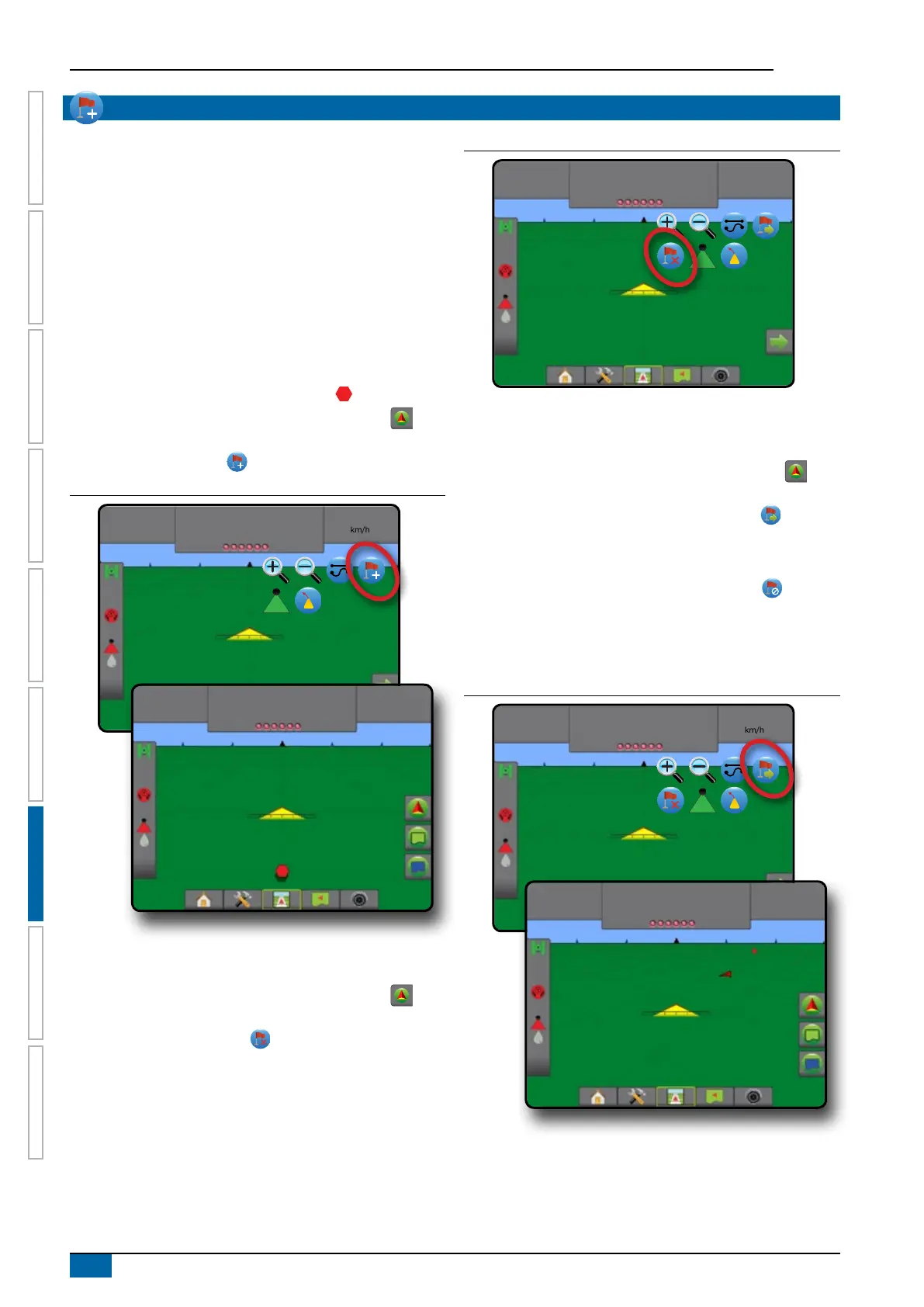
Marking a return point
To mark a return point:
1. Drive to the desired location of return point .
2. Press NAVIGATION AND GUIDANCE OPTIONS tab to
display navigation options.
3. Press ADD POINT icon .
Figure 7-20: Return point established – Vehicle view
8:19
1.7
km/h
8:21
1.7
km/h
Delete the return point
To delete the established return point:
1. Press NAVIGATION AND GUIDANCE OPTIONS tab to
display navigation options.
2. Press DELETE POINT icon
.
Delete Point icon is not available while return to point guidance is
active.
Figure 7-21: Delete point
9:03
1.7
km/h
Guidance to a return point
To show distance and guidance to the established return point:
1. Press NAVIGATION AND GUIDANCE OPTIONS tab to
display navigation options.
2. Press the RETURN TO POINT GUIDANCE icon
.
The console will begin providing the distance information on the
Guidance bar from the vehicle to the established point.
Use CANCEL RETURN TO POINT GUIDANCE icon to hide
distance and guidance to the established point.
Guidance cannot be calculated when “?” appears in the
guidance bar.
Figure 7-22: Return to point guidance – Vehicle view
8:36
1.7
km/h
8:53
1.7
km/h
45.7 m



 To Next Page