86
www.teejet.com
MATRIX
®
Pro 570GS
•
MATRIX
®
Pro 840GS
HOME SETUP GUIDANCEFULL SCREEN IMPLEMENTINTRODUCTION GNSS APPENDIXRATE CONTROL
SETUP OPTIONS
Third-party rate control
When a Third-party rate control system is present and Rate control
has been unlocked, a Third-party rate control can be enabled/
disabled.
1. Press SYSTEM SETUP bottom tab .
2. Press CONFIGURATION side tab
.
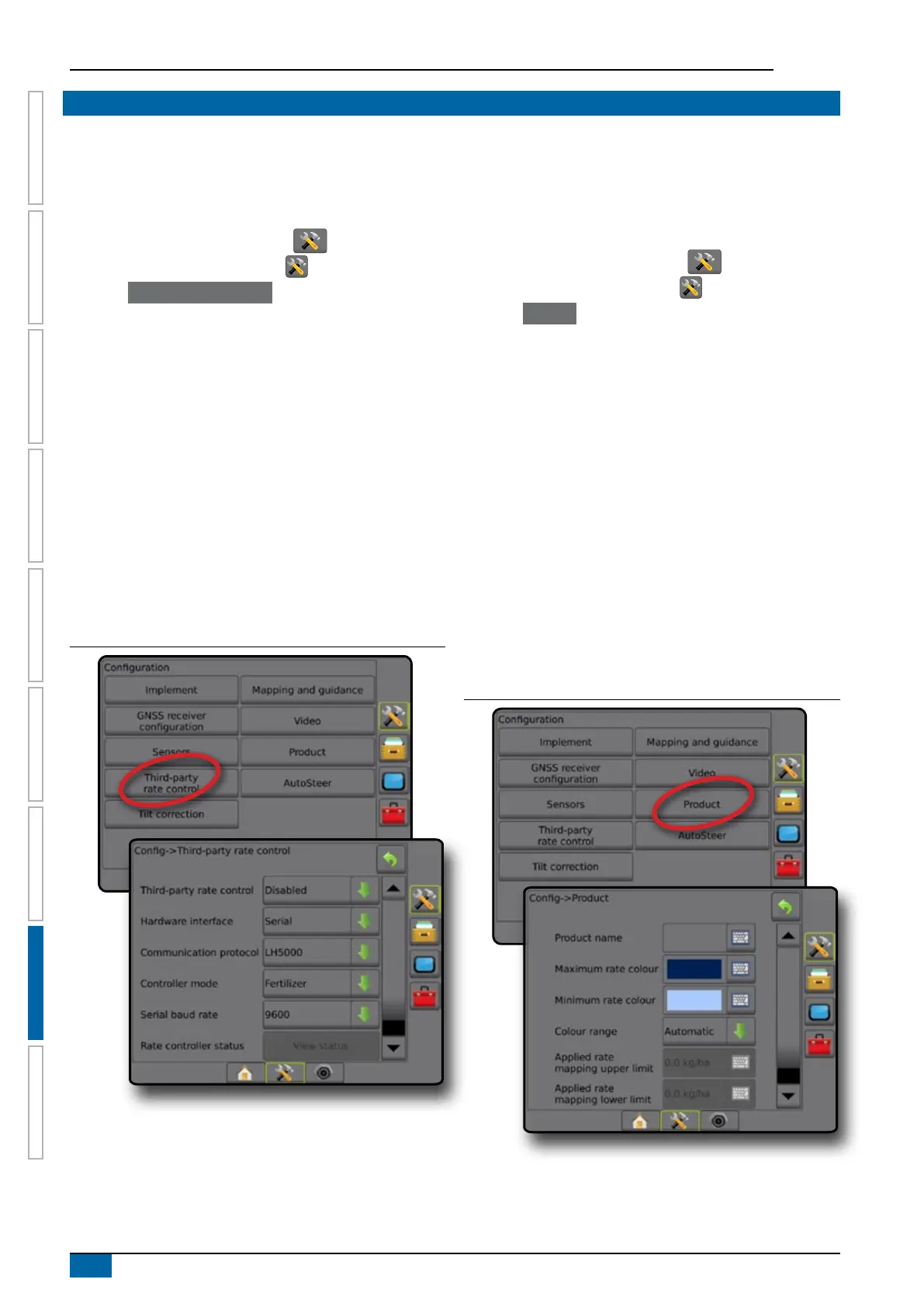
3. Press Third-party rate control .
4. Select if Third-party rate control is enabled or disabled.
5. When disabled, select from:
►Hardware interface – used to select an interface for
communication with a Third-party rate controller.
►Communication protocol – used to select a protocol for
communication with a Third-party rate controller.
►Controller mode – If an applicable protocol is selected, used
to select the controller mode that matches rate controller’s
conguration.
►Serial baud rate – if using a serial interface device, used to
select the appropriate communication baud rate.
At any time, select:
►Rate control status – used to view the status of a connected
Third-party rate controller.
Figure 8-2: Third-party rate control
Product
When a Third-party rate control system is present and Rate control
has been unlocked, Product options are available for conguring
product control channel names and maximum/minimum rate limits
and corresponding display colours for mapping.
1. Press SYSTEM SETUP bottom tab .
2. Press CONFIGURATION side tab
.
3. Press Product .
4. Select from:
►Product name – used to enter the name of the product for
the current Control channel
►Maximum/minimum rate colour – used to create the colour
scheme that best represents the change in rates across an
application or Target rate map
►Colour range – used to select Automatic or Manual mode
for setting Maximum and Minimum rate colour
►Applied rate mapping upper limit [manual colour range
only] – used to set the maximum rate for which the
Maximum Rate Colour will used (higher rates will use the
selected Maximum Rate Colour)
►Applied rate mapping lower limit [manual colour range
only] – used to set the minimum rate for which the Minimum
rate colour will used (lower rates will use the selected
Minimum rate colour)
Figure 8-3: Product options



 To Next Page