85
98-05273-EN R7
MATRIX
®
Pro 570GS
•
MATRIX
®
Pro840GS
HOMESETUPGUIDANCE FULL SCREENIMPLEMENT INTRODUCTIONGNSSAPPENDIX RATE CONTROL
CHAPTER 8 THIRDPARTY RATE CONTROL
When a Third-party rate control system is present and Rate
Control has been unlocked, applicaiton informaiton and mapping
can be shown on the guidance screens.
To add a Third-party rate controller to the system:
1. Add a rate controller to the system.
2. Power on the rate controller.
3. On the Matrix Pro GS console, unlock Third-party rate control.
4. Restart the Matrix Pro GS.
5. On the Matrix Pro GS console, congure Third-party rate
control settings – used to congure hardware interface and
communication.
6. On the Matrix Pro GS console, congure Product settings
– used to congure product name, tank/bin volumes, target
application rates, increment for adjusting target rates,
and colour mapping maximum/minimum rate limits and
corresponding display colours
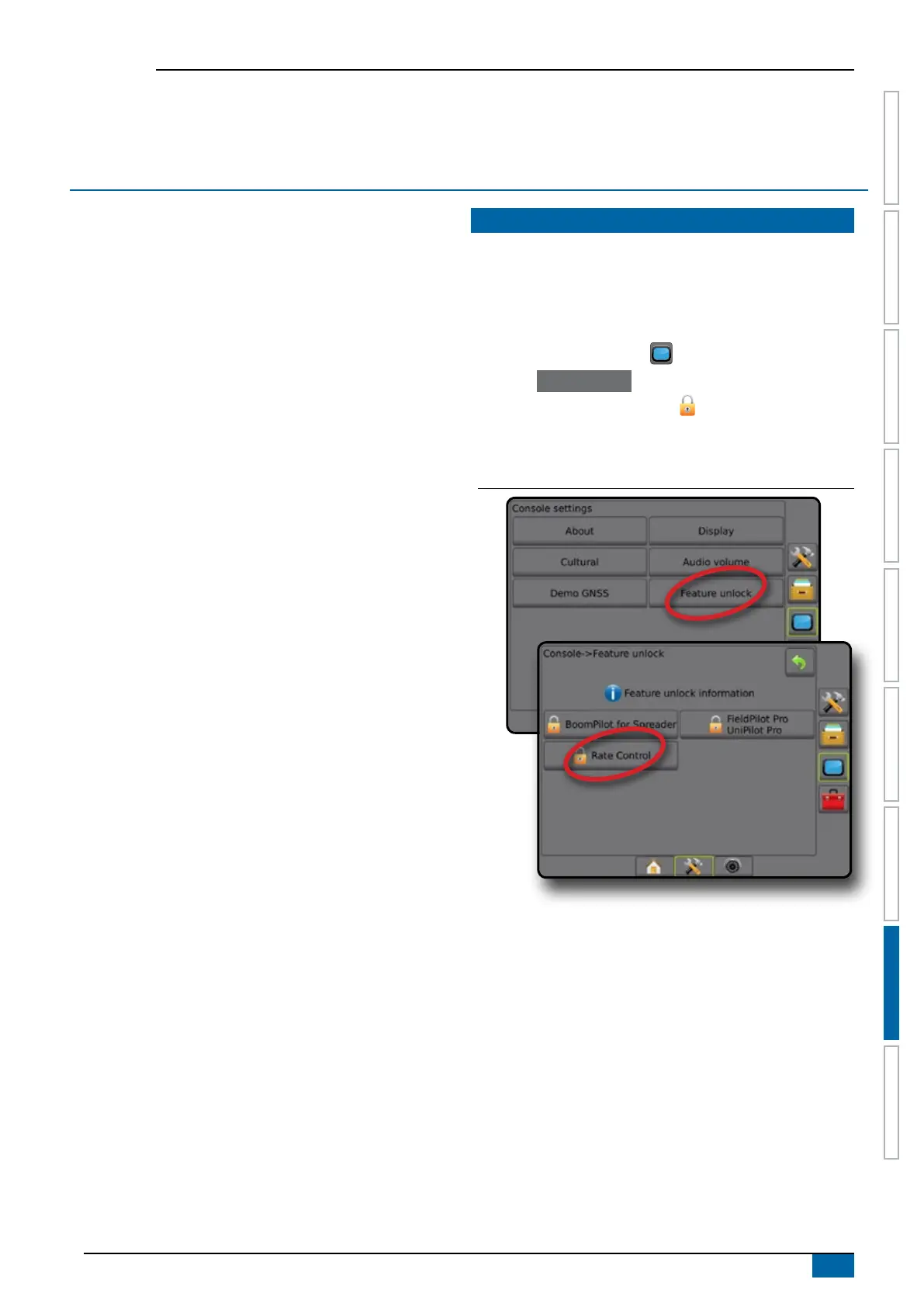
THIRDPARTY RATE CONTROL UNLOCK
Feature Unlock is used to unlock advanced features.
NOTE: The unlock code is unique for each console. Contact
TeeJet Technologies Customer Service. Once unlocked, a
feature remains unlocked unless the console is fully reset.
1. Press CONSOLE side tab .
2. Press Feature unlock .
3. Press the locked feature button
.
for Third-party rate control.
4. Enter unlock code.
5. Restart the console.
Figure 8-1: Feature unlock



 To Next Page