10
www.teejet.com
MATRIX
®
Pro 570GS
•
MATRIX
®
Pro 840GS
HOME SETUP GUIDANCEIMPLEMENTINTRODUCTION GNSS RATE CONTROL APPENDIXFULL SCREEN
Camera snapshot
RealView camera snapshot saves a still photo of the current
view on the screen to a USB drive.
1. Insert USB drive.
2. Press REALVIEW CAMERA FULL SCREEN VIDEO VIEW
bottom tab
.
3. Press REALVIEW OPTIONS tab
to display RealView
options.
4. Press CAMERA SNAPSHOT icon .
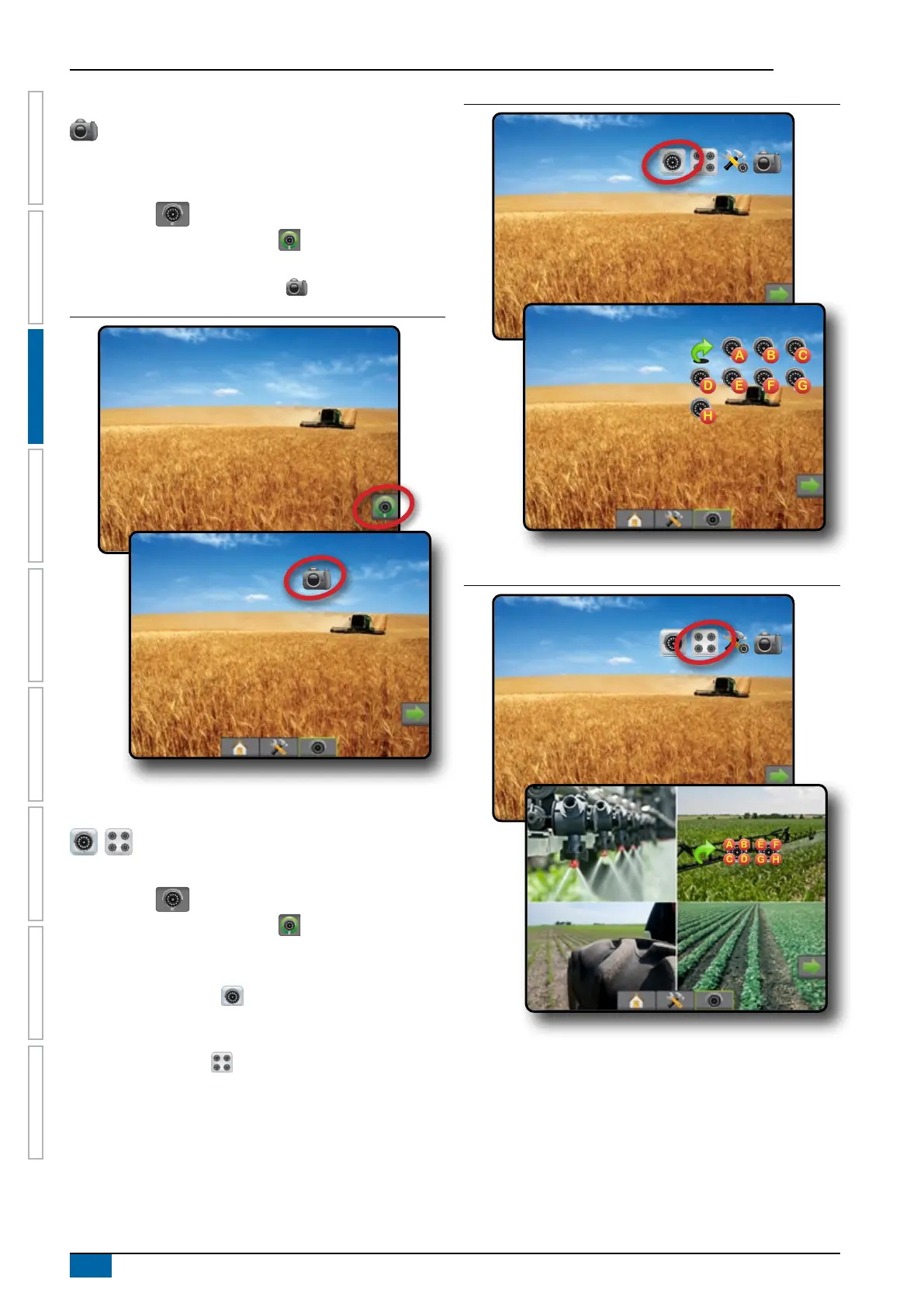
Figure 3-2: RealView camera full screen video view
VSM camera options
If a Video selection module (VSM) is installed on the
system, two (2) video options are available:
1. Press REALVIEW CAMERA FULL SCREEN VIDEO VIEW
bottom tab .
2. Press REALVIEW OPTIONS tab
to display RealView
options.
3. Select from:
►Single camera view – one (1) of up to eight (8) camera
inputs can be selected to change the view of the video
input.
►Split camera view
– one (1) of two (2) sets of four (4)
camera inputs (A/B/C/D or E/F/G/H) can be selected to
divide the screen into four separate video feeds.
Figure 3-3: Single camera selection with VSM
Figure 3-4: Select split view with VSM



 To Next Page