33
98-05273-EN R7
MATRIX
®
Pro 570GS
•
MATRIX
®
Pro840GS
HOMEGUIDANCE FULL SCREENIMPLEMENT INTRODUCTIONGNSSRATE CONTROLAPPENDIX SETUP
Demo GNSS
Demo GNSS is used to start the playback of a simulated GNSS
signal.
WARNING! This tool will disable incoming GNSS positions and
begin playing back simulated data. A console reboot is
necessary in order to restore real GNSS.
1. Press CONSOLE side tab .
2. Press
Demo GNSS .
3. Press
Start .
4. Press RETURN arrow or CONSOLE side tab to
return to the main Console Settings screen.
NOTE: A console reboot is necessary in order to restore a real
GNSS.
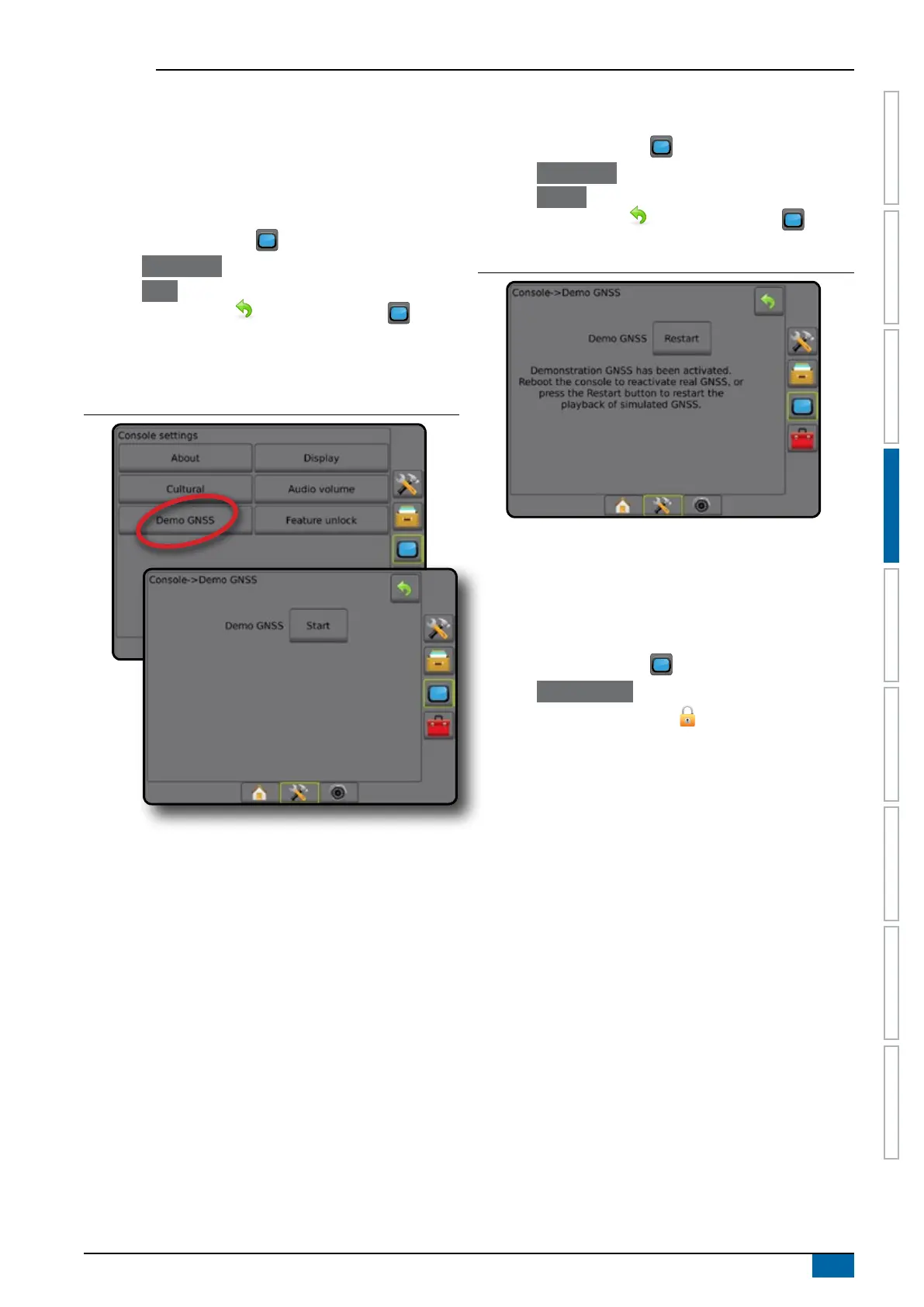
Figure 4-46: Demo GNSS
Restart Demo GNSS
Demonstration GNSS can be restarted.
1. Press CONSOLE side tab .
2. Press
Demo GNSS .
3. Press
Restart .
4. Press RETURN arrow
or CONSOLE side tab to
return to the main Console Settings screen.
Figure 4-47: Restart Demo GNSS
Feature unlock
Feature Unlock is used to unlock advanced features.
NOTE: The unlock code is unique for each console. Contact
TeeJet Technologies Customer Service. Once unlocked, a
feature remains unlocked unless the console is fully reset.
1. Press CONSOLE side tab .
2. Press Feature Unlock .
3. Press the locked feature button
.
for the locked feature:
►BoomPilot for spreader – allows for spreader application
options when used with a compatible spreader implement
►FieldPilot Pro / UniPilot Pro – allows for AutoSteer options
when using a SCM Pro
►Third-party rate control – allows for rate control options
when used with a compatible third-party rate controller
4. Enter unlock code if required.
5. Restart the console.



 To Next Page