62
www.teejet.com
MATRIX
®
Pro 570GS
•
MATRIX
®
Pro 840GS
HOME SETUPFULL SCREEN IMPLEMENTINTRODUCTION GNSS RATE CONTROL APPENDIXGUIDANCE
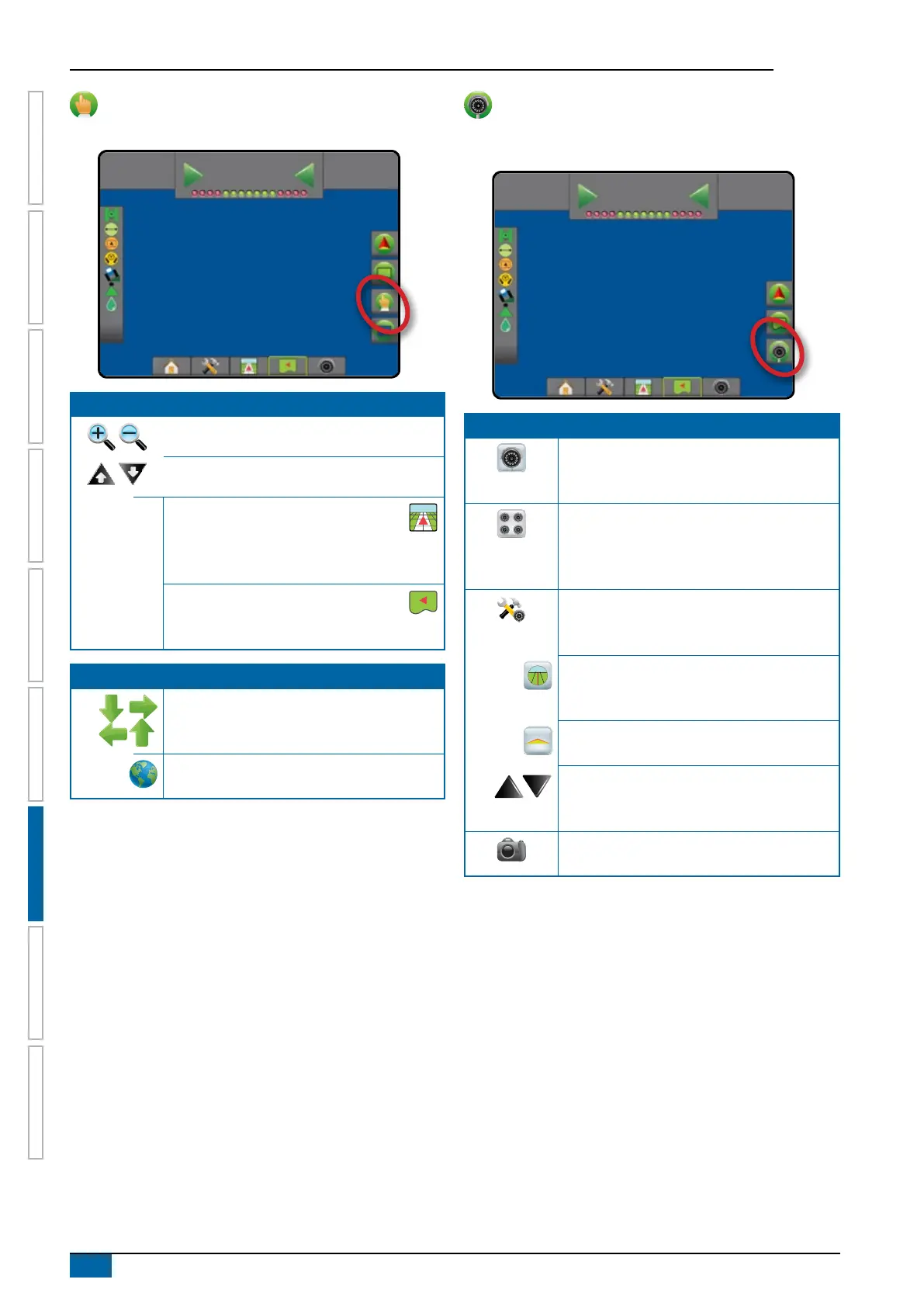
Screen options
On eld view guidance screen, displays zoom and pan options.
12
deg
-13
0.0
Zoom in/out
Icons – to be used on the Matrix Pro 570GS
Buttons – to be used on the Matrix Pro 840GS
Vehicle view – icons or buttons adjust
the vehicle’s view or perspective to the
horizon from vehicle view to bird’s eye
view
Field view – icons or buttons increase/
decrease the area displayed on the
screen
Pan
Arrows – move the displayed map area in the
corresponding direction without moving the
vehicle.
World view – extends the screen view to the
widest area available.
RealView guidance options
On RealView guidance screen, displays camera setup and
guidance over video options.
12
deg
-13
0.0
Video camera select – selects one of up to
eight camera views if a Video selection module
(VSM) is attached.
Split camera view – selects one of two sets
of four camera inputs (A/B/C/D or E/F/G/H)
to divide the screen into four separate video
feeds.
Guidance over video setup – access to turn
on Guidance over video or Steering angle and
adjust guidelines.
Guidance over video – places three-
dimensional guidelines over the video feed for
navigational assistance.
Steering angle – displays the direction in which
the steering wheel needs to be adjusted.
Up & down icons – used to adjust the guidance
lines and horizon line to match the camera’s
view.
Camera image capture – saves a still photo of
the current view on the screen to a USB drive.



 To Next Page