59
98-05273-EN R7
MATRIX
®
Pro 570GS
•
MATRIX
®
Pro840GS
HOMESETUP FULL SCREENIMPLEMENT INTRODUCTIONGNSSRATE CONTROLAPPENDIX GUIDANCE
Screens options
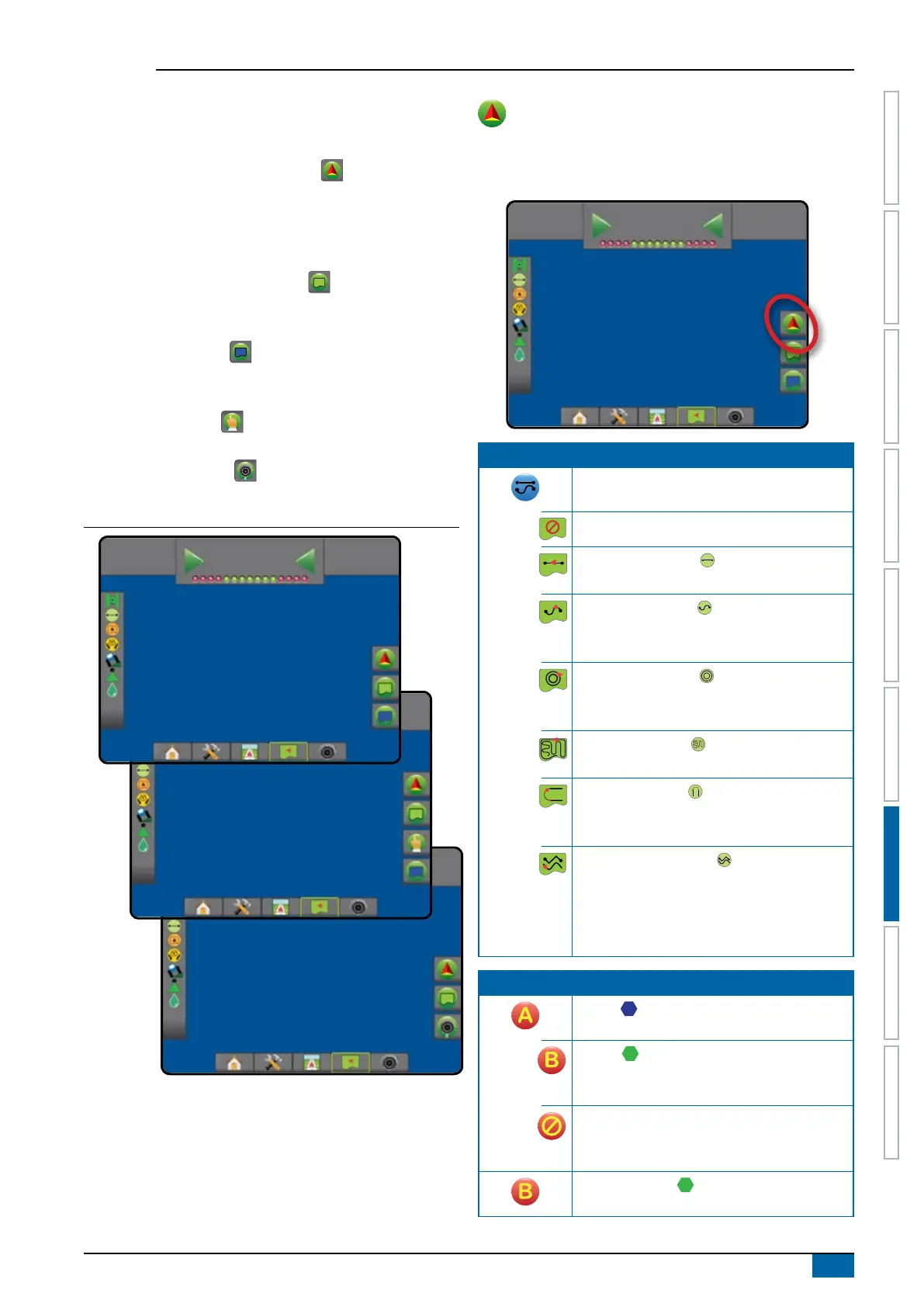
Guidance and navigation can be accessed from the Vehicle view
screen, Field view screen, or RealView screen.
• Navigation and guidance options tab – on any guidance
screen, displays navigation options including guidance
modes, guideline options, return to point options, refresh
GNSS, BoomPilot toggle, curved lookahead toggle and
nozzle ow monitor reset.
• Boundary and polygon options tab – on any guidance
screen, displays exterior boundary, interior boundary and
polygon options.
• Mapping options tab – on vehicle view or eld view
guidance screens, displays polygon maps, coverage maps
and application maps.
• Screen options tab – on eld view guidance screen,
displays zoom and pan options.
• RealView options tab – on RealView guidance screen,
displays camera setup and guidance over video options.
Figure 7-2: Guidance screen options
RealView
12
deg
-13
0.0
Field View
12
deg
-13
0.0
Vehicle View
12
deg
-13
0.0
Navigation and guidance options
On any guidance screen, displays navigation options including
guidance modes, guideline options, return to point options, refresh
GNSS, BoomPilot toggle, curved lookahead toggle.
12
deg
-13
0.0
Guidance mode
Guidance mode – access to guidance mode
options
No guidance – turns off guidance
Straight AB guidance – provides straight-line
guidance based on A and B reference points
Curved AB guidance – provides guidance
along curved lines based on an initial AB
reference line
Circle pivot guidance – provides guidance
around a central location that radiates inward or
outward based on an initial AB reference line
Last pass guidance – offers true last-pass
navigation
NextRow guidance – indicates where the
NextRow is located, and provides guidance at
row ends to the next adjacent row
Adaptive curve guidance – provides guidance
along a curved line based on an initial AB
reference line where each adjacent guideline is
drawn from the projected guidance width and
heading
Guidelines
Mark A – marks the rst point of the
guideline.
Mark B – marks the end point of the
guideline. Greyed = minimum distance has not
been travelled.
Cancel mark A – cancels the Mark A process.
Reverts to previous AB guideline (when
established).
NextRow mark B – marks the end point of
the row.



 To Next Page