39
98-05273-EN R7
MATRIX
®
Pro 570GS
•
MATRIX
®
Pro840GS
HOMESETUPGUIDANCE FULL SCREENIMPLEMENT INTRODUCTIONRATE CONTROLAPPENDIX GNSS
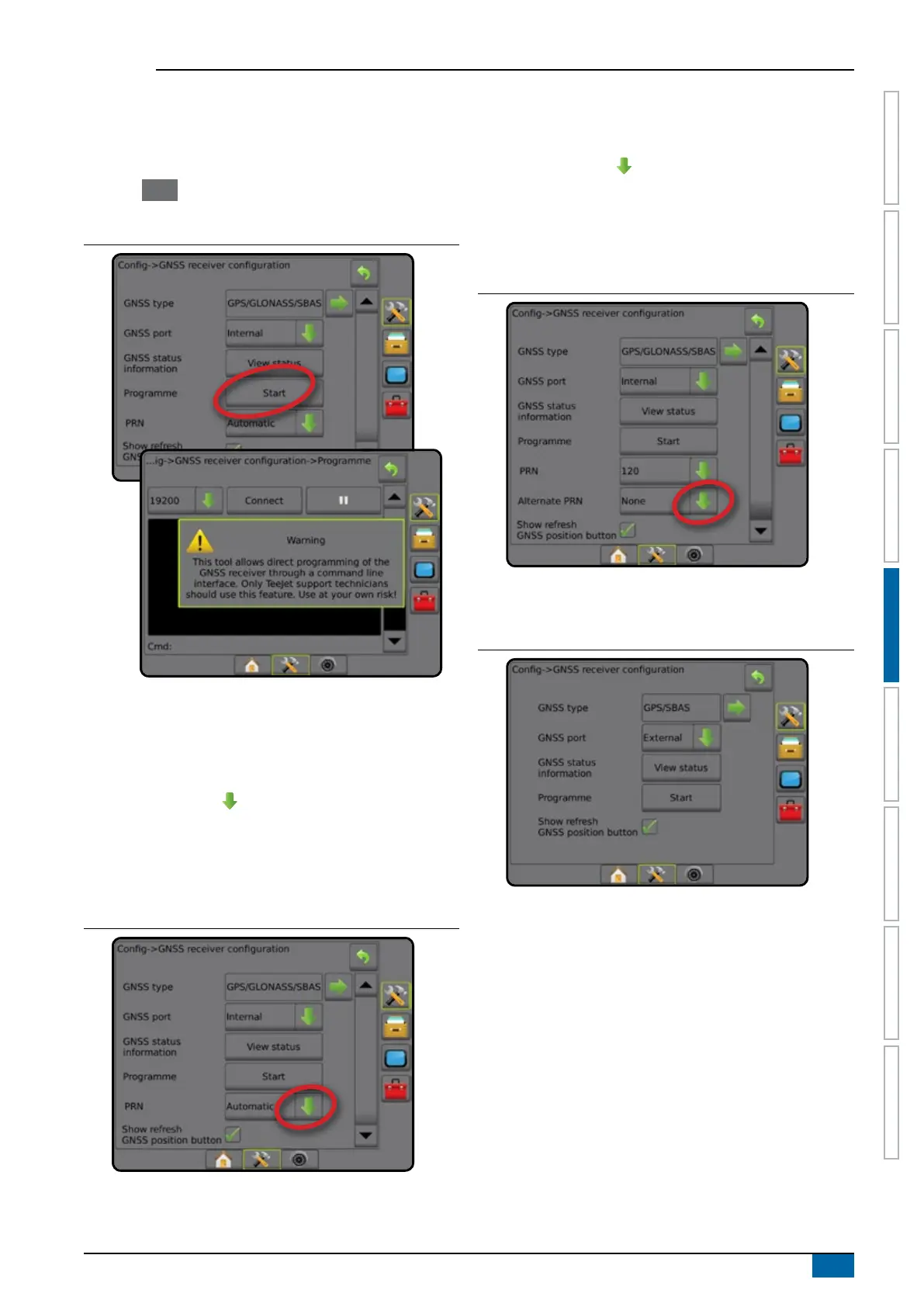
Programme
Programme allows direct programming of the GNSS receiver a
command line interface. Only TeeJet support technicians should
use this feature. Use at your own risk!
1. Press Start .
2. Adjust programming as required.
Figure 5-6: Programming receiver
PRN
The PRN menu allows selection of up to two specic SBAS
satellites to use for SBAS corrections. This allows the user to
remove SBAS correction data from malfunctioning SBAS satellites.
1. Press DOWN arrow to access the list of options.
2. Select:
►Automatic – automatic PRN selection
►Number – contact your local dealer for the number
associated with your operating location
Figure 5-7: PRN
Alternate PRN
When PRN is not automatic, allows possible selection of a second
SBAS PRN to provide correction data.
1. Press DOWN arrow to access the list of options.
2. Select:
►None – no alternate PRN number
►Number – contact your local dealer for the number
associated with your operating location
Figure 5-8: Alternate PRN
PRN not shown
PRN options are only available with SBAS GNSS Type selected.
Figure 5-9: PRN not shown



 To Next Page