11
98-05273-EN R7
MATRIX
®
Pro 570GS
•
MATRIX
®
Pro840GS
HOMEGUIDANCE FULL SCREENIMPLEMENT INTRODUCTIONGNSSRATE CONTROLAPPENDIX SETUP
CHAPTER 4 SYSTEM SETUP
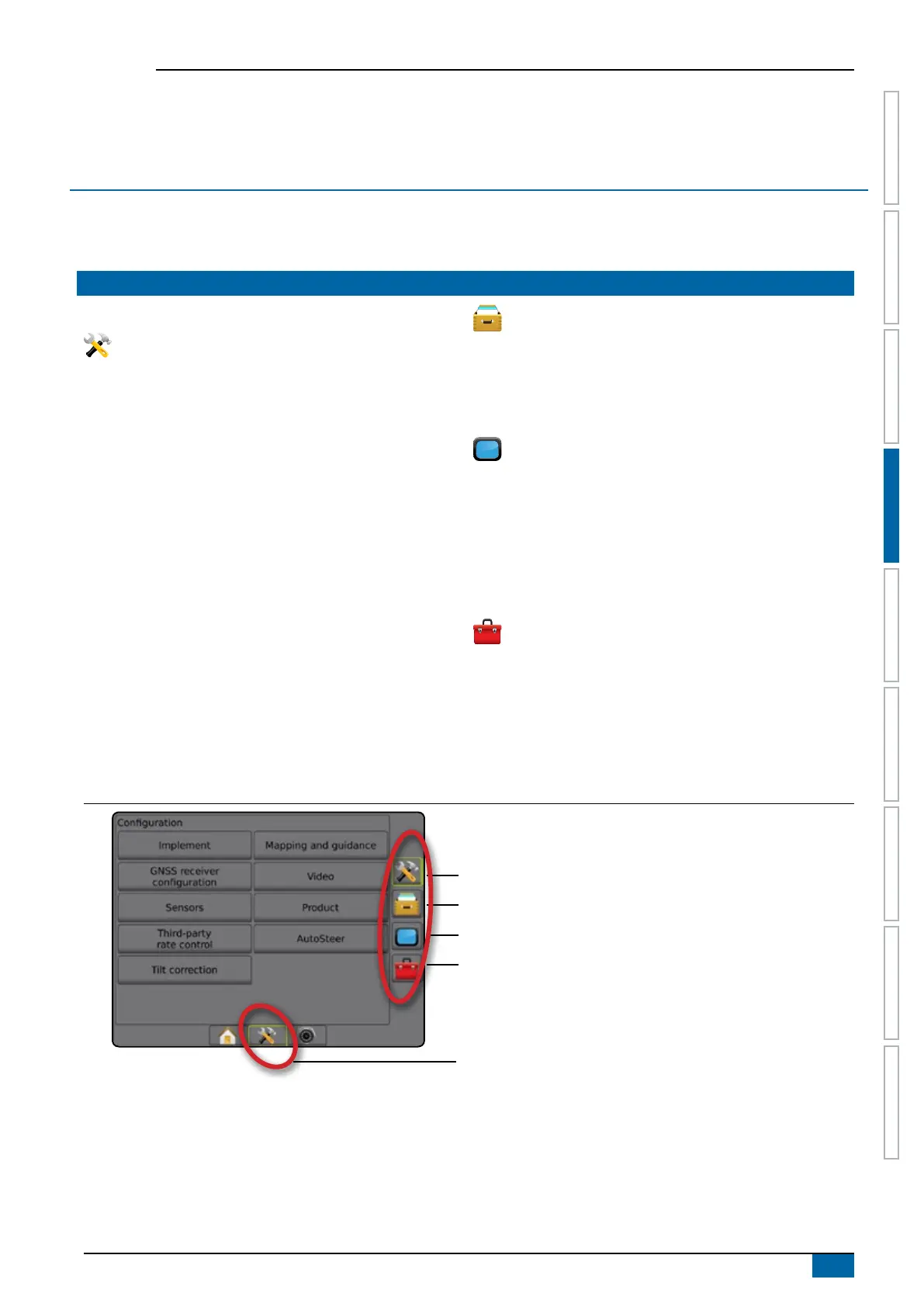
System Setup is used to congure the console, the machine and its implements. Four side tabs access options for Machine/Implement
Conguration, Data Management, Console Settings, and Tools.
OVERVIEW
Four side tabs access setup options for:
Conguration
• Implement (Straight, Spreader, or Staggered Implement
congurations; Nozzle Selection information including Droplet
Size Monitor, Reverse conguration)
• Mapping and guidance (Mapping Location, Lightbar, External
Lightbar)
• GNSS receiver conguration
• Video Conguration
• Sensors (Input/Output Module (IOM) Pressure Sensor)
• Product conguration
• Third-party rate control conguration
• AutoSteer
◄FieldPilot (Valve setup, Steering settings, Valve test, Valve
diagnostics, Steering wheel sensor, Steering angle sensor)
◄FieldPilot Pro / UniPilot Pro (Manage vehicle, Calibrations,
adjustments, Select QI values, Transport mode, Service
mode)
• Tilt correction
Data management
• Job data (transfer, manage)
• Reports
• Options (Job mode)
• Machine Settings (transfer, manage)
Console settings
• About (system information)
• Display
• Cultural
• Audio volume
• Demo GNSS
• Feature unlock
Tools
• Upload software
• Extras (calculator, units converter)
Figure 4-1: Setup options
Conguration side tab
Data Management side tab
Console Settings side tab
Tools side tab
System Setup bottom tab
Side tabs



 To Next Page