12
www.teejet.com
MATRIX
®
Pro 570GS
•
MATRIX
®
Pro 840GS
HOME GUIDANCEFULL SCREEN IMPLEMENTINTRODUCTION GNSS RATE CONTROL APPENDIXSETUP
CONFIGURATION
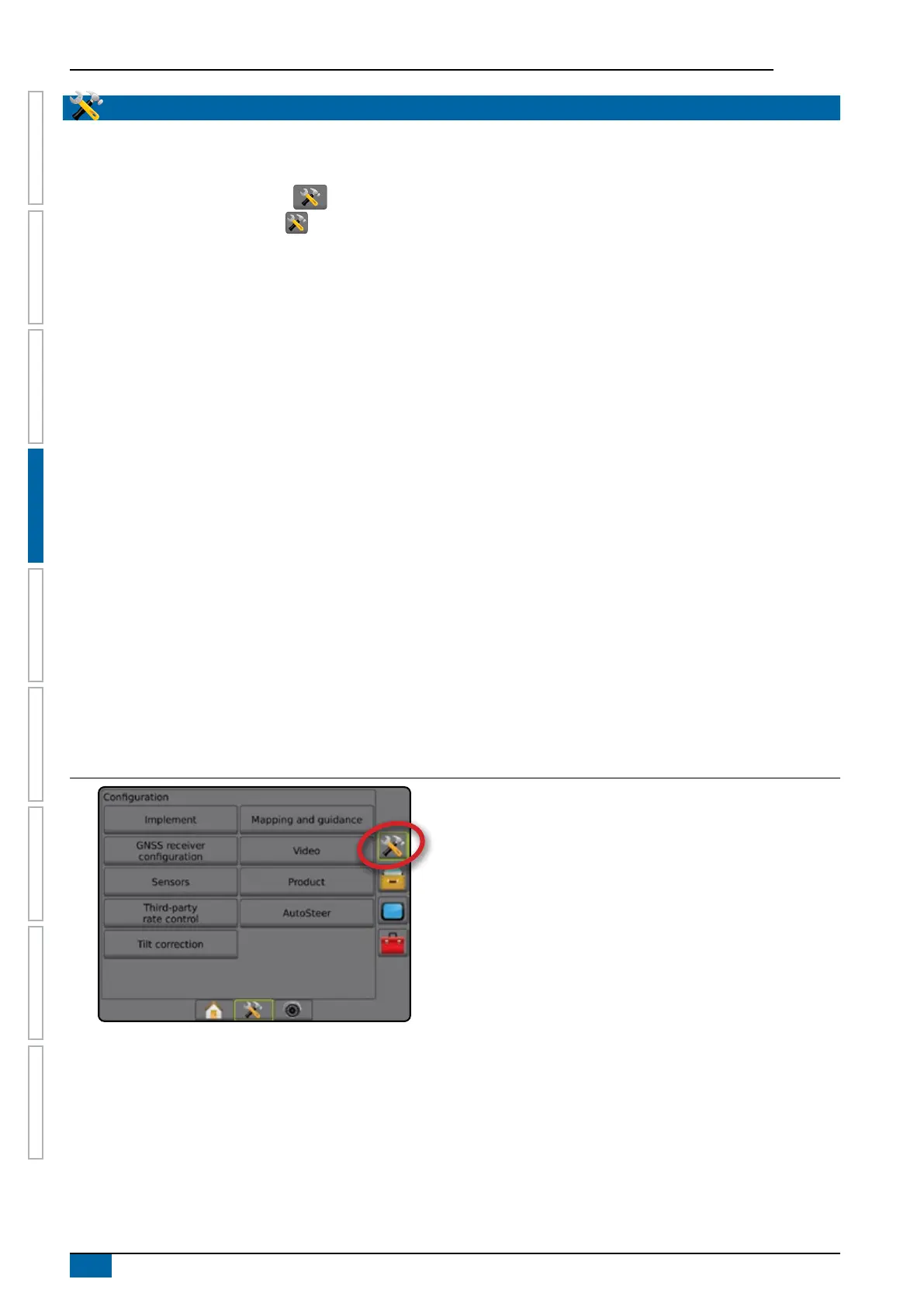
Conguration is used to congure the system components including implements, guides, steering, monitors and sensors.
NOTE: Feature availability will vary depending on the devices available and unlocked on the Matrix Pro GS system.
1. Press SYSTEM SETUP bottom tab .
2. Press CONFIGURATION side tab
.
3. Select from:
►Implement – used to set (as appropriate) machine type,
GNSS antenna height, implement type, symmetric
implement layout, section output modules, number of
implement sections, application/working width, droplet size
monitor, nozzle selection, nozzle spacing, BoomPilot start
mode, Reverse Sense Module
● In Straight mode – in-line/lateral implement offset
direction/distance, overlap percentage, implement delay
on/off time
● In Spreader mode:
TeeJet – antenna to disks distance, lateral implement
offset direction/distance, overlap percentage, delay on/
off times, spread offset distance, section offset distances,
section lengths
OEM – antenna to disks distance, lateral implement offset
direction/distance, start/stop distance, section start/stop
offset distances
● In Staggered mode – in-line/lateral section 1 offset
direction/distance, overlap percentage, delay on/off times,
section offsets
►Mapping and guidance – used to congure the mapping
location, guidance width, cross track error shown on the
lightbar
►GNSS receiver conguration – used to establish GNSS type,
port, and PRN, as well as to view GNSS status information
►Video – used to set up individual cameras
►Sensors – used to establish pressure sensor settings
►Product – used to congure product name, colour mapping
maximum/minimum rate limits and corresponding display
colours
►Third-party rate control settings – used to congure
hardware interface and communication.
►AutoSteer – used to enable/disable and calibrate assisted/
auto steering
● FieldPilot – used to establish valve setup settings, steering
settings, steering wheel and steering angle sensor
settings, and to perform valve tests or valve diagnostics
● FieldPilot Pro / UniPilot Pro – used to manage vehicle
settings, calibrate sensors, select QI values, as well as
establish transport mode and service mode
►Tilt correction – used to enable/disable and calibrate the
tilt correction function, and improve application on hilly or
sloped terrain
Figure 4-2: Configuration options



 To Next Page