15
98-05273-EN R7
MATRIX
®
Pro 570GS
•
MATRIX
®
Pro840GS
HOMEGUIDANCE FULL SCREENIMPLEMENT INTRODUCTIONGNSSRATE CONTROLAPPENDIX SETUP
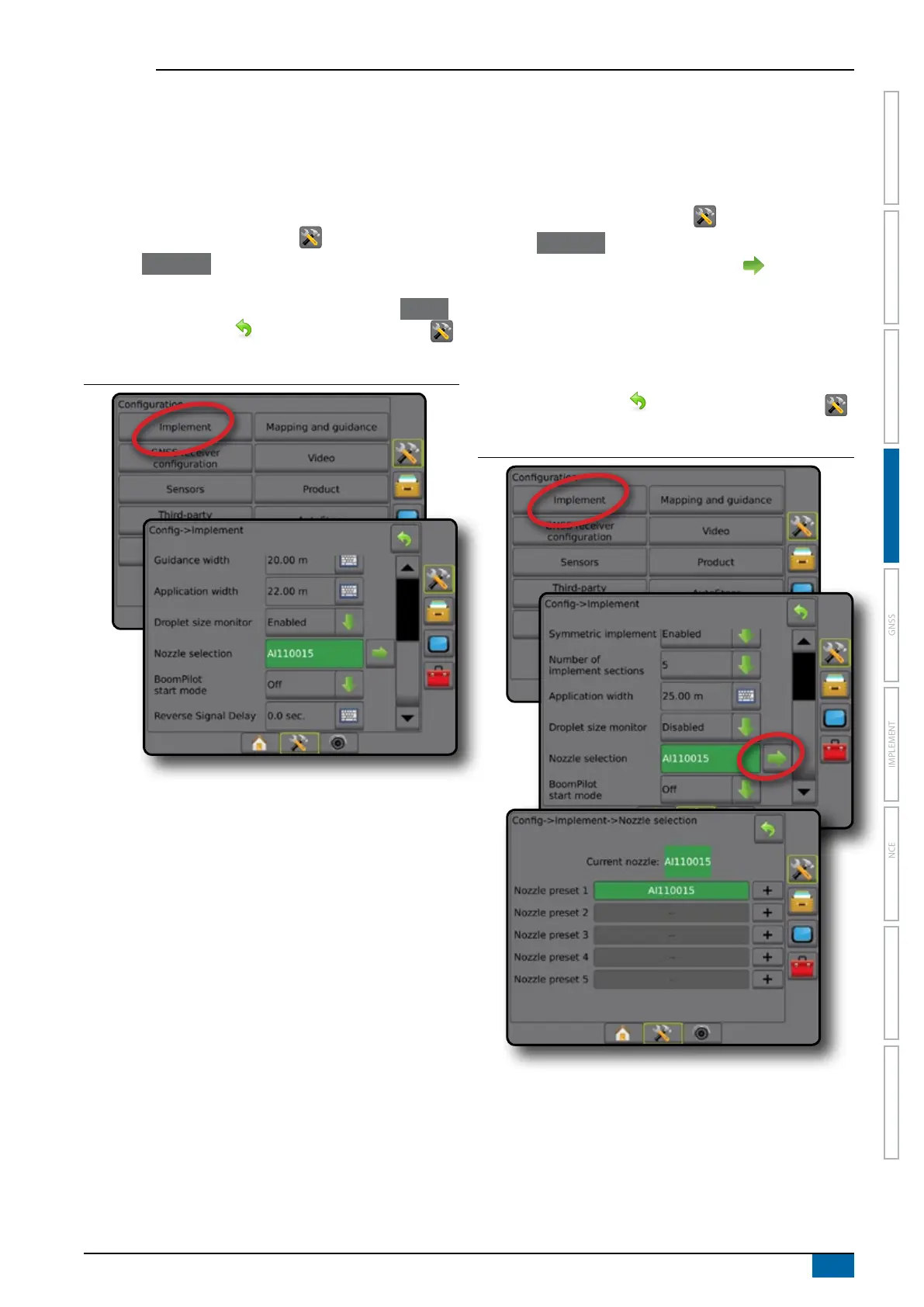
Droplet size monitor
When the system includes a Pressure sensor interface kit (PSIK),
Droplet size monitor can be enabled/disabled. The DSM then
becomes available on the operation screens.
NOTE: For more information, see "Droplet Size Monitor" in the
Implement chapter of this manual.
1. Press CONFIGURATION side tab .
2. Press Implement .
3. Select if Droplet Size Monitor is enabled or disabled. (If
enabling, also read displayed information and press Accept .)
4. Press RETURN arrow
or CONFIGURATION side tab
to return to the main Conguration screen.
Figure 4-8: Droplet size monitor
Nozzle selection
Nozzle selection enables up to ve (5) nozzles to be preset for
quick recall, and the current nozzle to be selected.
NOTE: For more information, see "Nozzle Selection" in the
Implement chapter of this manual.
1. Press CONFIGURATION side tab .
2. Press Implement .
3. Press Nozzle selection NEXT PAGE arrow .
4. Select from:
►Nozzle preset 1-5 – selects up to ve (5) nozzles for quick
recall, and selected the current nozzle for determining
droplet size information
►Current nozzle – displays the current nozzle
5. Press RETURN arrow or CONFIGURATION side tab
to return to the main Conguration screen.
Figure 4-9: Nozzle selection



 To Next Page