58
www.teejet.com
MATRIX
®
Pro 570GS
•
MATRIX
®
Pro 840GS
HOME SETUPFULL SCREEN IMPLEMENTINTRODUCTION GNSS RATE CONTROL APPENDIXGUIDANCE
CHAPTER 7 GUIDANCE AND MAPPING
The Matrix Pro GS allows product application and vehicle guidance to be performed simultaneously. Once system setup is complete,
guidance can begin. Six guidance modes allow users to optimize the eld work: Straight AB , Curved AB , Circle pivot ,
Last pass , NextRow and Adaptive curve . Additional optimization can be accomplished with Interior boundary , Exterior
boundary and/or Polygon application; Curved lookahead ; Return to point ; and RealView guidance over video . In
addition, Coverage and Application mapping functions can display and record product application, and Prescription and
Target rate maps can direct product application.
Overview
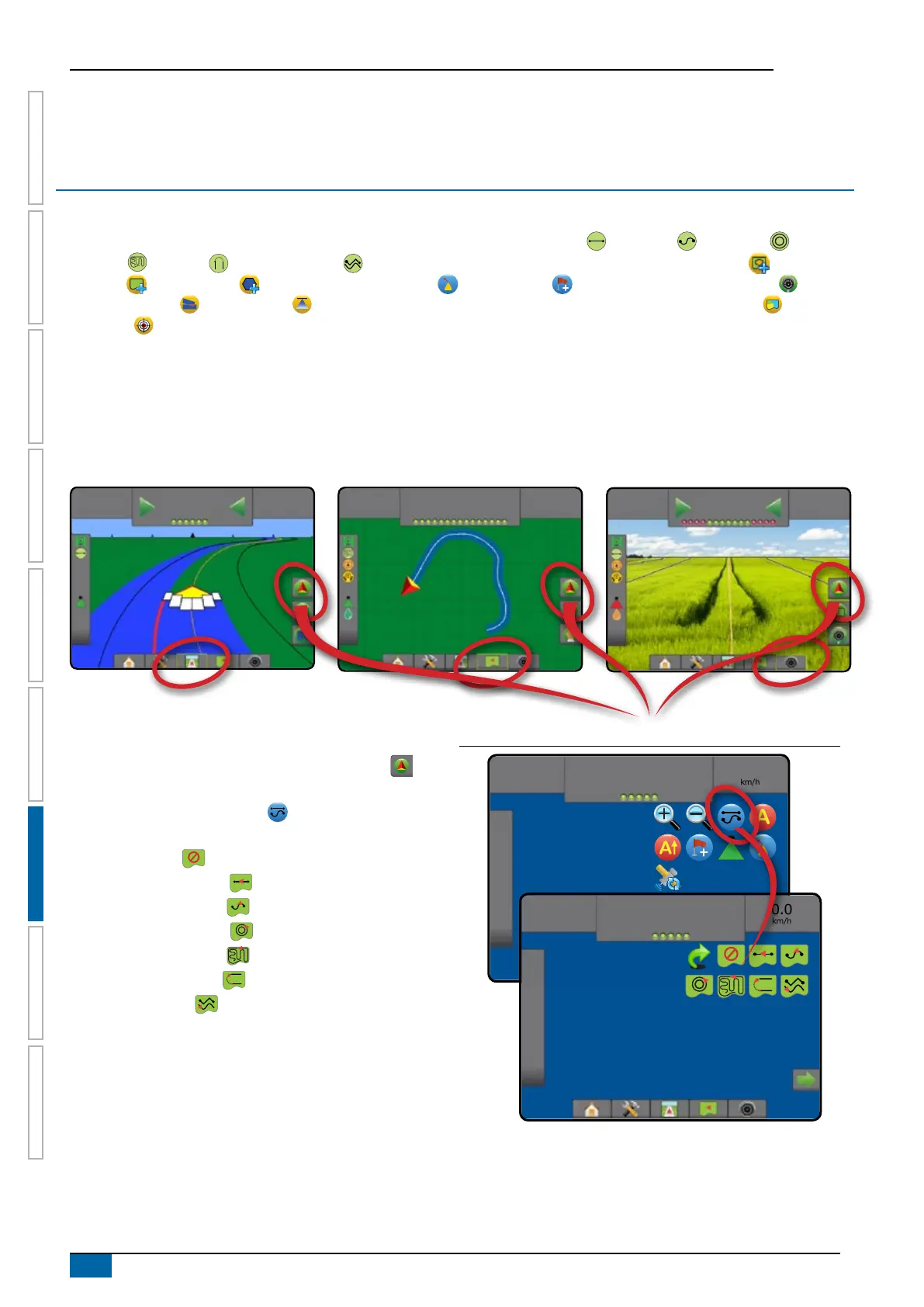
Three guidance screens assist in keeping you informed.
Vehicleview guidance creates a
computer-generated image of the vehicle
position displayed in the application area.
Fieldview guidance creates a
computer-generated image of vehicle
position and application area from an aerial
perspective.
RealView guidance allows live video
input to be displayed instead of a computer-
generated image.
7
km/h
7.62
ha
0.0
7
km/h
7.62
ha
Mark A
7
km/h
7.62
ha
0.0
To choose a guidance mode:
1. Press NAVIGATION AND GUIDANCE OPTIONS tab to
display navigation options.
2. Press GUIDANCE MODE icon .
3. Select from:
►No guidance
►Straight AB guidance
►Curved AB guidance
►Circle Pivot guidance
►Last Pass guidance*
►NextRow guidance*
►Adaptive curve
*Guidance options may not be available depending on
assisted/automatic steering system installed.
Figure 7-1: Choose a guidance mode
0.0
km/h
0.00
ha
Mark A
0.0
km/h
0.00
ha
Mark A



 To Next Page