90
www.teejet.com
MATRIX
®
Pro 570GS
•
MATRIX
®
Pro 840GS
HOME SETUP GUIDANCEFULL SCREEN IMPLEMENTINTRODUCTION GNSS APPENDIXRATE CONTROL
Target rate map
Target rate map shows the target application rate that the
rate controller attempted to achieve at each location.
NOTE: Application map and Target rate map cannot be selected
simultaneously.
On screen mapping
• Coverage area – illustrates applied area:
◄ User selected – applied areas show coloured bars relative
to selected colour range and map selection.
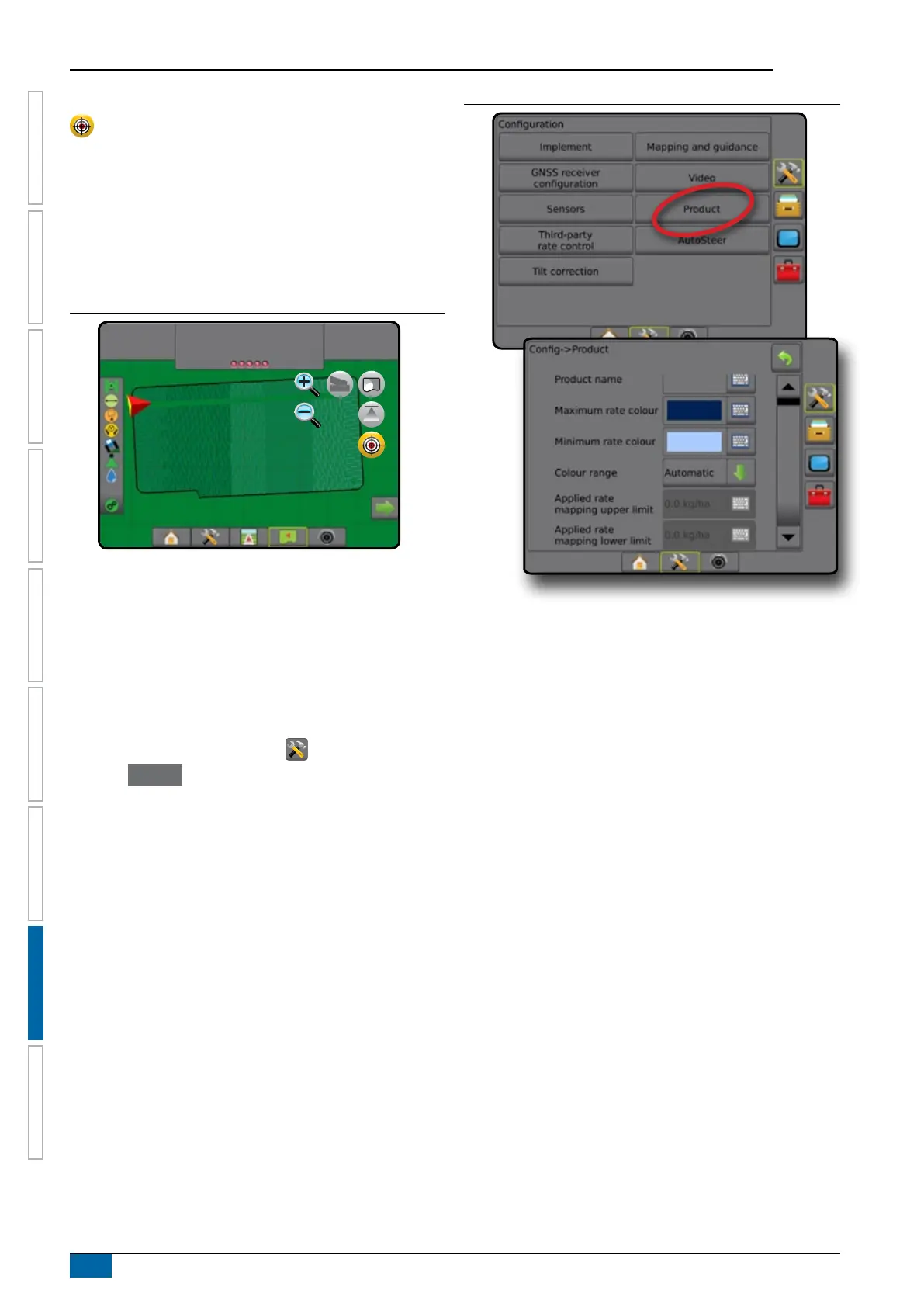
Figure 8-11: Target rate map
27.00
ha
10.0
km/h
Mark A
Target rates
Preset Target application rates dene target rates of product being
applied per hectare/acre. These settings will set the same for all
active jobs.
Colour range selection
Product options congure maximum/minimum rate limits and
corresponding display colours for mapping.
1. Press CONFIGURATION side tab .
2. Press Product .
3. Select:
►Colour Range – mode used to set the rate for Maximum
rate colour and Minimum rate colour.
◄ Automatic – maximum and minimum will be determined
by actual applied rate values or target rate values
◄ Manual – maximum and minimum limits will be set to
those set in Applied rate mapping upper limit and Applied
rate mapping lower limit options
►Maximum rate colour – used to set the colour for the
maximum rate. When in Manual colour range mode, this
colour will be used for all rates above the Applied rate
mapping upper limit
►Minimum rate colour – used to set the colour for the
minimum rate. When in Manual colour range mode, this
colour will be used for all rates below the Applied rate
mapping lower limit
Figure 8-12: Product options



 To Next Page