80
www.teejet.com
MATRIX
®
Pro 570GS
•
MATRIX
®
Pro 840GS
HOME SETUPFULL SCREEN IMPLEMENTINTRODUCTION GNSS RATE CONTROL APPENDIXGUIDANCE
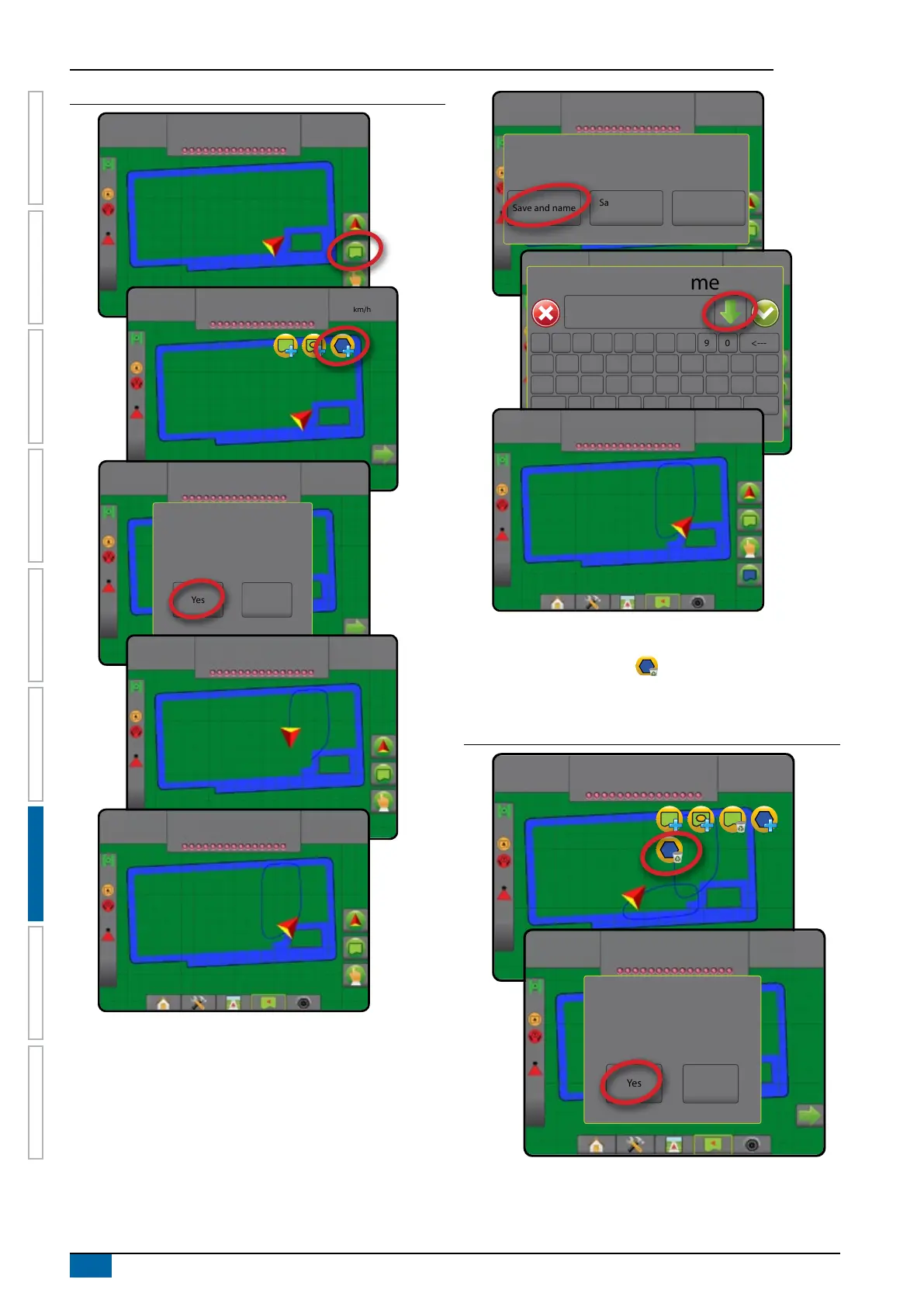
Figure 7-30: Polygon
7.03
ha
7.2
km/h
7.03
ha
7.2
km/h
7.03
ha
7.2
km/h
The polygon will be mapped at
Default location. Continue using this
location?
Yes Cancel
7.03
ha
7.2
km/h
7.03
ha
7.2
km/h
7.03
ha
7.2
km/h
Would you like to save and name the marked
polygon?
Save without
naming
Save and name Discard
7.03
ha
7.2
km/h
Polygon name
1 5 92 6 03 74 8
q
Caps
Alt
t
f
v
o
k
Shift
w
a
z
y
g
b
p
l
e
s
x
u
h
n
r
d
c
i
j
m
<---
7.03
ha
7.2
km/h
Delete last marked polygon
Use DELETE POLYGON icon to delete the last marked
polygon from the current job. Press again to remove additional
polygons in order from last to rst created.
Figure 7-31: Delete last marked polygon
0.00
ha
0.0
km/h
4.68
ha
7.2
km/h
This will permanently delete the last
polygon you created. Do you want
to proceed?
Yes No



 To Next Page