13
98-05273-EN R7
MATRIX
®
Pro 570GS
•
MATRIX
®
Pro840GS
HOMEGUIDANCE FULL SCREENIMPLEMENT INTRODUCTIONGNSSRATE CONTROLAPPENDIX SETUP
Implement
Implement setup is used to establish the various settings
associated with straight mode, spreader mode, or staggered
mode. Available settings will vary depending on the specic
equipment present in the system.
This section includes setup options for these implement
congurations:
►Single section
►Multiple sections with Section driver module or Switch
function module
NOTE: For more information, see the Implement chapter of this
manual.
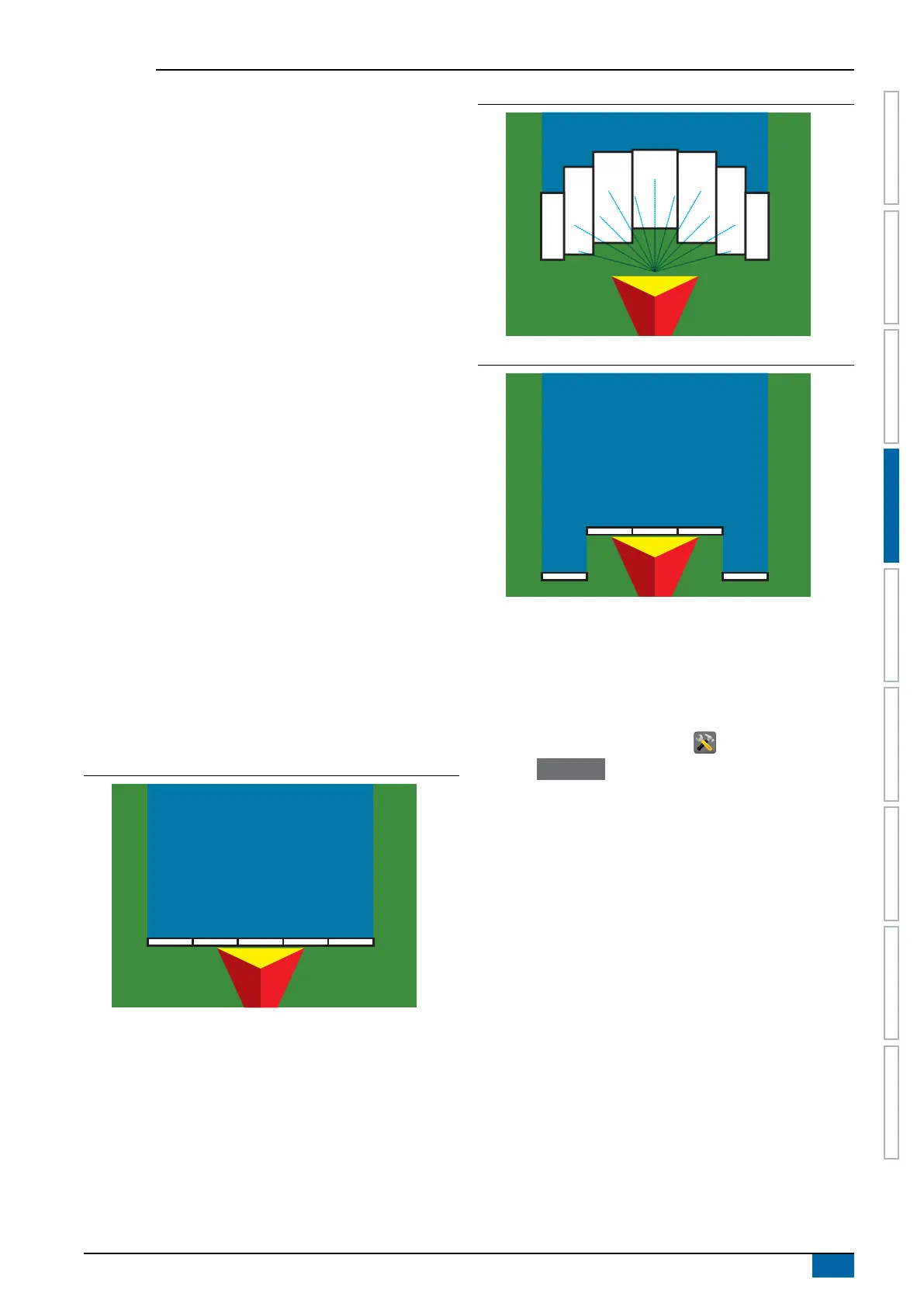
Implement type
Implement type selects the type of application pattern that most
closely represents your system.
● In Straight mode – the boom sections have no length and
are on a line a xed distance from the antenna
● In Spreader mode – a virtual line is created in line with the
delivery disks from which the application section or sections
can vary in length and can be at different distances from the
line (availability depends on the specic equipment in the
system)
● In Staggered mode – a virtual line is created in line with
Section 1 from which the application section or sections
have no length and can be at different distances from the
line (availability depends on the specic equipment in the
system)
NOTE: For more information, see "Implement Type" in the
Implement chapter of this manual.
Figure 4-3: Implement type – Straight
Figure 4-4: Implement type – Spreader
Figure 4-5: Implement type – Staggered
Single section setup
Single Section Setup is used when a SmartCable, Section Driver
Module (SDM), or Switch Function Module (SFM) is not on the
system (that is, no section control is present). The entire boom or
delivery area is considered to be one section.
1. Press CONFIGURATION side tab .
2. Press Implement .
3. Select from:
►Machine type [when available] – used to select the type of
machine that most closely represents your machine
►GNSS antenna height [when available] – used to measure
the height of the antenna from the ground
►Implement type – used to select the layout of the sections
for the applied product location
►Working width [Spreader Implement Type] – used to enter
the total width of the implement
►Application width [Straight Implement Type] – used to enter
the total width of the implement
►Droplet size monitor [when available] – used to enable
droplet size monitoring for up to ve preselected sprayer
nozzles
►Nozzle selection [when available] – used to select the type
of sprayer nozzle (series and capacity) for determining
droplet size information
►Applied alert – used to establish an alert to signal when
exiting or entering an applied area



 To Next Page