52
www.teejet.com
MATRIX
®
Pro 570GS
•
MATRIX
®
Pro 840GS
HOME SETUP GUIDANCEFULL SCREENINTRODUCTION GNSS RATE CONTROL APPENDIXIMPLEMENT
Implement lateral offset adjustment
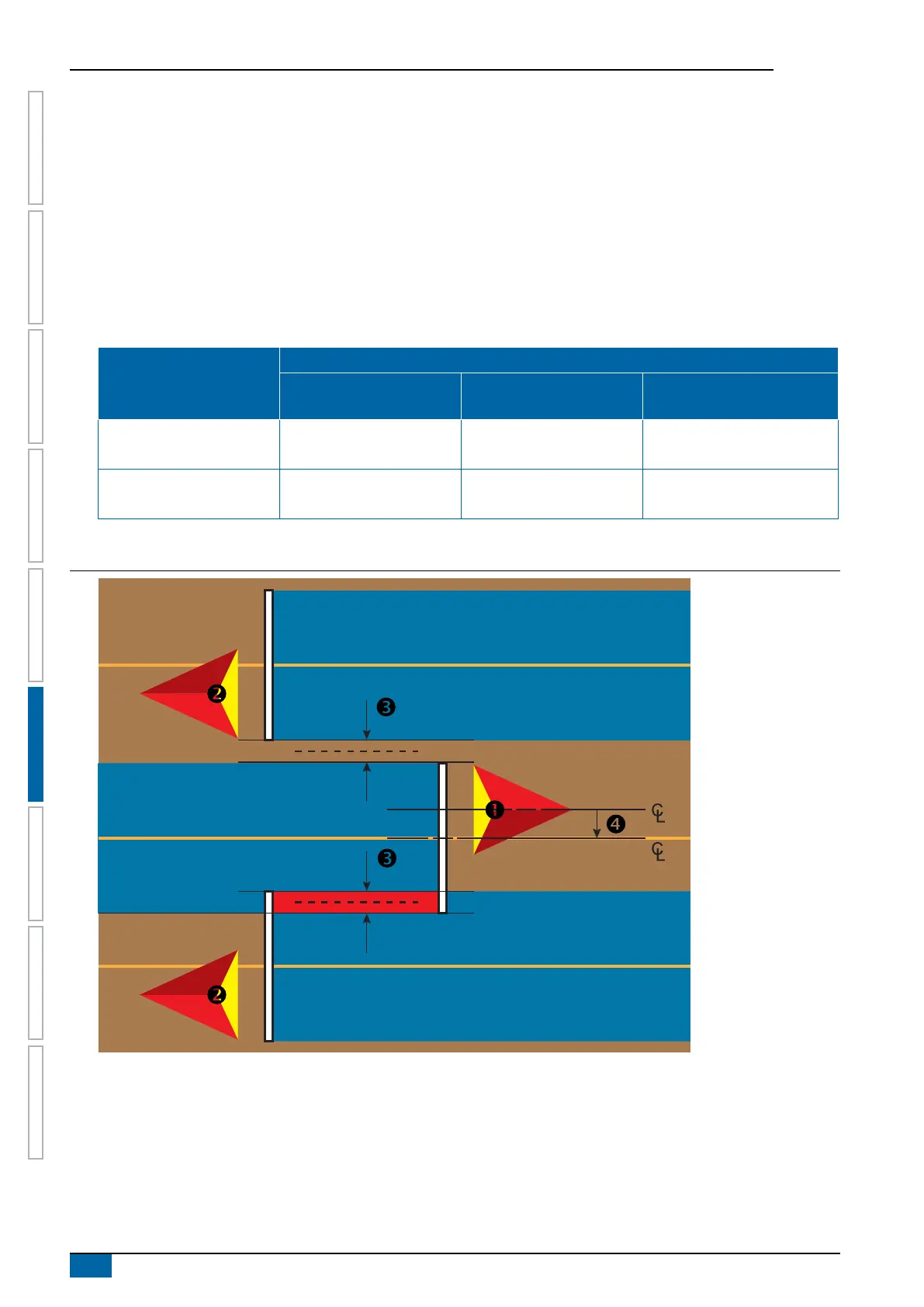
To calculate an implement offset adjustment using adjacent guidelines:
1. Create a straight AB line.
2. With assisted/auto steering engaged, drive pass
as if you were operating the implement, and place ags at the outside edges of
the implement.
3. Turn around and engage assisted/auto steering on pass
on the adjacent AB guideline. Place additional ags at the outside edges
of the implement or stop while on the AB guideline next to the ags you placed on pass .
4. Measure the difference
between the ags of pass and pass .
5. Divide the measured distance
in half. This difference will be the offset adjustment.
6. Increase or decrease the offset distance
as needed dependent on where the eld application overlap occurs and the current
implement offset direction setting.
Field application
Current offset settings
Offset direction = left Offset direction = right
Offset direction = right
offset distance = 0 m
Overlap on the right of pass or
Gap on the left of pass
Increase distance offset value Decrease distance offset value Increase distance offset value
Overlap on the left of pass
or
Gap on the right of pass
Decrease distance offset value Increase distance offset value
Change to implement offset direction to
left and increase distance offset value
Figure 6-26: Implement lateral offset distance and direction



 To Next Page