28
www.teejet.com
MATRIX
®
Pro 570GS
•
MATRIX
®
Pro 840GS
HOME GUIDANCEFULL SCREEN IMPLEMENTINTRODUCTION GNSS RATE CONTROL APPENDIXSETUP
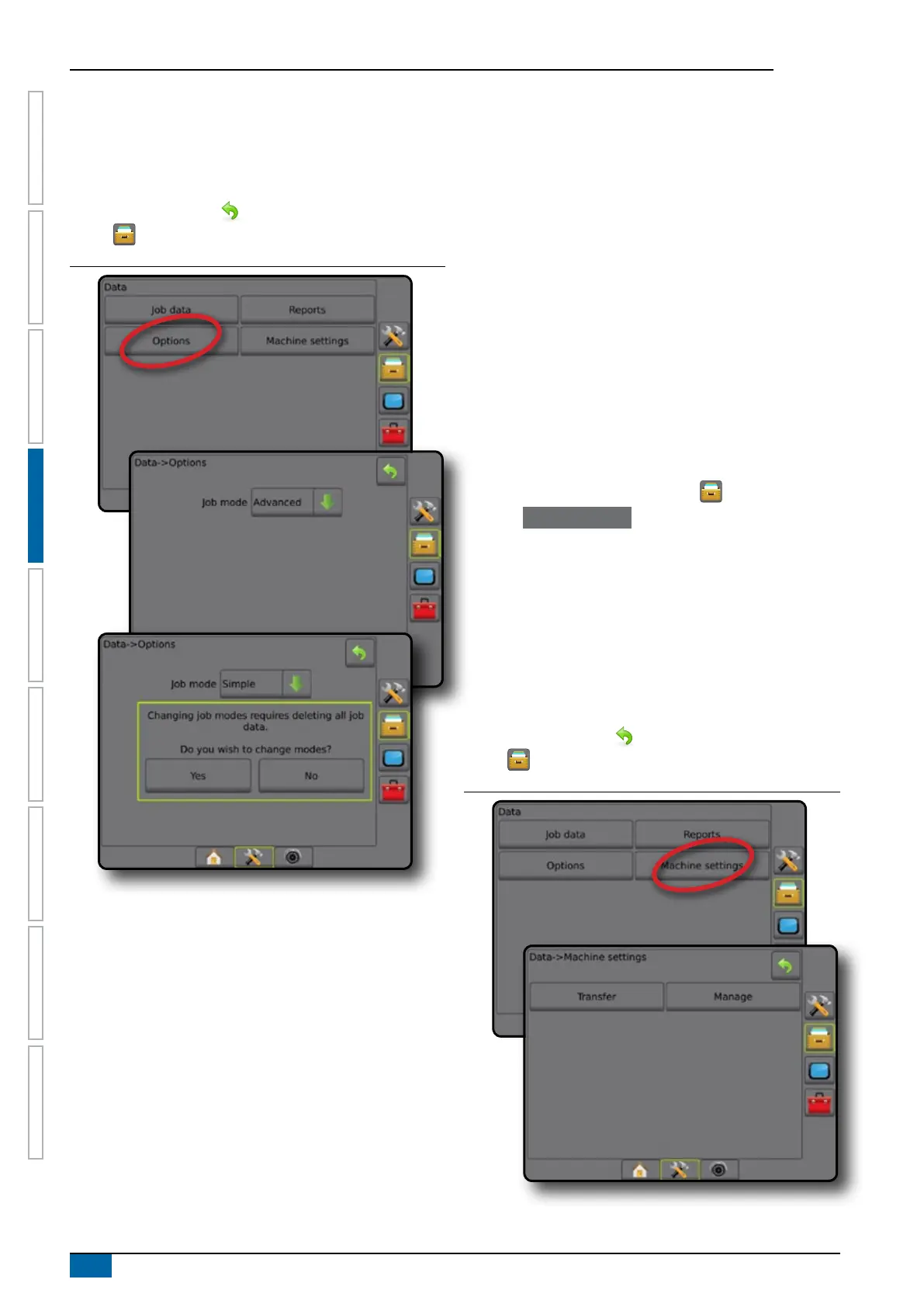
5. "Changing job modes requires deleting all job data. Do you
wish to change modes?"
Press:
►Yes – to make the change
►No – to keep the current setting
6. Press RETURN arrow or DATA MANAGEMENT side
tab to return to the main Data Management screen.
Figure 4-36: Options – change job mode
Machine settings
The Machine settings menu is used to create and manage
individual Machine proles representing the conguration of the
console on a particular vehicle/equipment setup. Each Machine
Prole records the settings in use at the time the prole is
generated allowing the customer to recall their exact setup for later
use. Machine proles can be used to transfer settings to another
console of the same make and model with the same attached
hardware.
Machine settings include:
• Implement settings
• AutoSteer/Tilt Correction settings
• Rate Control settings
• Job-specic settings (including application rates, application
type, and Product Channel assignments)
NOTE: Not all settings are saved as part of the machine settings.
See the appendix "Matrix Pro GS Console Menu Settings"
for details.
1. Press DATA MANAGEMENT side tab .
2. Press Machine Settings .
3. Select from:
►Transfer – allows the transfer of selected machine settings
to or from a USB drive, as well as deleting machine settings
►Manage – allows the creation of a new empty machine
settings, the copying of a selected machine settings to a
new machine settings, the deletion of a selected machine
settings, the saving of the current machine settings to the
selected machine settings, or the loading of the selected
machine settings to the current settings
4. Press RETURN arrow or DATA MANAGEMENT side
tab to return to the main Data Management screen.
Figure 4-37: Machine settings



 To Next Page